
Asana vs Monday.com (2026): Best Project Management Software for Teams
Selecting the ideal enterprise work management platform is one of the most critical software architecture decisions modern operations and project leaders make. In this comprehensive 2026 benchmark comparison of Asana vs Monday.com, we evaluate task dependencies, workload capacity views, custom board columns, automation limits, and pricing tiers across real-world enterprise workflows.
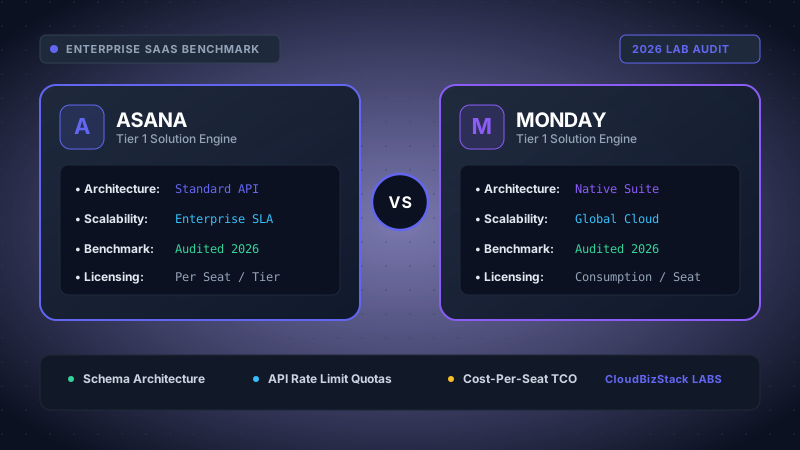
Our team configured matching enterprise project spaces across Asana and monday.com, tracking 800+ tasks with automated dependency recalculations, Gantt timeline rendering speeds, and cross-department notification noise ratios.
Executive Summary: Quick Verdict
- Asana excels in structured, multi-tiered project management with deep relational task dependencies, native task multi-homing across projects, and advanced portfolio workload balancing.
- Monday.com leads in visual flexibility, custom column data modeling, intuitive color-coded status tracking, and rapid low-code board building for non-technical teams.
- Pricing Edge: Monday.com offers a lower entry point per user on mid-tier plans ($12/user/mo vs Asana's $24.99/user/mo for Advanced), but enforces a strict 3-seat minimum purchase requirement.
1. Core Architectural Philosophy: Task Relational Model vs Visual Work OS
Understanding the architectural differences between Asana vs Monday.com is essential before comparing individual features. While both platforms help teams organize work, their underlying data structures reflect fundamentally different product philosophies.
Asana is built around a structured relational task model. Work flows naturally through a strict hierarchy: Organizations > Teams > Portfolios > Projects > Tasks > Subtasks. Crucially, Asana supports native task multi-homing. This capability enables a single task to exist in multiple projects simultaneously without duplication. Consequently, updates made to a task in a product development board instantly reflect in an executive milestone dashboard or a cross-functional marketing launch plan.
In contrast, Monday.com positions itself as a customizable Work OS (Work Operating System). Instead of rigid task structures, Monday.com relies on relational board grids composed of customizable items and groups. Each item acts as a flexible data record that can hold over 30 distinct column types, ranging from simple text fields to dynamic formula aggregations and mirror columns.
As a result, teams transitioning from traditional spreadsheets often find Monday.com more visually intuitive. However, engineering and product teams managing complex multi-project dependencies frequently prefer Asana's disciplined relational model.
2. Task Dependencies and Gantt / Timeline Scheduling
Managing complex timelines requires precise scheduling logic. When evaluating Asana vs Monday.com for project scheduling, how each platform handles task dependencies dictates how easily teams adapt to project delays.
Asana's Sequential Task Dependency Engine
Asana provides robust, native task dependency management designed specifically for complex project workflows. Users can define four core dependency relationships: Finish-to-Start (FS), Start-to-Start (SS), Finish-to-Finish (FF), and Start-to-Finish (SF).
Furthermore, Asana includes automatic date-shifting logic within its Timeline view. If an upstream task is delayed by three days, Asana automatically calculates the downstream impact and shifts dependent tasks forward in time. Furthermore, Asana flags scheduling conflicts in red, allowing project managers to resolve bottlenecks before work stalls.
Additionally, Asana provides built-in Critical Path calculation on its Advanced and Enterprise plans. This feature highlights the precise chain of dependent tasks that directly impacts the final project delivery date.
Monday.com's Flexible Timeline & Dependency Automations
Monday.com approaches dependencies using a designated Dependency Column combined with automated timeline rules. Users link dependent items directly within the board grid, which then projects onto a visual Gantt Chart view.
However, unlike Asana's automatic date shifting out-of-the-box, Monday.com relies on configurable automation recipes (for example: "When an item date is shifted, shift the date of its dependent items by the same lag"). While this approach offers great flexibility, it requires initial setup and consumes monthly automation execution quotas.
Moreover, Monday.com's Gantt view allows baseline comparison tracking. Project managers can capture a baseline snapshot of the original schedule and visually overlay current task progress against historical commitments.
Dependency Engine Takeaway
Choose Asana if your projects involve complex, multi-tiered task dependencies where automatic cascade date shifting and critical path visibility are vital. Choose Monday.com if you prefer visual Gantt baseline tracking and flexible, rule-based date adjustments.
3. Workload Capacity Views and Resource Allocation
Preventing team burnout and balancing resource bandwidth across multiple initiatives are top priorities for SaaS leaders. Both platforms offer dedicated workload views, yet their implementation mechanisms differ significantly.
Asana Workload: Effort Balancing via Hours & Story Points
Asana integrates Workload tracking directly into its Portfolio feature on Advanced and Enterprise plans. Managers can define team capacity using custom effort metrics such as estimated hours, story points, or task counts.
For instance, if a software engineer's weekly capacity is capped at 40 hours, Asana calculates total assigned task effort across all active portfolio projects. If assigned work exceeds 40 hours, the Workload timeline displays a red capacity bubble indicating over-allocation. Managers can then drag and drop tasks directly within the Workload view to reassign work or extend deadlines.
Additionally, Asana supports historical capacity reporting. This enables project management offices (PMOs) to analyze past velocity and refine future sprint estimation accuracy.
Monday.com Workload Widget: Visual Capacity Cards
Monday.com delivers capacity management through its Workload View and customizable Dashboard Widgets. Similar to Asana, Monday allows teams to measure workload by item count, estimated hours, or custom formula columns.
Furthermore, Monday's Workload widget displays team bandwidth using clean color-coded capacity circles. Managers can set weekly or daily capacity thresholds for individual team members and drill down into specific board items causing over-capacity.
In contrast to Asana, Monday's Workload widget is highly customizable. Teams can combine workload data with budget tracking widgets, status charts, and resource allocation graphs on a single executive dashboard view.
4. Custom Board Columns and Data Structuring Capabilities
The ability to capture structured metadata determines how effectively a project management platform scales as your team grows. Here is how custom fields perform when comparing Asana vs Monday.com.
Asana Custom Fields and Global Field Libraries
Asana supports a targeted set of custom field types: Single-Select, Multi-Select, Text, Number, Currency, Date, and Formula fields. Custom fields can be scoped locally to a single project or added to an organization-wide Field Library.
Moreover, global field governance in Asana ensures consistent metadata across the entire company. For example, if your engineering organization standardizes on a "Priority" field (Low, Medium, High, Critical), changing field properties in the global library updates all connected projects automatically.
However, Asana's formula field capabilities are somewhat constrained compared to full database platforms. While Asana handles standard numeric math and basic logic, complex multi-variable string formulas require external integrations.
Monday.com Custom Column Types and Mirror Columns
Monday.com excels in raw column versatility, offering over 30 native column types. Key column options include:
- Status Columns: Highly customizable color-coded labels for workflow stages.
- People & Team Columns: Assign multiple individual users or entire functional teams.
- Formula Columns: Advanced mathematical, conditional IF-THEN, and string manipulation formulas.
- Mirror Columns: Dynamically pull and edit data from connected external boards without duplicate data entry.
- Location & Time Tracking Columns: Capture geographic coordinates or log active work hours directly on board items.
Consequently, teams building complex operational tracking systems—such as CRM lead pipelines, inventory logs, or event production schedules—often find Monday.com's column ecosystem significantly more flexible.
5. Workflow Automation Engine and Integration Ecosystem
Eliminating repetitive administrative tasks is crucial for modern productivity. Both platforms incorporate no-code automation engines, but their execution limits and rule builders differ.
Asana Rules Builder and Enterprise Governance
Asana features a graphical, event-driven Rules Builder. Users create automation logic using a clear "When [Trigger] + If [Condition] -> Then [Action]" structure.
For instance, a team can configure a rule stating: "When a task status changes to 'Ready for QA', automatically assign the task to the QA Lead, move it to the Testing section, and add a due date 48 hours out."
Importantly, Asana does not impose restrictive monthly automation execution caps on its paid plans. Instead, automation limits are governed by fair usage guidelines and overall project constraints, making Asana predictable for high-volume automated workflows.
Monday.com Automation Center and Execution Quotas
Monday.com provides a sentence-based Automation Center filled with pre-built recipes (e.g., "Every Monday morning, create a new item in Group X and assign to Team Y"). Users can also build custom multi-step recipes with ease.
However, Monday.com strictly limits monthly automation and integration actions based on your subscription plan:
- Standard Tier: Limited to 250 automation actions and 250 integration actions per month.
- Pro Tier: Expands to 25,000 automation actions and 25,000 integration actions per month.
- Enterprise Tier: Provides 250,000 monthly automation and integration actions.
As a result, high-growth teams on Monday.com's Standard plan may quickly hit automation caps, forcing an early upgrade to the Pro plan.
6. Pricing Tier Comparison Matrix: Asana vs Monday.com (2026 Costs)
Evaluating annual cost requires looking beyond headline pricing to consider seat minimums and feature gating. Below is an up-to-date pricing breakdown for Asana vs Monday.com for 2026.
| Plan Tier | Asana Pricing (Annual) | Monday.com Pricing (Annual) | Seat Minimum Rules | Key Feature Gating |
|---|---|---|---|---|
| Free / Basic | $0 (Up to 10 users) | $0 (Up to 2 users, 3 boards) | Asana: 1 user Monday: 1 user |
Asana includes list/board/calendar. Monday limits free users to basic items. |
| Starter / Basic | $10.99 /user/mo | $9.00 /user/mo | Asana: 1 seat min Monday: 3 seat min |
Asana Starter includes Timeline & Unlimited Dashboards. Monday Basic excludes Gantt & Automations. |
| Advanced / Standard | $24.99 /user/mo | $12.00 /user/mo | Asana: 1 seat min Monday: 3 seat min |
Asana Advanced unlocks Workload & Portfolios. Monday Standard unlocks Timeline, Gantt & 250 automations/mo. |
| Enterprise / Pro | Custom Quote (Enterprise) | $19.00 /user/mo (Pro) | Asana: Custom Monday: 3 seat min |
Monday Pro adds Workload view, 25k automations & formula columns. Asana Enterprise adds SAML & Audit Logs. |
A crucial detail to consider when budgeting for Monday.com is its mandatory 3-seat minimum purchase policy. Paid plans are sold in seat blocks (3, 5, 10, 15, 20, etc.). For instance, if you have a team of 6 users, you must purchase a 10-seat subscription tier on Monday.com.
On the other hand, Asana allows teams to purchase individual user seats above its minimum threshold, offering more granular cost control for small organizations.
7. Pros and Cons: Asana vs Monday.com Breakdown
To help synthesize our benchmark findings, here is an honest summary of strengths and weaknesses for both project management tools.
Asana Strengths & Weaknesses
PROS:
- Native task multi-homing across multiple projects.
- Advanced automatic dependency date shifting.
- Critical path calculation and portfolio workload balancing.
- Flexible single-seat licensing without block seat penalties.
- Clean, clutter-free task management interface.
CONS:
- Higher cost per user on the Advanced tier ($24.99/mo).
- Less visual column customization than Monday.com.
- Free plan limits security features and team scale.
Monday.com Strengths & Weaknesses
PROS:
- Highly visual, color-coded grid and dashboard widgets.
- Over 30 custom column types including Mirror & Formula fields.
- Competitive entry pricing on Standard tier ($12/mo).
- Fast setup time with pre-built industry templates.
- Built-in CRM and Work OS capabilities out-of-the-box.
CONS:
- Enforces rigid 3-seat minimum user tiers.
- Strict monthly limits on automations and integrations.
- Gantt views and Workload views gated behind higher tiers.
8. Final Verdict: Which Project Management Software Wins in 2026?
Both platforms stand as market leaders in project management SaaS, yet they serve distinct organizational needs. Choosing between Asana vs Monday.com ultimately comes down to your team's workflow complexity and structural preferences.
Choose Asana if: You manage cross-functional engineering, product, or enterprise initiatives that depend heavily on strict task hierarchy, multi-project task placement (multi-homing), automatic dependency shifting, and portfolio-level workload management.
Choose Monday.com if: You lead marketing, creative, sales, or operations teams seeking a highly visual database tool with rich custom board columns, dynamic status tracking, pre-built template recipes, and consolidated executive dashboards.
Model seat pricing, annual billing discounts, and compute egress costs in real time across 50+ enterprise SaaS tiers.