
Slack vs Microsoft Teams (2026): Real-Time Chat & Video Costs for Small Companies
When evaluating real-time team communication tools, the decision between Slack vs Microsoft Teams represents one of the most consequential SaaS infrastructure choices for growing small companies. While both platforms provide channel-based chat, audio/video conferencing, file sharing, and developer integrations, their underlying pricing models and ecosystem dependencies diverge dramatically.
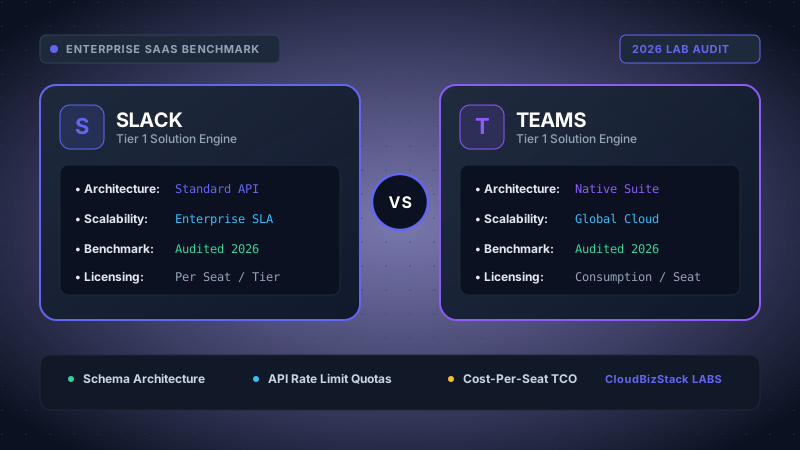
Our software research team deployed active business instances across Slack Pro/Business+ and Microsoft Teams (M365 Business Standard). We measured audio/video huddle latency, notification noise ratios, webhook alerting throughput, and total seat licensing overhead for growing companies.
For early-stage startups and small businesses managing strict SaaS budgets, selecting the right platform is rarely just about interface preference. Consequently, leadership teams must calculate the total cost of ownership (TCO) when choosing between a standalone Slack subscription ($8.75 to $15.00 per user monthly) versus deploying Microsoft Teams bundled inside Microsoft 365 ($6.00 to $12.50 per user monthly).
1. The Core Economic Conflict: Microsoft 365 Bundling vs Standalone Slack Seats
The primary driver behind the Slack vs Microsoft Teams competition is licensing structure. Microsoft leverages its enterprise dominance by including Microsoft Teams at zero incremental cost across most Microsoft 365 business tiers. Therefore, small businesses using Microsoft for business email (Exchange) and document editing already own full Teams licenses without spending extra capital.
Slack, by contrast, operates as a specialized standalone productivity application owned by Salesforce. While Slack offers a free tier, its strict 90-day search history limit usually forces growing teams to upgrade to paid plans quickly. As a result, small companies paying for both Google Workspace or Microsoft 365 for office documents and Slack for communication encounter a dual-subscription expense known as the "Slack Tax."
Real-World Cost Example (25-User Company)
Option A (Microsoft Centric): 25 users on Microsoft 365 Business Standard ($12.50/user/mo) = $312.50/mo total. Includes Outlook email, 1TB OneDrive, Word, Excel, PowerPoint, and full Microsoft Teams video/chat capabilities.
Option B (Dual Stack): 25 users on Google Workspace Business Starter ($6.00/user/mo) + Slack Pro ($8.75/user/mo) = $368.75/mo total ($4,425/year). Adding Slack increases total productivity software spending by 145% over baseline email infrastructure.
Furthermore, annual price adjustments in the SaaS market make long-term financial forecasting vital. While Slack Pro costs $8.75 per seat per month when billed annually, larger small businesses scaling past 50 users often find that Slack Business+ ($15.00 per user monthly) becomes mandatory to unlock single sign-on (SSO) and compliance exports. Conversely, Microsoft 365 includes Entra ID (formerly Azure Active Directory) SSO natively across all plan levels.
2. User Interface, Information Architecture, and Daily Workflow Efficiency
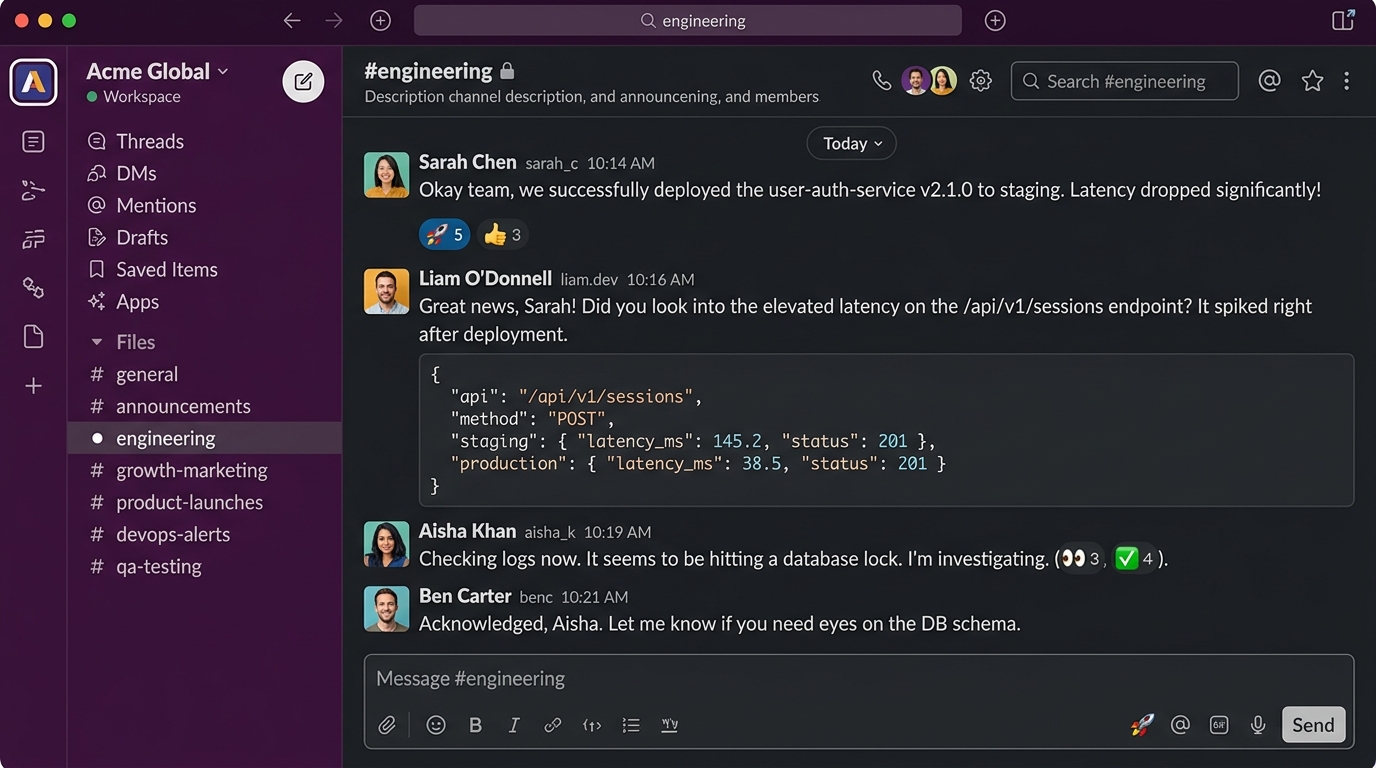
Beyond licensing economics, user experience remains a decisive factor when evaluating Slack vs Microsoft Teams. Slack's interface was engineered from the ground up to prioritize rapid, casual, async-first team messaging. Its channel navigation, customizable sidebar sections, canvas documents, and native custom emoji culture create an informal yet focused workplace dynamic.
Slack organizes communication into public channels, private channels, direct messages, and external Slack Connect channels. In addition, Slack's keyboard navigation (such as Quick Switcher via Cmd+K or Ctrl+K) allows power users to navigate hundreds of conversations without touching a mouse. Threading in Slack keeps channel streams clean while allowing deep technical discussions on specific topics.
Microsoft Teams structures collaboration around a nested hierarchy of Teams, Channels, and Tabs. Unlike Slack's flat channel list, Teams groups conversations under primary business units (e.g., Marketing > General, Campaigns, Analytics). However, this nested architecture can create cognitive clutter for smaller organizations, requiring users to navigate multiple nested trees to check message notifications.
In addition, Teams separates 1-on-1 and group chats from channel messages into two distinct side-tabs. While enterprise users accustomed to Microsoft Outlook feel comfortable with this division, smaller agile teams often find switching between "Chat" and "Teams" tabs disruptive to daily workflow speed.
3. Audio/Video Calling Engine: Slack Huddles vs Microsoft Teams Meetings
Real-time video conferencing capabilities represent another critical differentiator in the Slack vs Microsoft Teams comparison. Both platforms have invested heavily in cloud voice and video infrastructure, yet their operational philosophies cater to different meeting formats.
Slack Huddles focus on spontaneous, low-friction collaboration. With a single click inside any channel or direct message, team members can start an audio or video huddle. Slack Huddles feature multi-user screen sharing, real-time drawing overlays, dynamic canvas notes, and playful background music. Paid Slack tiers support up to 50 participants per huddle, making them ideal for daily standups, pair programming, and quick visual reviews.
Microsoft Teams Meetings operate as a full-featured video conferencing suite capable of replacing Zoom entirely. Teams supports up to 300 interactive meeting participants (and up to 10,000 view-only attendees) on standard business plans. Furthermore, Teams delivers enterprise meeting infrastructure including breakout rooms, AI noise suppression, live transcription, meeting recording with automatic summary chapters, custom branding, and formal webinar registration forms.
System Performance & Desktop App Footprint
The upgraded Microsoft Teams 2.0 architecture uses Microsoft WebView2 instead of Electron, reducing memory consumption by up to 50% and cutting launch times in half. Slack's Electron client remains fast and responsive, but running multiple active Slack workspaces simultaneously can consume 1GB to 2GB of desktop RAM on macOS and Windows hardware.
4. Search History Limits, Message Archiving, and Data Retention
Knowledge retention and search capabilities directly impact organizational productivity. When comparing Slack vs Microsoft Teams for small businesses, understanding data access boundaries prevents unexpected data loss or forced upgrade cycles.
On Slack's Free tier, small companies face a 90-day message and file retention threshold. All messages, images, and documents older than 90 days become hidden from search results. Although Slack preserves this data on its servers, team members cannot access historical discussions unless the business upgrades to Slack Pro ($8.75/user/mo). Once upgraded, the complete historical message archive immediately unlocks.
Microsoft Teams provides unlimited chat history and search access across both its free tier (subject to storage caps) and all paid Microsoft 365 business plans. Messages sent in Teams remain searchable indefinitely unless administrator retention policies explicitly purge old data. In addition, Microsoft 365 integrates content indexing with Microsoft Purview, enabling unified compliance searching across emails, Teams chats, and SharePoint documents.
5. App Integration Ecosystem and Workflow Automation
Modern communication tools serve as command centers for operational workflows. Consequently, third-party software integration depth is a pivotal evaluation metric when analyzing Slack vs Microsoft Teams.
The Slack App Directory features over 2,600 pre-built integrations, spanning developer platforms (GitHub, GitLab, Bitbucket, Sentry), project management suites (Jira, Linear, Asana, Notion), and automation triggers (Zapier, Make.com). In addition, Slack's native Workflow Builder enables non-technical team members to construct custom approval forms, automated channel welcomes, and scheduled bot reminders without writing code.
The Microsoft Teams App Store offers over 1,800 integrations, with its primary strength lying in native Microsoft Power Platform connectivity. Small businesses using Microsoft Teams can build custom low-code internal applications using Power Apps, generate automated multi-system flows via Power Automate, and embed interactive analytical reports directly into channel tabs with Power BI.
| Feature / Integration Category | Slack (Pro / Business+) | Microsoft Teams (M365 Business) |
|---|---|---|
| Developer Ecosystem | 2,600+ apps; deep GitHub, Jira, & CLI bots | 1,800+ apps; Azure DevOps & GitHub integration |
| Document Collaboration | Slack Canvas & Google Drive / Office embeds | Real-time co-authoring via Office & SharePoint |
| No-Code Automation | Slack Workflow Builder & Zapier | Microsoft Power Automate & Logic Apps |
| Cross-Company Chat | Slack Connect (up to 250 organizations) | Teams Shared Channels (B2B Direct Connect) |
| File Storage Limit | 10GB / user (Pro) or 20GB / user (Business+) | 1TB / organization + 10GB per licensed user |
6. Enterprise Security, Compliance, and Data Sovereignty
Security architecture is equally vital for small companies handling sensitive client files or regulatory compliance standards. Both Slack vs Microsoft Teams uphold high cloud security standards, yet administrative controls differ across pricing tiers.
Slack encrypts data in transit using TLS 1.3 and at rest using AES-256 standards. It complies with SOC 2 Type II, ISO 27001, and GDPR guidelines. However, advanced security features such as SAML-based Single Sign-On (SSO), domain claiming, and corporate audit logs require upgrading to Slack Business+ ($15.00/user/mo). Enterprise Key Management (EKM) is exclusive to Slack Enterprise Grid.
Microsoft Teams benefits directly from the Microsoft Entra ID infrastructure built into all Microsoft 365 plans. Small businesses enjoy native Multi-Factor Authentication (MFA), SAML SSO, conditional access policies, and data loss prevention (DLP) rules without upgrading to top-tier enterprise plans. Furthermore, HIPAA BAA agreements are available standard for healthcare providers across Microsoft 365 business tiers.
7. Total Cost of Ownership (TCO) Comparison for Small Companies
To evaluate the financial impact of Slack vs Microsoft Teams, small business decision-makers must compare total software stack expenses over a multi-year operational period. Below is a comprehensive 3-year TCO benchmark for growing teams:
| Company Size | Slack Pro + Google Workspace Starter | Microsoft Teams (M365 Business Standard) | 3-Year Savings with Microsoft Teams |
|---|---|---|---|
| 10 Employees | $147.50 / month ($5,310 over 3 yrs) | $125.00 / month ($4,500 over 3 yrs) | $810 Total Savings |
| 25 Employees | $368.75 / month ($13,275 over 3 yrs) | $312.50 / month ($11,250 over 3 yrs) | $2,025 Total Savings |
| 50 Employees | $737.50 / month ($26,550 over 3 yrs) | $625.00 / month ($22,500 over 3 yrs) | $4,050 Total Savings |
| 100 Employees | $1,475.00 / month ($53,100 over 3 yrs) | $1,250.00 / month ($45,000 over 3 yrs) | $8,100 Total Savings |
Slack Strengths
- Superior, polished UX preferred by engineering teams
- Low-latency informal audio/video Huddles with canvas drawing
- 2,600+ pre-built third-party app integrations
- Slack Connect for effortless cross-company partner chat
- Flexible keyboard shortcuts and granular notification settings
Slack Weaknesses
- 90-day search history restriction on Free tier
- High standalone seat cost ($8.75 to $15.00/user/mo)
- Requires separate subscriptions for email and office apps
- Single Sign-On requires expensive Business+ plan upgrade
Microsoft Teams Strengths
- Included at $0 extra license fee in Microsoft 365 plans
- Full video conferencing suite (300+ attendees, breakout rooms)
- Unlimited chat search history on paid business tiers
- Deep Microsoft Power Platform & SharePoint integration
- Built-in Entra ID SSO, MFA, and compliance features
Microsoft Teams Weaknesses
- Cluttered UI hierarchy with separate Chat and Teams tabs
- Notification settings can feel overwhelming out-of-the-box
- Higher barrier to entry for non-Microsoft software ecosystems
- Third-party app ecosystem is less developer-centric than Slack
Model seat pricing, annual billing discounts, and compute egress costs in real time across 50+ enterprise SaaS tiers.