
Docker Desktop vs Podman (2026): Rootless Container Engine Pricing & License Comparison
When evaluating Docker Desktop vs Podman for enterprise container development, infrastructure engineering teams face a crucial decision between commercial developer convenience and open-source rootless security.
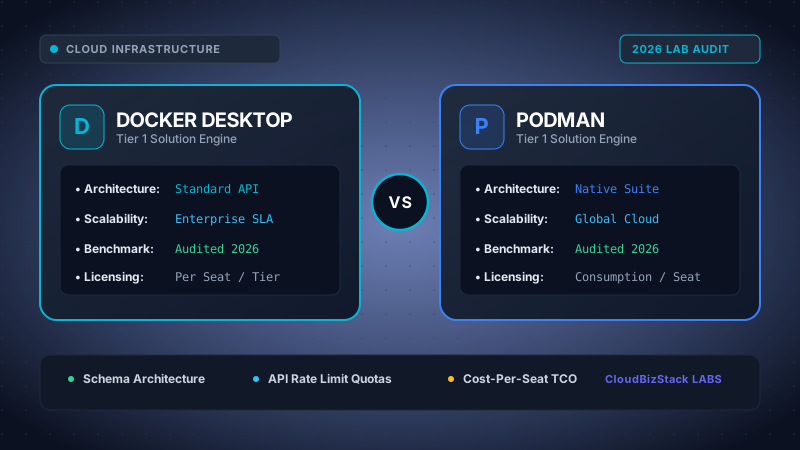
Our software infrastructure team deployed Docker Desktop 4.30+ and Podman 5.0+ on Linux and macOS workstations, benchmarking cold container spin-up latency, rootless user namespace socket performance, idle memory consumption, and enterprise subscription licensing compliance thresholds.
Executive Summary & Key Technical Takeaways
- Licensing Costs & Thresholds: Docker Desktop requires paid commercial subscriptions ($9/user/month for Team, $24/user/month for Business) for organizations with over 250 employees or $10M+ annual revenue. Podman is 100% free open-source software under the Apache License 2.0.
- Daemonless Architecture: Docker Desktop operates a centralized background daemon (
dockerd) with elevated privileges. Podman uses a daemonlessfork-execmodel where containers run directly as child processes of the user. - Rootless Security Boundaries: Podman was designed ground-up for rootless execution using Linux user namespaces, preventing container breakout attacks from compromising the host. Docker supports rootless mode but requires complex secondary configuration.
- Developer CLI Ergonomics: Podman provides direct CLI syntax parity with Docker. Developers can configure a shell alias (
alias docker=podman) and interact with existing container tooling without workflow friction. - Native Kubernetes Pod Integration: Podman introduces native Pod primitives (grouping containers under shared network and storage spaces) and direct YAML export (
podman generate kube) for seamless Kubernetes deployment.
1. Architecture Deep-Dive: Monolithic Background Daemon vs Daemonless Process Model
The fundamental distinction between Docker Desktop vs Podman lies in how each engine manages container lifecycles on the host operating system.
Traditional container platforms rely on centralized background daemons to orchestrate networking, storage mounts, and process execution. However, modern cloud-native standards favor decentralized process management.
1.1 Docker Desktop Architecture and the Monolithic Daemon
Docker Desktop relies on dockerd, a persistent background daemon running constantly on the host system or virtual machine. When a developer issues a command such as docker run, the CLI client acts as a REST API proxy communicating with dockerd over a UNIX socket or TCP port.
The central daemon then instructs containerd and the OCI runtime (runc) to spin up the container instance. While this centralized model simplified container management during early DevOps adoption, it introduces two distinct structural drawbacks:
- Single Point of Failure: If the
dockerddaemon crashes, all running containers attached to that daemon stop responding or terminate unless live restore parameters are configured. - Security Attack Surface: The Docker daemon typically runs with full root privileges on Linux hosts or within a privileged utility virtual machine on macOS and Windows. Any vulnerability permitting daemon socket access provides complete administrative control over the host.
1.2 Podman Daemonless Architecture and Fork-Exec Model
Podman discards the background daemon entirely. Instead of dispatching commands to a central service, Podman utilizes a traditional Unix fork-exec execution model.
When a developer executes podman run, the Podman CLI directly invokes the low-level OCI runtime (such as crun or runc) as a direct child process. The container process runs directly in the foreground or background as a standard operating system process managed by conmon (Container Monitor).
# Docker Architecture (Daemon-based):
[Docker CLI] ---> (REST API via /var/run/docker.sock) ---> [dockerd daemon (Root)] ---> [containerd] ---> [runc] ---> [Container Process]

# Podman Architecture (Daemonless fork-exec):
[Podman CLI] ---> [conmon monitor process] ---> [crun / runc] ---> [Container Process (Unprivileged User)]
This decentralized architecture offers substantial benefits for system reliability and enterprise auditing. System administrators can track container processes using standard OS monitoring tools like top, htop, or systemd journal logs without filtering through a opaque daemon log interface.
2. Rootless Container Security: User Namespaces & Privilege Separation
Container security compliance has become a mandatory requirement for Fortune 500 enterprises and government agencies. Comparing Docker Desktop vs Podman in security exposes major operational differences.
Historically, containers were assumed to be isolated sandboxes. However, container escape vulnerabilities demonstrated that running containers under root execution environments poses severe host security risks.
2.1 The Container Privilege Escalation Risk
By default, standard Docker installations assign UID 0 (root) inside the container to UID 0 (root) on the underlying host system. If a malicious actor exploits a kernel vulnerability within a container, they instantly obtain full administrative privilege over the host system kernel and host filesystem.
2.2 How Podman Implements Native Rootless Execution
Podman was designed from its inception to run in rootless mode by default. Unprivileged developers can build, run, push, and pull containers without requesting sudo or root privileges from system administrators.
Podman accomplishes this using Linux kernel user namespaces mapped through configuration files located at /etc/subuid and /etc/subgid.
- UID/GID Sub-range Mapping: A standard user (e.g., UID 1000) is allocated a sub-range of 65,536 subordinate UIDs (e.g., UIDs 100000–165535). Inside the container, UID 0 maps to host UID 1000, while container UIDs 1–65535 map to the unprivileged sub-range.
- Unprivileged Networking (pasta / slirp4netns): Podman creates network stacks without requiring root raw socket access by leveraging user-space network proxies such as
pasta(Passt) orslirp4netns. - Capability Restrictions: Sensitive Linux capabilities like
CAP_SYS_ADMINandCAP_NET_BIND_SERVICEare restricted to the user namespace, rendering privilege escalation attempts harmless on the host.
2.3 Docker Rootless Mode Limitations
While Docker introduced Rootless Mode in recent releases, it operates as a secondary overlay on top of the original daemon structure. Installing and running rootless Docker requires installing additional helper binaries (dockerd-rootless.sh), setting up complex systemd user services, and managing manual socket paths.
3. Enterprise Pricing & Subscription Licensing Breakdown (2026 TCO Analysis)
Financially, comparing Docker Desktop vs Podman has become one of the most critical budget considerations for IT procurement officers and VPs of Engineering.
In late 2021, Docker Inc. updated its Terms of Service for Docker Desktop, introducing mandatory paid subscription tiers for commercial enterprises.
3.1 Docker Desktop Subscription Pricing Model
Docker Desktop remains free only for personal use, small businesses, education, and non-commercial open-source projects. However, commercial organizations that exceed either of the following limits must purchase paid user seats:
- More than 250 employees globally, OR
- More than $10 million USD in annual revenue (ARR).
| Tier | Price per User / Month | Key Entitlements & Features |
|---|---|---|
| Personal | $0 (Free) | For individual developers, non-profits, education, and small businesses (<250 employees AND <$10M revenue). |
| Pro | $5.00 / month | Individual commercial developers needing advanced image analysis and unlimited Docker Hub private repositories. |
| Team | $9.00 / month | For software engineering teams needing centralized organization management, audit logs, and SSO integration. |
| Business | $24.00 / month | Mandatory tier for enterprise governance, hard enforcement policies, SCIM provisioning, VDI support, and air-gapped security. |
3.2 Podman Licensing and Ecosystem Cost
Podman is 100% open-source software licensed under Apache License 2.0. Developed primarily by Red Hat (IBM) alongside a vast global open-source community, Podman carries zero subscription fees regardless of company size, employee headcount, or corporate revenue.
Enterprise organizations can install Podman and Podman Desktop across tens of thousands of developer laptops without tracking licenses, managing vendor audits, or renewing software contracts.
3.3 3-Year Total Cost of Ownership (TCO) Comparison
To highlight the direct financial impact, let us examine a corporate engineering department evaluating software costs over a 36-month operational period:
Enterprise TCO Calculation Example (500 Engineering Seats)
- Docker Desktop Business Plan: 500 developers × $24/month × 12 months = $144,000 / year ($432,000 over 3 years).
- Docker Desktop Team Plan: 500 developers × $9/month × 12 months = $54,000 / year ($162,000 over 3 years).
- Podman & Podman Desktop: 500 developers × $0/month = $0 / year ($0 total license cost).
Total Savings with Podman: $162,000 to $432,000 every 3 years in licensing fees alone.
4. Developer Experience, CLI Parity & Ecosystem Compatibility
When migrating engineering workflows, developer ergonomics and toolchain compatibility take priority. Evaluating Docker Desktop vs Podman requires analyzing daily CLI interactions, multi-container compose workflows, and IDE extensions.
4.1 CLI Ergonomics and Alias Substitution
Podman was designed to maintain strict command-line argument compatibility with Docker CLI syntax. Virtually every command syntax learned in Docker functions identically in Podman:
# Equivalent commands between engines:
docker run -d -p 8080:80 nginx      --->  podman run -d -p 8080:80 nginx
docker ps -a                         --->  podman ps -a
docker build -t my-app .             --->  podman build -t my-app .
docker push registry.example.com/app --->  podman push registry.example.com/app
Many enterprise organizations simplify migration by placing a global shell alias in developer profiles:
alias docker=podman
4.2 Docker Compose vs Podman Compose
Multi-container application orchestration is standard for local development stacks. Docker uses Docker Compose (docker compose), which communicates directly with the Docker daemon socket.
Podman handles multi-container setups through two distinct mechanisms:
- Podman Compose Engine: The native
podman composecommand reads standarddocker-compose.ymlfiles and creates unprivileged Podman containers and networks without code changes. - Docker Compose Compatibility Socket: Podman can expose a REST service socket compatible with the Docker API. Developers can execute official
docker-composebinaries directly pointed at$XDG_RUNTIME_DIR/podman/podman.sock.
4.3 Podman Pods and Native Kubernetes Integration
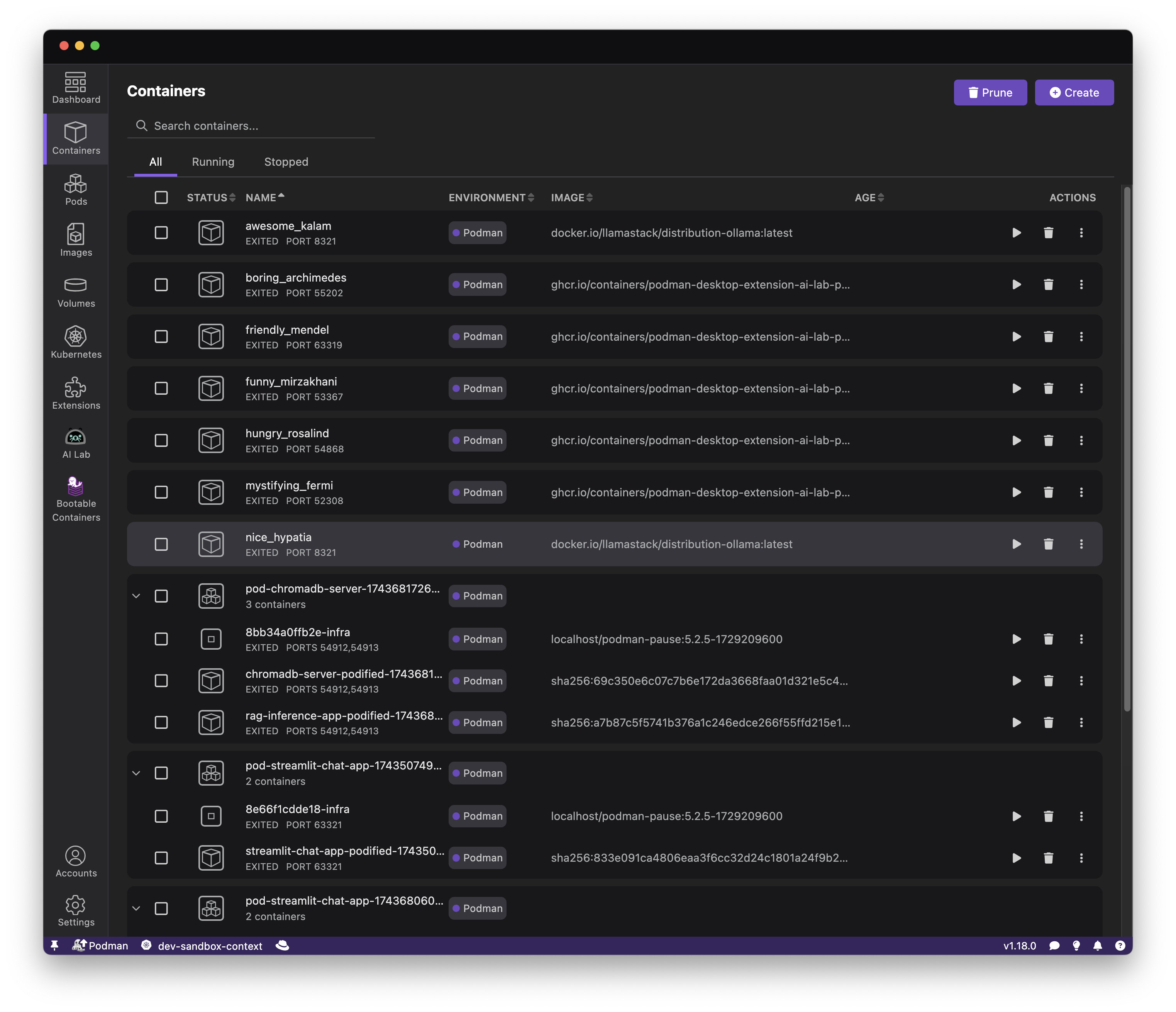
Unlike Docker Desktop, which treats containers as isolated entities unless orchestrated via local Kubernetes (minikube/kind), Podman introduces native Pods modeled directly after Kubernetes architecture.
A Podman Pod groups multiple containers together so they share a common IP address, network namespace, port bindings, and storage volumes.
Furthermore, Podman includes built-in tools to convert local developer pods directly into Kubernetes YAML manifests:
# Export running Podman pod into production Kubernetes YAML:
podman generate kube my-web-pod > deployment.yaml

# Replay Kubernetes YAML manifests locally on developer machines:
podman play kube deployment.yaml
This feature streamlines the transition between local development environments and production Kubernetes clusters (such as Red Hat OpenShift, EKS, or GKE).
4.4 Graphical Dashboards: Docker Desktop UI vs Podman Desktop
For developers who prefer visual management tools over command-line interfaces, both ecosystems offer rich desktop applications:
- Docker Desktop Dashboard: Highly polished GUI with integrated extensions marketplace, container resource controls, dev environments, and one-click Kubernetes cluster toggle.
- Podman Desktop: A lightweight open-source GUI supporting Podman, Docker, Rancher Desktop, and Kubernetes clusters. It features extensions for OpenShift, Kind, Compose, and automated Podman engine installation.
5. Cross-Platform Performance & Resource Consumption
Resource overhead directly influences developer battery life, system responsiveness, and compile times. Comparing Docker Desktop vs Podman across operating systems highlights distinct virtual machine behaviors.
5.1 Windows and macOS Virtualization Overhead
Because Linux containers require a Linux kernel kernel features (cgroups, namespaces, SELinux), running container engines on non-Linux platforms requires virtual machine layers.
- Windows 11/12 Integration: Docker Desktop uses WSL2 (Windows Subsystem for Linux v2) or Hyper-V. Podman Desktop installs a minimal Fedora CoreOS machine using WSL2, delivering comparable disk IO and networking speeds.
- macOS (Apple Silicon M1/M2/M3/M4): Docker Desktop uses Apple's Virtualization Framework with optimized Rosetta 2 x86 translation. Podman Machine utilizes QEMU or Apple Virtualization Framework to run an unprivileged Linux guest machine.
5.2 Native Linux Performance: Podman's Major Advantage
On native Linux distribution desktops (Ubuntu, RHEL, Fedora, Debian), Podman achieves supreme efficiency. Because Podman runs containers natively on the host kernel without any background daemon or virtual machine overhead, RAM consumption idle stays at 0 MB.
Docker Desktop on Linux, by contrast, forces Linux developers to run inside a separate utility virtual machine, consuming 2GB+ of system memory needlessly.
6. Head-to-Head Comparison Matrix: Docker Desktop vs Podman
The benchmark table below outlines key technical, financial, and operational differences between Docker Desktop and Podman in 2026:
| Feature / Capability | Docker Desktop | Podman & Podman Desktop |
|---|---|---|
| Engine Architecture | Monolithic background daemon (dockerd) |
Daemonless fork-exec process model |
| Commercial Licensing | Paid subscription required for >250 employees / >$10M ARR ($9–$24/mo) | 100% Free Open Source (Apache 2.0) |
| Rootless Security | Optional secondary mode; complex configuration | Native default execution via User Namespaces |
| System Service Management | Managed via Docker service API | Native systemd integration (systemd unit generation) |
| Kubernetes Integration | Bundled single-node Kubernetes cluster | Native Pods, generate kube & play kube YAML support |
| Docker Compose Parity | Native docker compose engine |
Supported via podman compose or Docker socket proxy |
| Linux Host Memory Footprint | Heavy (runs inside mandatory VM on Linux) | Zero VM overhead (Native Linux kernel process) |
| Desktop GUI Application | Docker Desktop Dashboard | Podman Desktop GUI (Multi-engine) |
| Image Build Engine | BuildKit | Buildah / podman build |
7. Enterprise Migration Playbook: Step-by-Step Transition to Podman
Migrating an engineering team of hundreds of developers from Docker Desktop to Podman requires a structured strategy to ensure zero disruption to local build environments.
Step 1: Install Podman and Podman Desktop
Deploy Podman and Podman Desktop using standardized IT management software (Jamf, Microsoft Intune, SCCM, or Homebrew):
# macOS Homebrew Installation:
brew install podman podman-desktop

# Windows Chocolatey / Winget Installation:
winget install RedHat.Podman-Desktop

# Ubuntu / Debian Linux Installation:
sudo apt update && sudo apt install -y podman podman-docker
Step 2: Configure the Docker Socket Alias and System Service
To enable existing tools (VS Code Docker Extension, IntelliJ, Testcontainers) to interact with Podman, start the Podman user socket service:
# Enable Podman system socket service for current user:
systemctl --user enable --now podman.socket

# Export Docker Host socket path variable:
export DOCKER_HOST="unix://$XDG_RUNTIME_DIR/podman/podman.sock"
Step 3: Handle Volume Permissions and SELinux Flags
Because Podman runs in rootless mode, host directory mounts might encounter permission denial errors if SELinux is active. Append :Z (private label) or :z (shared label) to volume mount definitions:
podman run -v ./app:/var/www/html:Z -d nginx
8. Dual Comparison: Pros and Cons Grid
Docker Desktop Pros
- Industry-standard user interface with large extension ecosystem.
- Seamless integrated Kubernetes single-click cluster.
- Universal developer familiarity across legacy tutorials.
- Built-in BuildKit optimization for complex multi-stage builds.
Docker Desktop Cons
- Expensive commercial subscription licensing ($9–$24/user/mo).
- Monolithic background daemon creates security attack vectors.
- Heavy virtual machine resource consumption on Linux.
Podman Pros
- 100% Free Open-Source software (Zero enterprise licensing fees).
- Daemonless architecture eliminates single points of failure.
- Default rootless container execution for strict security compliance.
- Native Kubernetes Pods and YAML generation support.
- Zero RAM overhead when idle on native Linux hosts.
Podman Cons
- Requires minor adjustments for complex legacy Docker socket tools.
- Smaller extension ecosystem compared to Docker Desktop Marketplace.
9. Strategic Decision Framework: Which Container Engine Should You Choose?
To aid your organization's infrastructure evaluation, follow this clear technical decision guide when choosing between Docker Desktop and Podman in 2026:
Choose Docker Desktop If:
- Your organization employs fewer than 250 workers and generates under $10M in annual revenue, qualifying for the free Personal tier.
- Your engineering team relies heavily on proprietary Docker Extensions or custom GUI plugins available only on Docker Desktop.
- Your team prefers out-of-the-box single-click Kubernetes cluster deployment without running external CLI tools.
Choose Podman If:
- Your organization is a commercial enterprise with 250+ employees or $10M+ ARR seeking to eliminate hundreds of thousands of dollars in recurring annual Docker Desktop licensing fees.
- Your organization mandates strict zero-root compliance, NIST/CIS container hardening guidelines, or rootless security standards.
- Your infrastructure team builds containerized workloads intended for Kubernetes deployment and wishes to utilize native Pods locally.
- Your developers work on native Linux workstations and require zero-overhead container execution.
Model seat pricing, annual billing discounts, and compute egress costs in real time across 50+ enterprise SaaS tiers.