
Zoho Books vs QuickBooks Online (2026): Accounting SaaS Comparison
When selecting modern cloud accounting software, evaluating Zoho Books vs QuickBooks Online is a vital strategic decision for growing small businesses, mid-market enterprises, and global SaaS organizations. In this comprehensive 2026 benchmark review, we break down subscription cost models, user seat limits, bank reconciliation speeds, inventory management, multi-currency tax compliance, and ecosystem integrations to determine which platform delivers maximum return on investment.
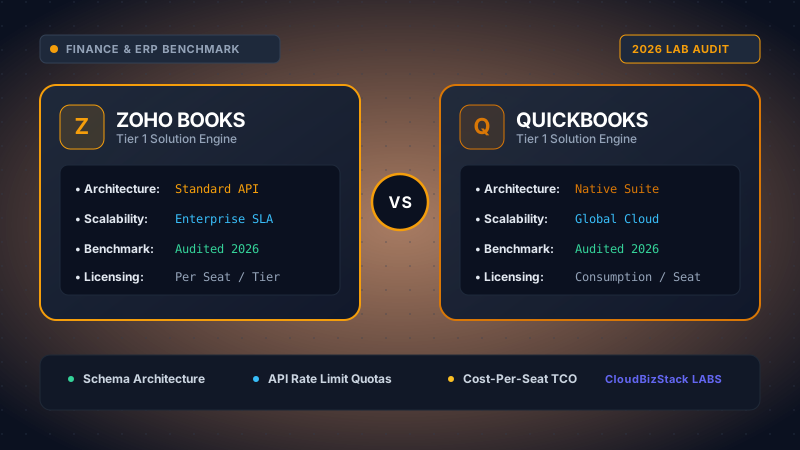
Our accounting research team tested multi-currency invoicing, VAT/GST automated calculations, bank feed reconciliation rules, and client portal approval workflows across Zoho Books and QuickBooks Online.
1. Zoho Books vs QuickBooks: Executive Summary & Core Architecture
The fundamental decision between Zoho Books vs QuickBooks Online comes down to ecosystem architecture and pricing philosophy. QuickBooks Online (QBO), developed by Intuit, is the long-standing market leader in North American small business accounting. Its platform is built around deep US banking integrations, legacy tax accounting workflows, and universal CPA recognition.
Conversely, Zoho Books operates as the financial backbone of the modular Zoho business suite. Rather than functioning solely as an isolated ledger, Zoho Books connects natively with over 45 Zoho business tools, including Zoho CRM, Zoho Desk, Zoho Projects, Zoho Analytics, and Zoho Inventory. Consequently, organizations seeking unified operational data across sales, customer support, and financial reporting often find Zoho Books architecturally superior.
Furthermore, both SaaS platforms operate as fully secure, SOC-2 Type II certified cloud environments with multi-factor authentication, automated daily backups, and granular role-based permissions. However, their approaches to subscription pricing and team scalability diverge significantly.
2. Zoho Books vs QuickBooks Pricing: Plans & User Seat Limits
One of the most decisive factors when analyzing Zoho Books vs QuickBooks is subscription cost structure and team seat allocation. As companies add sales reps, project managers, and operations staff who require invoice drafting or expense submission privileges, software licensing costs can rapidly escalate.
QuickBooks Online enforces strict, rigid user caps across its subscription tiers:
- Simple Start ($30/mo): Limited to 1 user seat and up to 2 accounting firm invites. Basic invoicing and income tracking.
- Essentials ($60/mo): Supports up to 3 user seats. Adds bill management and employee time tracking.
- Plus ($90/mo): Supports up to 5 user seats. Unlocks inventory tracking and project profitability tools.
- Advanced ($235/mo): Expands capacity up to 25 user seats. Includes custom user roles, workflow automation, and dedicated account support.
A major drawback of QuickBooks Online is that businesses cannot buy additional individual user seats on lower plans. Consequently, if a company has 6 team members needing account access, it is forced to upgrade from the $90/month Plus plan directly to the $235/month Advanced plan.
In stark contrast, Zoho Books offers an exceptionally generous and scalable pricing model:
- Free Plan ($0/mo): Available for micro-businesses with under $50,000 in annual revenue. Includes 1 user seat, 1 accountant seat, and essential invoicing capabilities.
- Standard ($15/mo): Includes 3 user seats, recurring invoices, payment rules, and account reconciliation.
- Professional ($30/mo): Includes 5 user seats, purchase orders, sales orders, bill approvals, and workflow rules.
- Premium ($50/mo): Includes 10 user seats, vendor portals, custom domain branding, and automated report scheduling.
- Elite ($100/mo) & Ultimate ($240/mo): Expands user seats up to 15 and 25 respectively, unlocking advanced inventory control, warehouse management, and deep Zoho Analytics custom dashboards.
Additionally, Zoho Books allows organizations to purchase extra user seats for a low flat fee of just $2.50 to $3.00 per user per month on any paid plan. Furthermore, businesses utilizing the all-in-one Zoho One enterprise bundle ($37 to $45/user/month) automatically receive full Premium access to Zoho Books alongside 45+ enterprise applications.
💡 Cost Comparison Insight
For a growing business with 8 active team members requiring invoice creation and purchase order entry, QuickBooks Online costs $2,820 annually (forced upgrade to Advanced tier at $235/mo). In comparison, Zoho Books Premium with 8 seats costs just $600 annually ($50/mo base plan including 10 user seats). This represents an immediate annual operational savings of $2,220.
3. Zoho Books vs QuickBooks: Bank Feeds & Automated Reconciliation
Efficient bank feed ingestion and intelligent ledger reconciliation form the backbone of modern accounting workflows. Both Zoho Books vs QuickBooks connect directly to major global financial institutions via secure financial data aggregators including Plaid, Yodlee, and Salt Edge.
QuickBooks Online excels in machine learning-driven auto-categorization for North American banking streams. Its pattern recognition engine automatically suggests vendor tags and tax codes for recurring SaaS subscriptions, utility payments, and merchant fees with over 94% initial precision. Accounting teams can establish multi-criteria banking rules to automatically categorize and clear high-volume recurring expenses without manual intervention.
Zoho Books provides an equally powerful, highly customizable transaction rule engine. Users can construct detailed rule triggers based on transaction description, amount thresholds, reference numbers, and counterparty metadata. Furthermore, Zoho Books features an intuitive side-by-side reconciliation interface that enables bookkeepers to match bank statement entries against open invoices and bills in seconds.
Regarding document parsing, Zoho Books incorporates a native Auto-Scan OCR engine. When team members upload receipt images or PDF vendor invoices via mobile or web, Zoho's OCR technology automatically extracts total amounts, tax lines, invoice numbers, and vendor names into draft bill records. While QuickBooks Online offers similar receipt capture capabilities, Zoho's OCR engine is included natively across paid tiers without requiring external third-party add-ons like Dext or Expensify.
4. Zoho Books vs QuickBooks: Multi-Currency & Global Tax Compliance
For international trade, cross-border e-commerce, and global SaaS organizations receiving revenue in multiple currencies, foreign exchange calculation and regional tax filing compliance are essential requirements.
In evaluating Zoho Books vs QuickBooks for multi-currency handling:
- QuickBooks Online: Multi-currency functionality is restricted to the Plus ($90/mo) and Advanced ($235/mo) plans. QBO automatically fetches daily mid-market exchange rates from Xe.com and calculates realized and unrealized FX gains and losses. However, once multi-currency tracking is enabled in QBO, it cannot be disabled, and switching back to single-currency tracking is impossible.
- Zoho Books: Unlocks multi-currency accounting starting on its affordable Standard plan ($15/mo). It seamlessly handles transactions across 160+ currencies, dynamically pulling exchange rates or allowing custom rate overrides. Realized and unrealized exchange gain/loss journal entries are posted automatically during account reconciliation.
From a global tax compliance perspective, Zoho Books demonstrates remarkable regional adaptability. Zoho provides localized tax editions specifically tailored for the United States (US Sales Tax via Avalara AvaTax integration), the United Kingdom (Making Tax Digital VAT compliance), the United Arab Emirates (UAE VAT & Corporate Tax), India (GST filing), Canada (GST/HST/PST), Australia (BAS returns), and Saudi Arabia (ZATCA e-invoicing).
QuickBooks Online offers strong US sales tax auto-calculation and state-by-state filing reports. However, for companies managing foreign entities or global subsidiaries, QBO requires purchasing separate regional subscription instances for each country, creating management overhead.
5. Invoicing Automation & Client Portal Workflows
Accelerating cash flow requires streamlined invoicing automation, flexible payment gateway options, and frictionless customer communication tools. Both platforms provide customizable invoice generation, automated payment reminders, and credit memo processing.
However, Zoho Books takes a decisive lead in client portal functionality. The built-in Zoho Books Client Portal provides a secure, self-service web interface where customers can:
- View, download, and print current and historical invoices, estimates, and customer statements.
- Make online credit card, ACH, or debit card payments directly through integrated gateways.
- Approve or request revisions on project estimates and formal business proposals.
- Upload payment receipts, tax exemption certificates, or purchase order files.
- Engage in interactive comment threads with accounting personnel directly attached to specific invoice documents.
QuickBooks Online provides a standard payment link embedded within invoice emails. While functional, it lacks a dedicated, multi-functional self-service client dashboard comparable to Zoho's portal.
Furthermore, when connecting third-party payment gateways:
Zoho Books integrates natively with over 10 global payment processing gateways, including Stripe, PayPal, Square, Authorize.Net, 2Checkout, Razorpay, Worldpay, and WePay. Zoho does not charge additional transaction markup fees for utilizing external payment gateways.
QuickBooks Online strongly pushes merchants toward its proprietary merchant service, QuickBooks Payments (2.9% + $0.25 per transaction for online card payments). While QuickBooks Payments syncs fees automatically with ledger accounts, connecting alternative payment processors often requires third-party middleware connectors like Zapier or Webgility.
6. Inventory Control & E-Commerce Integrations
Managing stock levels, cost of goods sold (COGS), purchase orders, and multi-channel e-commerce orders represents a critical technical hurdle for product-centric enterprises.
When comparing Zoho Books vs QuickBooks for inventory operations:
QuickBooks Online offers native inventory tracking exclusively on its upper-tier Plus ($90/mo) and Advanced ($235/mo) plans. QBO uses standard First-In, First-Out (FIFO) inventory valuation to compute COGS and track stock quantities. However, QBO's built-in inventory feature is strictly limited to single-location warehouses and does not natively support batch tracking, serial number registration, composite items (kitting), or barcode scanning without third-party add-ons such as Katana or DEAR Systems.
Zoho Books offers basic stock tracking on its Professional tier ($30/mo). Crucially, however, Zoho Books pairs seamlessly with Zoho Inventory—one of the most powerful cloud inventory and order management applications on the market.
By combining Zoho Books with Zoho Inventory, businesses unlock advanced supply chain infrastructure, including:
- Multi-Warehouse Tracking: Monitor stock balances, transfer inventory between locations, and track warehouse-specific stock valuation.
- Batch & Serial Number Tracking: Maintain complete traceability for perishable goods, electronics, and regulated products.
- Multi-Channel E-Commerce Syncing: Automatically synchronize inventory counts and import customer orders in real time from Shopify, Amazon, WooCommerce, eBay, and Etsy.
- Automated Reorder Point Alerts: Automatically generate purchase order drafts to suppliers when stock levels drop below safety thresholds.
7. Comprehensive Feature Matrix: Zoho Books vs QuickBooks
To provide a clear, side-by-side technical evaluation of Zoho Books vs QuickBooks, the table below compares core feature vectors, pricing rules, and functional limits:
8. Pros and Cons: Zoho Books vs QuickBooks Online
To assist software architects and finance directors in making an objective platform choice, we summarize the primary technical advantages and limitations of both applications:
Zoho Books Advantages
- Exceptional value with flexible per-user seat scaling.
- Free tier available for early-stage micro-businesses.
- Seamless native integration with 45+ Zoho ecosystem tools.
- Interactive self-service customer billing portal.
- Deep inventory capabilities via Zoho Inventory integration.
- No software surcharges on third-party payment gateways.
Zoho Books Limitations
- Fewer third-party app marketplace add-ons outside the Zoho ecosystem.
- Some traditional US CPAs have higher familiarity with QBO workflows.
QuickBooks Online Advantages
- Universal acceptance and familiarity among US tax professionals.
- Highly accurate automated transaction categorization rules.
- Extensive third-party developer ecosystem with 1,000+ app integrations.
- Robust US 1099 contractor filing and tax preparation tools.
QuickBooks Online Limitations
- High subscription prices that increase frequently.
- Rigid user seat caps that force expensive plan tier upgrades.
- Basic single-warehouse inventory tracking without multi-location support.
9. Frequently Asked Questions (FAQ)
Q1: Is Zoho Books significantly cheaper than QuickBooks Online for growing teams?
Yes, Zoho Books offers substantially lower subscription pricing and more flexible user seat scaling compared to QuickBooks Online. A team of 10 users on Zoho Books Premium costs around $50 per month, whereas QuickBooks Online requires the Advanced tier at $235 per month to support more than 5 users. Furthermore, Zoho Books provides a free plan for micro-businesses earning under $50,000 in annual revenue.
Q2: Can US-based certified public accountants (CPAs) easily work with Zoho Books?
While QuickBooks Online remains the dominant standard for US tax accountants, modern CPAs and bookkeepers can seamlessly collaborate within Zoho Books. Zoho Books includes dedicated free accountant seats, comprehensive trial balance exports, general ledger transaction logs, and direct CPA invite permissions.
Q3: Which platform provides better native inventory management, Zoho Books or QuickBooks Online?
Zoho Books delivers superior inventory capabilities through its seamless integration with Zoho Inventory. While QuickBooks Online limits basic FIFO inventory tracking to its Plus ($90/mo) and Advanced ($235/mo) plans, Zoho Books paired with Zoho Inventory enables multi-warehouse management, serial and batch tracking, reorder point automation, and native multi-channel e-commerce syncing.
Q4: Does Zoho Books support automated bank feeds and OCR receipt scanning?
Yes, Zoho Books supports direct open banking connections via Plaid and Yodlee for real-time transaction ingestion. It also features an integrated Auto-Scan OCR engine that automatically parses vendor names, dates, sub-totals, and tax amounts from uploaded receipt images and PDFs into bill drafts.
Q5: Can I use external payment gateways like Stripe and PayPal with Zoho Books without penalty fees?
Yes, Zoho Books allows you to connect over 10 third-party payment gateways, including Stripe, PayPal, Square, Authorize.Net, 2Checkout, and Razorpay, without imposing additional software surcharge penalties. QuickBooks Online strongly incentivizes using QuickBooks Payments, which can limit third-party gateway integrations.
Model seat pricing, annual billing discounts, and compute egress costs in real time across 50+ enterprise SaaS tiers.