
Trello vs KanbanFlow (2026): Visual Task Board & Pomodoro Timer Comparison
Choosing the right visual work management application directly impacts team velocity, task clarity, and personal focus. In this exhaustive 2026 technical analysis of Trello vs KanbanFlow, we compare visual task board architecture, native Work-In-Progress (WIP) limit tools, integrated Pomodoro timer tracking, swimlane flexibility, automation engines, and total cost of ownership.
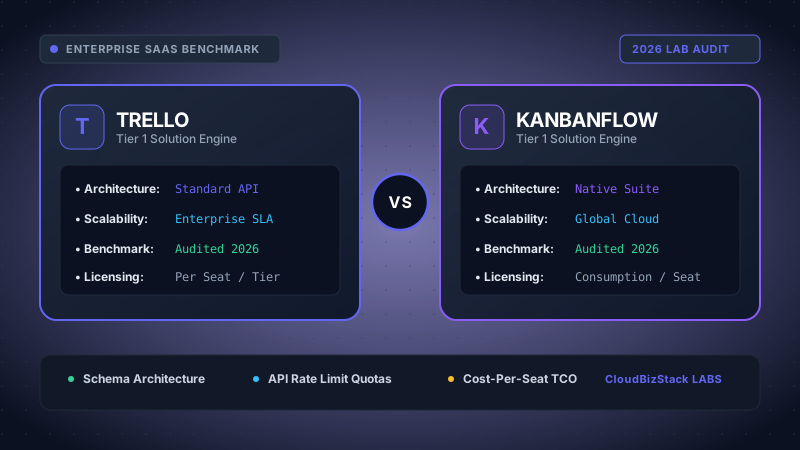
Our productivity lab managed 400 developmental sprint cards, evaluating Trello’s Butler automation triggers and Power-Up limits against KanbanFlow’s built-in Pomodoro timers and column WIP limits.
Executive Summary & Quick Verdict
- Trello (Atlassian) is the industry gold standard for general visual collaboration, boasting rich board customization, deep integration with Jira/Confluence, and an expansive Power-Up marketplace.
- KanbanFlow is purpose-built for lean productivity discipline, featuring native Work-In-Progress (WIP) limit enforcement, built-in Pomodoro sprint timers, sub-column splits, and integrated task time reporting out-of-the-box.
- Core Differentiator: If your workflow relies on strict WIP controls and Pomodoro time management to prevent context switching, KanbanFlow delivers those tools natively without requiring paid third-party add-ons.
1. Product Architectural Philosophy: Open Collaboration vs Disciplined Lean Kanban
When evaluating Trello vs KanbanFlow, understanding their core architectural philosophies is vital. While both software solutions utilize the classic Kanban board layout—organizing tasks into vertical status columns—they cater to fundamentally different management methodologies.
Trello, acquired by Atlassian, was engineered as a flexible, digital white-boarding system. Cards represent individual work items, and lists represent workflow stages. Trello deliberately maintains a minimal core feature set, encouraging users to extend board capabilities through Power-Ups and Butler automations. Consequently, Trello excels at cross-functional marketing campaigns, content calendars, and broad project coordination.
Conversely, KanbanFlow was developed around strict lean manufacturing principles and personal time management techniques. Instead of treating Kanban as merely a visual representation of lists, KanbanFlow embeds core agile controls directly into the user interface. Native features like Work-In-Progress (WIP) limit tools, sub-columns, horizontal swimlanes, and an integrated Pomodoro timer form the backbone of the platform.
As a result, software developers, solo founders, and agile teams seeking to eliminate bottlenecking and measure deep work velocity often gravitate toward KanbanFlow's structured framework.
2. Work-In-Progress (WIP) Limit Tools: Enforcing Lean Flow Controls
A foundational pillar of authentic Kanban methodology is capping Work-In-Progress (WIP). WIP limits prevent team members from starting new tasks before completing existing ones, reducing multitasking overhead and highlighting operational bottlenecks.
KanbanFlow's Native WIP Limit Enforcement
KanbanFlow features robust, out-of-the-box WIP limit tools that require no add-on setup. Board administrators can assign explicit numerical WIP limits to any column or sub-column (for example, setting a limit of 3 active tasks in "In Progress > Coding").
When a team member attempts to drag a new card into a column that has reached its WIP ceiling, KanbanFlow visually alerts the user. Depending on administrator preferences, the platform can either display a high-contrast warning banner (soft limit) or block the card movement entirely (hard limit).
Furthermore, KanbanFlow supports per-user WIP limits across boards. This prevents individual team members from becoming overburdened with excessive concurrent assignments, directly protecting engineering bandwidth.
Trello's Third-Party Power-Up Approach to WIP Limits
Out of the box, standard Trello boards do not enforce column capacity limits. A list in Trello can hold an infinite number of cards without triggering system warnings or stopping task accumulation.
To establish WIP limits in Trello, teams must install third-party Power-Ups such as WIP Limits by Corrello or configure complex Butler automation scripts. Butler rules can be set up to flag lists when card counts exceed defined thresholds or to automatically move overflowing cards back to a backlog list.
While Butler automations are flexible, relying on add-ons increases setup complexity and consumes monthly Butler command executions on non-Enterprise plans.
WIP Limit Implementation Comparison
Choose KanbanFlow for immediate, native WIP limit tools that enforce column and user capacity without extra cost or configuration. Choose Trello if visual card movement takes priority over strict lean WIP constraint rules.
3. Time Tracking and Native Pomodoro Timer Integration
Accurate time tracking and structured focus sessions are essential for measuring task effort and evaluating project profitability. Comparing Trello vs KanbanFlow highlights a major disparity in native time management features.
KanbanFlow's Built-In Pomodoro Sprint Engine
KanbanFlow is widely recognized for its seamless integration of the Pomodoro Technique. Built directly into the board interface is an interactive timer that allows users to work in customizable focus intervals (traditionally 25 minutes of work followed by a 5-minute break).
Key built-in time management capabilities in KanbanFlow include:
- Task-Linked Timer: Clicking the timer icon on any task card immediately attaches time log entries directly to that specific work item.
- Automatic Break Prompts: Upon completing a Pomodoro sprint, the system alerts the user and automatically transitions to a short or long break cycle.
- Interruption Tracking: Users can log internal or external distractions during an active sprint, generating data on focus quality.
- Comprehensive Time Analytics: Built-in reporting dashboards display historical time spent per project, user velocity, estimated vs. actual hours, and total completed Pomodoro cycles.
Trello's Dependence on External Time Tracking Extensions
Trello contains no native time tracking mechanism or built-in Pomodoro timer. Users cannot log time directly on cards out of the box.
To track time within Trello, organizations must integrate external software solutions such as Toggl Track, Chronos Timer, Harvest, or PomoDone via the Trello Power-Up directory or browser extensions.
Although these third-party integrations function smoothly, they introduce separate user subscription fees, disjointed UI overlays, and secondary data stores for team time logs.
4. Board Layout and Visual Structuring: Sub-columns and Swimlanes
As project complexity grows, flat column layouts often become cluttered. Organizing complex workflows requires multi-dimensional board structures such as sub-columns and horizontal swimlanes.
KanbanFlow: Sub-columns and Horizontal Swimlanes
KanbanFlow enables teams to structure boards with multi-tier granularity. Columns can be split into sub-columns—such as breaking "In Progress" into "In Development" and "Code Review".
Additionally, KanbanFlow Premium introduces horizontal swimlanes. Swimlanes partition the Kanban board horizontally into dedicated rows categorized by project, team member, client, or priority level (e.g., Expedite vs Standard). This two-dimensional grid provides exceptional visibility across multi-tenant workloads.
Trello: Vertical Lists, Covers, and Multi-Board Views
Trello relies primarily on single-tier vertical lists. While you can create as many lists as desired, Trello does not support native nested sub-columns within a single list.
However, Trello compensates with rich visual card features. Users can customize card cover images, add color-coded labels with text descriptors, display checklist completion progress bars, and embed live file previews directly onto cards.
For higher-level overview, Trello Premium introduces multi-board views, including Workspace Table, Timeline (Gantt), Calendar, and Dashboard metrics.
5. Workflow Automations, Ecosystem Integrations & API Capabilities
Automating routine administrative steps saves valuable engineering and operational hours. In the battle of Trello vs KanbanFlow automations, both tools offer powerful rules engines.
Trello's Butler Automation Engine and Atlassian Ecosystem
Trello features Butler, a sophisticated no-code automation builder using natural language triggers. Teams can easily configure rules like: "When a card is moved to 'Done', mark all checklist items complete, remove due date, and send a Slack notification to #deployments."
Furthermore, being part of the Atlassian family gives Trello deep, native integrations with Jira, Confluence, and Bitbucket. Developers can link Jira issues or GitHub pull requests directly to Trello cards, updating status automatically upon code merge.
KanbanFlow Automations, Webhooks & REST API
KanbanFlow provides standard rule-based automations, such as automatically assigning cards when moved to specific columns or setting due dates based on column placement.
For custom software integrations, KanbanFlow provides a comprehensive REST API and Webhook system. Engineering teams can build custom webhooks to trigger build scripts, sync time logs with external payroll software, or automatically spawn cards from incoming customer support tickets.
6. Comprehensive Feature Comparison Matrix: Trello vs KanbanFlow (2026)
The table below provides a detailed side-by-side feature comparison between Trello vs KanbanFlow across key B2B SaaS evaluation criteria.
| Feature / Metric | Trello (Atlassian) | KanbanFlow | Technical Winner |
|---|---|---|---|
| Native WIP Limits | No (Requires Power-Ups or Butler) | Yes (Per column, sub-column & user) | KanbanFlow |
| Built-in Pomodoro Timer | No (Requires Toggl / PomoDone Power-Up) | Yes (Integrated sprint timer & logs) | KanbanFlow |
| Time Tracking & Reports | Power-Up / Third-party app dependent | Native time logging & CSV export | KanbanFlow |
| Sub-columns & Swimlanes | Single vertical lists (Swimlanes via views) | Native sub-columns & horizontal swimlanes | KanbanFlow |
| Visual Customization | Extensive (Covers, labels, custom backgrounds) | Minimalist, clean text-focused UI | Trello |
| Automation Builder | Butler Engine (Natural language rules) | Basic rule triggers & Webhooks API | Trello |
| Ecosystem & Add-ons | 200+ Power-Ups & Jira/Confluence integration | Zapier, REST API, Webhooks, Google Calendar | Trello |
| Starting Annual Price | $5.00 /user/mo (Standard) | $5.00 /user/mo (Premium) | Tie ($5/mo) |
7. Pricing Tier Comparison: Trello vs KanbanFlow Costs
Both platforms offer highly competitive tier structures, including fully functional free plans for micro-teams. Here is an up-to-date pricing analysis for 2026.
Trello Pricing Breakdown
- Free Tier ($0): Unlimited cards, up to 10 boards per workspace, unlimited Power-Ups, and up to 250 Butler workspace automation runs per month.
- Standard Tier ($5.00/user/mo billed annually): Unlimited boards, custom fields, advanced card covers, saved searches, and 1,000 Butler automation runs per month.
- Premium Tier ($10.00/user/mo billed annually): Unlocks Timeline, Calendar, Dashboard, Table, and Map views, workspace administrative permissions, and unlimited Butler automation runs.
- Enterprise Tier ($17.50/user/mo billed annually): Organization-wide board permissions, SAML SSO authentication, attachments permissions, and enterprise admin controls.
KanbanFlow Pricing Breakdown
- Free Tier ($0): Unlimited boards, unlimited tasks, native WIP limits, basic time tracking, and built-in Pomodoro timer with basic productivity charts.
- Premium Tier ($5.00/user/mo billed annually or monthly): Unlocks horizontal swimlanes, sub-columns, file attachments (up to 10MB/file), revision history, calendar integration, advanced time reports, CSV data exports, and search/filter tools.
Notably, KanbanFlow's Premium plan includes full functionality (swimlanes, time tracking, sub-columns) at $5/user/month without forced tier upgrades. Conversely, accessing advanced workspace project views in Trello requires upgrading to the $10/user/month Premium tier.
8. Pros and Cons: Trello vs KanbanFlow Breakdown
To summarize our technical evaluation, here is a breakdown of key advantages and trade-offs for both project management tools.
Trello Strengths & Weaknesses
PROS:
- Extensive Power-Up directory with 200+ integrations.
- Deep native integration with Jira, Bitbucket, and Confluence.
- Powerful Butler automation engine with natural language syntax.
- Rich visual card styling with covers, attachments, and labels.
- Flexible, multi-board Workspace Timeline and Table views.
CONS:
- No native WIP limits (requires third-party Power-Ups).
- No built-in Pomodoro timer or native task time tracking.
- Single vertical list structure without native sub-columns.
KanbanFlow Strengths & Weaknesses
PROS:
- Built-in native Pomodoro timer with break alerts and focus metrics.
- Native WIP limit tools for columns, sub-columns, and users.
- Native horizontal swimlanes for multi-dimensional task grouping.
- Integrated time logging and task velocity export reports.
- Affordable, flat $5/user/month Premium tier with all features.
CONS:
- Simpler UI styling compared to modern visual whiteboards.
- Smaller third-party application integration marketplace.
- Basic rule automation builder compared to Trello Butler.
9. Final Verdict: Which Kanban Board Fits Your Workflow?
Both software solutions stand out in the productivity space, but they solve distinct operational challenges. Choosing between Trello vs KanbanFlow depends on whether your priority lies in visual flexibility or disciplined lean execution.
Choose Trello if: You collaborate across creative, marketing, or general project teams that require rich card visuals, deep integration with Atlassian products (Jira/Confluence), flexible Butler automation rules, and access to a wide marketplace of third-party Power-Ups.
Choose KanbanFlow if: You are a software developer, solo entrepreneur, or agile lean team seeking to enforce strict WIP capacity limits, track exact task hours, leverage a native Pomodoro focus timer, and organize work across clean horizontal swimlanes without paying extra for external add-on plugins.
Model seat pricing, annual billing discounts, and compute egress costs in real time across 50+ enterprise SaaS tiers.