
Coda vs Notion (2026): Advanced Formulas & Relational Document Canvas Benchmark
When evaluating Coda vs Notion for enterprise workflow management, technical teams are fundamentally deciding between two distinct architectural paradigms: a full-featured low-code application builder disguised as a document (Coda) versus an object-oriented collaborative knowledge graph (Notion).
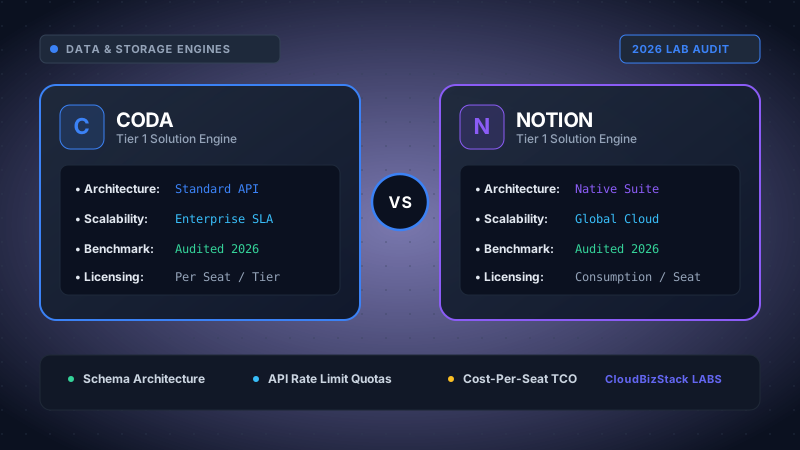
Our software lab constructed 10,000-cell relational databases with nested formulas, evaluating API Pack webhook sync limits in Coda versus Notion Formula 2.0 array computation speeds and web app rendering performance.
1. Executive Summary & Core Architectural Paradigms
The distinction between Coda vs Notion centers on data modeling philosophy and runtime execution. Notion operates as a document-first, block-based workspace. In Notion, every page is an object within a unified graph database, and database rows are themselves rich-text document pages. This architecture makes Notion exceptionally fluid for engineering wikis, product documentation, standard operating procedures, and lightweight project tracking.
Coda, by contrast, operates as an application-first document canvas. Tables in Coda are true relational database entities that exist as first-class objects within the document scope. Coda decouples the canvas text layer from the underlying relational engine, allowing developers to embed interactive UI controls (sliders, select menus, date ranges), procedural action buttons, and live 2-way synced data tables directly inside doc paragraphs.
Fundamental Architectural Takeaway
Notion: Knowledge-first block graph engine. Ideal for connected company wikis, documentation hubs, and team notes with integrated light databases.
Coda: App-first relational engine. Designed for building custom internal tools, interactive operational dashboards, automated workflows, and complex data models.
2. Deep Dive: Coda Formula Language (CFL) vs Notion Formula 2.0
Formula capabilities represent one of the most critical differentiators when benchmarking Coda vs Notion for data manipulation. Both platforms have evolved far beyond basic spreadsheet math, but their execution capabilities diverge sharply in scope and statefulness.
Coda Formula Language (CFL): Procedural & Canvas-Wide Scoping
Coda Formula Language is an object-oriented, imperative-capable formula language with global document scoping. In Coda, any table or named control can be queried from anywhere in the document using clean dot-notation syntax: [Tasks Table].Filter(Status = "Active" AND Assignee = User()).Count().
Crucially, CFL supports procedural action formulas. Functions like AddRow(), ModifyRows(), DeleteRows(), OpenWindow(), and RunActions() allow developers to trigger stateful database side-effects natively. For example, a single Coda button formula can iterate through a list of overdue deliverables, update their status, generate audit log entries, and dispatch alert messages to Slack via a Pack integration.
Furthermore, CFL allows dynamic inline formula chips embedded directly inside body text. You can write a paragraph where live numbers, user names, or calculated metrics update in real-time within narrative text blocks without forcing users to view formatted tables.
Notion Formula 2.0: Functional Array Transformations
Notion overhauled its calculation capabilities with Formula 2.0, introducing a modern functional syntax inspired by JavaScript array methods. Formula 2.0 grants Notion deep access to multi-level relational properties without intermediate rollup properties.
Using methods like .map(), .filter(), .flat(), .reduce(), .find(), and .some(), developers can write expressions that traverse linked relations:
prop("Sub-tasks").filter(current.prop("Status") == "Completed").length() / prop("Sub-tasks").length()
While Notion Formula 2.0 is elegant and highly expressive for calculating dynamic properties across database relations, it remains strictly declarative and read-only. Notion formulas cannot mutate database states, create new rows, or initiate external API calls.
Side-by-Side Code Comparison Benchmark
Consider a practical SaaS engineering scenario: Calculating the total billable hours spent on high-priority client projects and returning an formatted summary string.
Key Insight: Coda allows this formula logic to run on canvas buttons, inside tables, or as scheduled background automations. Notion Formula 2.0 excels at rendering styled dynamic text inside specific database property columns.
3. Extensibility Architecture: Coda Packs SDK vs Notion REST Integrations
Enterprise organizations cannot operate in data isolation. Evaluating Coda vs Notion requires comparing how natively each ecosystem connects to external SaaS tools like Jira, GitHub, Salesforce, Figma, and custom internal APIs.
Coda Packs: Full-Stack In-Doc Extension Architecture
Coda’s extensibility strategy relies on Packs. A Coda Pack is not merely an API webhook connector; it is a full-featured extension built using TypeScript/JavaScript via the open Coda Pack SDK. Packs run securely in isolated execution sandboxes and can supply four distinct capabilities:
- Two-Way Sync Tables: Pull external data structures (e.g. GitHub Pull Requests or Jira Tickets) into native Coda tables where fields sync bi-directionally in real-time.
- Action Formulas & Buttons: Execute external REST calls on demand (e.g., clicking a button in Coda pushes a formatted message to Slack or updates a record in HubSpot).
- Custom Column Formats: Render interactive external UI elements directly inside table cells (such as live interactive Figma canvas previews).
- Custom Authentication: Handle OAuth2, API Key, and AWS IAM authentication seamlessly for enterprise security compliance.
Notion Integrations: External REST API & Webhooks
Notion approaches extensibility through a standardized REST API and database automation webhooks. Developers register internal or public integrations via the Notion Developer Portal, granting external scripts permission to query pages, update block trees, and append database rows.
While Notion offers official integrations with tools like Slack, Figma, GitHub, and Jira, these usually operate as inline link previews or page embeds rather than deep two-way relational database syncs. To construct bi-directional sync pipelines in Notion, teams must rely on third-party iPaaS platforms (such as Make, Zapier, or Pipedream) or write custom Node.js middleware.
4. Interactive UI Controls & Canvas Primitives
When comparing user interface flexibility in Coda vs Notion, the two platforms serve completely different operational interaction patterns.
Coda provides a rich set of interactive canvas controls. Designers can place interactive slider bars, multi-select dropdown menus, date range pickers, toggle switches, and push buttons anywhere in body text. These controls act as global document variables that can feed directly into formula calculations, filter views, or trigger complex multi-step automations.
Notion provides clean, minimalist block editing optimized for writing narrative documentation. Notion includes database buttons that allow users to add new rows or modify properties across multiple selected pages. However, Notion canvas blocks cannot act as interactive global formula inputs in the way Coda controls function.
5. Database Scalability, Performance Benchmarks & Memory Limits
Performance under heavy data load is a frequent decision criterion when selecting between Coda vs Notion. Low-code workspaces face distinct engineering constraints when managing tens of thousands of records.
Client-Side Memory & Query Latency Benchmarks
Notion Database View Engine: Notion utilizes server-side pagination and lazy client rendering. Consequently, opening a database with 50,000 items is fast because the client browser only loads the initial 30-50 visible page blocks. However, complex aggregate rollups across 10,000+ relational items can experience query calculation latency.
Coda In-Memory Engine: Coda loads doc data directly into an in-memory client database engine. This enables instantaneous formula evaluation, rapid multi-table joins, and zero-latency view filtering once the document is open. However, documents containing over 25,000–50,000 total table rows or hundreds of recalculating CFL formulas can consume substantial browser RAM, leading to longer initial load times.
6. Automation Engines & Event-Driven Workflow Triggers
Automating routine operations reduces administrative overhead and minimizes manual data entry errors. Here is how native event handling compares in Coda vs Notion:
Coda Automations: Coda features an enterprise-grade built-in automation scheduler. Triggers include time-based schedules (e.g. daily at 8:00 AM), row updates, row additions, and inbound webhooks. Actions can run multi-step CFL formulas, push notifications, invoke Pack integrations, or execute API requests. Coda handles complex conditional branching natively inside the document.
Notion Automations: Notion includes database automations triggered by property modifications or status updates. Users can configure native actions to edit other properties, create new pages, or send Slack notifications. However, Notion automations lack conditional logic branching, custom code execution, and incoming webhook triggers, making external integration services like Zapier essential for advanced workflows.
7. Feature Benchmark Matrix: Coda vs Notion
The comparison matrix below highlights key technical specs and functional capabilities across both platforms:
| Feature / Dimension | Coda (2026) | Notion (2026) |
|---|---|---|
| Formula Language Syntax | Imperative CFL with object-oriented dot notation & action functions | Declarative Formula 2.0 with functional JS array methods (.map, .filter) |
| Procedural Action Formulas | Supported (AddRow, ModifyRows) |
Read-only calculation only |
| Integration Ecosystem | Packs SDK (TypeScript 2-way sync, custom column UI) | REST API, native embeds & external iPaaS connectors |
| Interactive UI Controls | Sliders, dropdowns, buttons embedded anywhere in text | Database buttons & status properties |
| Native Automations | Cron schedules, row updates, inbound webhooks with branching | Database status/property change triggers |
| Database Record Scaling | In-memory client database (Fast queries, higher initial RAM) | Paginated server rendering (Fast initial load, block limits) |
| Pricing Structure | Doc Maker-based pricing (Viewers/Editors FREE) | Per-user workspace seat pricing |
8. Pros & Cons Comparison
Coda Pros & Cons
PROS:
- Powerful Coda Formula Language (CFL) supports procedural database actions.
- Packs SDK allows custom TypeScript extensions and bi-directional 2-way sync tables.
- Highly economical Maker-based pricing model for large reader/editor teams.
- Interactive canvas controls act as dynamic global variables in documents.
CONS:
- Higher learning curve for non-technical users building complex formulas.
- Client-side browser RAM footprint can increase on massive docs (>25k rows).
Notion Pros & Cons
PROS:
- Intuitive block editor with fast document creation and rich content embedding.
- Formula 2.0 provides clean functional array methods (
.map,.filter). - Massive third-party template ecosystem and community integration libraries.
- Lazy paginated rendering ensures rapid initial page load times.
CONS:
- Per-user seat pricing can become costly for large enterprises with passive readers.
- Formulas are strictly declarative and cannot perform stateful database operations.
9. Pricing Model Breakdown & Enterprise TCO Analysis
The financial impact of choosing Coda vs Notion depends entirely on your workspace user composition and team roles.
Coda's Maker-Based Pricing Model
Coda uses an innovative "Doc Maker" pricing strategy. Organizations are billed exclusively for team members who create new documents ($10–$30 per Maker/month). Anyone else—including team members who view docs, edit data inside tables, click action buttons, or write text inside existing documents—collaborates completely FREE.
Notion's Per-User Seat Pricing Model
Notion uses a traditional per-user seat model ($8–$18 per user/month on Plus or Business plans). Every active employee invited to the workspace requires a paid license, regardless of whether they actively build databases or merely view internal wiki pages.
TCO Benchmark Scenario: 50-Person Engineering & Operations Team
Assume a 50-person SaaS company with 5 core systems architects (makers/creators) and 45 team members who consume documents, update tasks, and view dashboards.
Coda (Pro/Team Tier): 5 Makers × $30/mo = $150/month ($1,800/year). (45 Editors/Viewers are free).
Notion (Business Tier): 50 User Seats × $15/mo = $750/month ($9,000/year).
Financial Impact: In maker-heavy organizational structures, Coda can deliver up to 80% annual software licensing cost savings while offering deeper low-code application capabilities.
10. Implementation Decision Matrix: Which Tool Fits Your Stack?
Selecting the ideal workspace platform depends on your operational priorities, data complexity, developer capabilities, and licensing budget.
Select Coda if:
- You need to build interactive internal tools, customized operational apps, and automated workflows.
- Your engineering team requires procedural action formulas, stateful buttons, and custom TypeScript Pack SDK integrations.
- You want to place interactive controls (sliders, date pickers) and live formula chips directly into document text.
- Your team structure has a small group of builders and a large cohort of document consumers/editors (maximizing Maker pricing efficiency).
Select Notion if:
- Your primary objective is constructing a unified, beautifully styled company wiki, team handbook, and SOP repository.
- You prefer writing modular document pages where database rows double as rich-text articles.
- You want clean functional array calculations across linked relations using Formula 2.0 without requiring complex custom coding.
- You prefer an intuitive, highly popular document editor with an expansive template marketplace.
Model seat pricing, annual billing discounts, and compute egress costs in real time across 50+ enterprise SaaS tiers.