
Retool vs Appsmith (2026): Best Internal Admin Panel Builders for Engineering Teams
When evaluating Retool vs Appsmith for your engineering infrastructure in 2026, tech leaders face a critical trade-off between proprietary polished ecosystems and open-source self-hosted flexibility. Building bespoke internal admin panels, customer support dashboards, and operational database tooling from scratch consumes valuable engineering bandwidth.
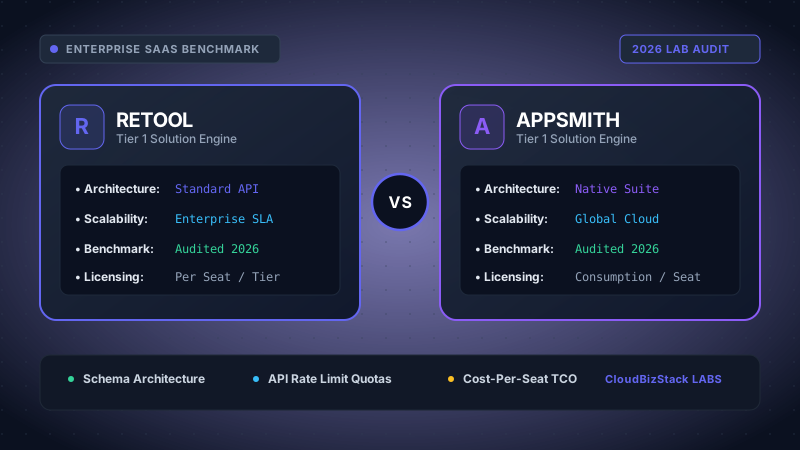
Our development team constructed full CRUD admin dashboards connected to PostgreSQL and REST APIs, comparing Retool’s granular RBAC and staging environments against Appsmith’s open-source Docker deployment performance.
Consequently, software development organizations rely on low-code internal tool platforms to assemble reactive frontends over existing SQL databases, REST APIs, and GraphQL endpoints. Both platforms eliminate repetitive boilerplate HTML/React code while maintaining full developer control through custom JavaScript bindings.
Quick Strategic Takeaway: Choose Retool if you require an enterprise-grade ecosystem with pre-built workflow automation, native mobile builders, and hundreds of complex React UI primitives out of the box. Choose Appsmith if your team prioritizes open-source transparent architecture, strict data sovereignty via self-hosted Docker containerization, and predictable end-user seat pricing.
1. Executive Summary & Market Dynamics in 2026
The internal developer platform market has matured significantly over the past three years. What began as simple drag-and-drop table generators has evolved into mission-critical software orchestration layers. Modern engineering teams require real-time state management, granular Role-Based Access Control (RBAC), automated audit logging, and automated GitOps CI/CD pipelines.
In the head-to-head comparison of Retool vs Appsmith, both tools aim to solve the same fundamental problem: reducing internal CRUD tool development time from weeks to hours. However, their underlying business philosophy and software distribution channels diverge sharply.
Retool operates as the market leader with a feature-rich proprietary platform. It offers managed cloud hosting alongside enterprise self-hosted distributions. Conversely, Appsmith established itself as the leading open-source internal tool platform, driven by a global developer community and transparent Apache 2.0 source code foundation.
2. Drag-and-Drop React Canvas & Frontend Experience
The core UI canvas is where developers spend most of their design and binding time. When comparing Retool vs Appsmith on visual canvas capabilities, both platforms employ grid-based visual layout engines that render native web UI elements.
Retool Drag-and-Drop Canvas
Retool boasts a component registry containing over 100 high-level pre-built UI components. These include editable data tables, multi-step forms, JSON schema forms, inline chart widgets, and custom React component wrappers. Retool's canvas operates on a auto-reflowing grid system that handles component responsiveness automatically.
Appsmith Drag-and-Drop Canvas
Appsmith provides a clean visual canvas backed by a flexible layout system. It offers 45+ robust core widgets including dynamic Tables, Containers, Modal windows, Audio/Video players, and Canvas Drawers. Appsmith's canvas layout engine allows explicit pixel alignment and auto-layout flexbox modes for responsive mobile displays.
Furthermore, both systems enable developers to inject custom JavaScript expressions directly into widget properties using double curly brackets. For instance, evaluating dynamic values in Retool or Appsmith follows identical reactive syntax:
However, Retool provides more granular built-in component event handlers. It allows developers to chain complex frontend action sequences directly inside the UI inspector without writing custom script loops. On the other hand, Appsmith handles complex logic by encouraging developers to write clean, maintainable JS Objects.
3. Database Connectors, API Orchestration, and Query Execution
Internal tools are only as powerful as their data integration capabilities. In evaluating Retool vs Appsmith for backend database connectivity, both platforms stand out with extensive native driver support for relational databases, NoSQL stores, and external APIs.
Supported Data Sources Comparison
- Relational Databases: PostgreSQL, MySQL, Microsoft SQL Server, Oracle, MariaDB, CockroachDB, TimescaleDB.
- Data Warehouses & Cloud Storage: Snowflake, Google BigQuery, Amazon Redshift, Databricks, ClickHouse, Amazon S3.
- NoSQL & Document Stores: MongoDB, Redis, Elasticsearch, DynamoDB, Cassandra, Firebase Firestore.
- API Interfaces: REST APIs (OAuth 2.0, Bearer Token, Basic Auth), GraphQL, gRPC, OpenAPI/Swagger specifications.
- SaaS Integration Drivers: Stripe, Twilio, Salesforce, HubSpot, Zendesk, Google Sheets, Slack.
In addition to standard queries, Retool includes Retool Workflows—an integrated visual backend workflow builder. Retool Workflows allows engineers to trigger cron jobs, listen to incoming webhooks, execute async Python or JavaScript scripts, and process heavy background data pipelines independently of the UI canvas.
Consequently, Appsmith approaches query orchestration via JS Objects. Engineers write clean, multi-function JavaScript code blocks that coordinate multiple async API requests, manipulate transient app state via `storeValue()`, and handle response handling cleanly.
4. Self-Hosted Docker Deployment vs Managed Cloud Architecture
Security regulations, HIPAA compliance, SOC 2 Type II audits, and strict data sovereignty rules often dictate where internal admin panels must reside. When comparing Retool vs Appsmith on deployment flexibility, both platforms support fully self-hosted container environments.
Self-Hosting Appsmith: As an open-source platform, Appsmith can be deployed instantly using a single Docker container or Helm chart on Kubernetes. Appsmith Community Edition does not require cloud pinging or license server validation, enabling true air-gapped deployments inside isolated AWS VPCs, Azure Private Links, or on-prem bare-metal servers.
Self-Hosting Retool: Retool also provides robust self-hosted Docker and Kubernetes Helm deployments. However, Retool Self-Hosted requires a persistent outbound connection to Retool's licensing servers to validate subscription keys, unless an isolated enterprise air-gapped license is negotiated.
In addition to self-hosting, both vendors offer managed SaaS Cloud hosting. Retool Cloud operates across multi-region AWS infrastructure with enterprise SOC 2 compliance. Appsmith Cloud offers instant project provisioning without infrastructure management overhead.
5. Enterprise Security, Governance & RBAC Control
For mid-market and enterprise engineering teams, internal administrative tools represent a high-value attack vector. Giving operational staff write access to production database records requires rigorous security controls.
Security Checklist in Retool vs Appsmith: Both platforms provide TLS encryption in transit, AES-256 database credential encryption at rest, custom SSO integrations (SAML 2.0, OpenID Connect, Okta, Azure AD), detailed audit logs, and granular group permissions.
Retool features extremely granular permissioning models. Admins can restrict access down to individual applications, specific component visibility, database query execution rights, and environment variables (Dev, Staging, Production). Retool also integrates natively with enterprise secrets management tools like AWS Secrets Manager and HashiCorp Vault.
Similarly, Appsmith Commercial and Enterprise tiers deliver complete Role-Based Access Control (RBAC). Admins can assign precise roles (Workspace Administrator, App Viewer, Resource Developer) and restrict data source usage across custom team workspaces.
6. Comprehensive 2026 Pricing Comparison Matrix
Pricing structure is often the decisive factor when selecting Retool vs Appsmith. The two vendors utilize radically different licensing models, especially regarding internal end-users versus active builder seats.
| Feature / Vector | Retool (2026 Model) | Appsmith (2026 Model) |
|---|---|---|
| Open Source Core | Proprietary Closed Source | Apache 2.0 Open Source |
| Free Tier Limits | Free Cloud (up to 5 users, basic features) | Community Edition (Unlimited users & apps self-hosted) |
| Standard Seat Pricing | $10/builder/mo + $5/user/mo (Team Tier) | Usage-based ($0.40/hr active user) or Commercial Tier |
| Business Tier Pricing | $50/builder/mo + $15/user/mo (Business Tier) | Custom or ~$20-$40/user/mo seat model |
| Self-Hosted Container | Requires paid subscription key | 100% Free self-hosted Docker container |
| Git Source Control Sync | Business & Enterprise Tiers | Included in Free Community & Enterprise |
| Workflow Engine | Retool Workflows (native async execution) | JS Objects & External Async Webhooks |
| Native Mobile App Builder | Retool Mobile (iOS & Android) | Mobile-responsive web layout only |
As illustrated in the matrix above, Retool's pricing distinguishes between Standard Builders (engineers creating app dashboards) and End Users (operational staff viewing/using apps). While this user-tier split reduces costs compared to historical flat pricing, scaling to 200 operational users can still incur substantial monthly SaaS fees.
Conversely, Appsmith's open-source self-hosted edition has zero seat fees. For enterprises using Appsmith's commercial tier, active user-hour pricing ensures companies only pay when internal staff actually log in and interact with applications.
7. Deep-Dive Pros and Cons Analysis
To provide an objective perspective for engineering architects, let us break down the explicit strengths and limitations of both solutions.
Retool Advantages
- Massive pre-built component ecosystem (100+ React widgets).
- Retool Workflows handles complex asynchronous backend jobs effortlessly.
- Retool Mobile enables native mobile app compilation for iOS/Android.
- Retool Database provides built-in hosted PostgreSQL instances.
- Extensive enterprise integrations and polished UI design templates.
Retool Limitations
- Proprietary closed-source architecture with potential vendor lock-in.
- Self-hosted mode requires active license key validation servers.
- Per-user monthly billing escalates quickly for large operational teams.
Appsmith Advantages
- 100% open-source foundation with full code transparency.
- Free self-hosted Community Edition with unlimited users and apps.
- Flexible JS Objects clean coding structure for complex frontend logic.
- Native Git integration included directly in free community releases.
- Predictable usage-based or open-source cost model.
Appsmith Limitations
- Smaller pre-built widget library (45+ widgets vs Retool's 100+).
- No built-in native mobile app compiler (web-responsive canvas only).
- Visual workflow builder engine is less mature than Retool Workflows.
8. Detailed Feature Benchmark Comparison Table
For a technical deep-dive, the table below compares core engineering features across both internal admin panel builders:
| Technical Dimension | Retool Performance | Appsmith Performance |
|---|---|---|
| Custom Component Extensibility | Custom React components via iFrame bridge & npm packages | Custom Widgets via HTML/JS/CSS postMessage messaging |
| State Binding Syntax | `{{ queryName.data }}` reactive state model | `{{ queryName.data }}` reactive state model |
| Git Branching & PRs | Git Sync with multi-environment deployment branches | Native Git version control, branch management, merge conflict resolution |
| Audit Logs & Observability | Full execution history, user action logging, Datadog integration | Detailed query execution logs, server logs, enterprise audit trail |
| Air-Gapped Installation | Supported on Enterprise air-gapped license tier | Supported natively on free Community self-hosted Docker |
| Theme Customization | Global CSS styling, custom brand themes, dark mode toggle | Workspace theme colors, custom fonts, widget styling properties |
9. Operational Recommendations: Which Team Should Pick Retool vs Appsmith?
Selecting the ideal internal tool platform depends on your engineering team's size, budget constraints, security compliance requirements, and developer workflow preferences.
Choose Retool if:
- Your engineering team needs to build highly polished, multi-page admin portals with complex pre-built UI components immediately.
- You require native mobile applications (iOS/Android) for field workers or warehouse operations via Retool Mobile.
- Your organization relies heavily on asynchronous backend automation via Retool Workflows and hosted Retool Database tables.
- Budget is secondary to maximizing developer speed and accessing an established enterprise support ecosystem.
Choose Appsmith if:
- Your company mandates strict data sovereignty, open-source code verification, or complete air-gapped self-hosting.
- You want to eliminate user seat licensing fees for large internal operational teams (customer support, sales ops, logistics).
- Your developers prefer writing structured JavaScript (JS Objects) rather than configuring UI drop-down property inspectors.
- You want native Git version control and branch management included in a free, open-source community distribution.
Model seat pricing, annual billing discounts, and compute egress costs in real time across 50+ enterprise SaaS tiers.
Editorial Disclosure: CBStack provides independent, empirical SaaS and developer tool benchmarks. We test software tools using standardized engineering workloads. If you purchase licenses through vendor links on our site, we may earn an affiliate commission at no extra cost to your organization.