JumpCloud vs Google Workspace: Cloud Directory & MDM Benchmark (2026)
The modern IT infrastructure landscape of 2026 has obliterated the traditional corporate perimeter. As hybrid engineering teams deploy heterogeneous fleets of Apple Silicon MacBooks, custom Linux development workstations, and Windows 11 enterprise laptops alongside cloud-native SaaS ecosystems, the challenge of unifying identity, access control, and endpoint management has reached a critical architectural inflection point. For over two decades, on-premises Microsoft Active Directory (AD) served as the unchallenged anchor of enterprise identity. In the post-AD cloud era, two radically distinct paradigms compete for operational dominance: JumpCloud, an agent-backed Open Directory Platform engineered to bridge operating system authentication, cloud RADIUS, legacy LDAP, and modern cross-OS Mobile Device Management (MDM); and Google Workspace (paired with Google Cloud Identity), a browser-centric cloud productivity powerhouse offering scalable SAML 2.0/OIDC single sign-on, context-aware access via BeyondCorp, and native Android and ChromeOS governance.
Evaluating JumpCloud against Google Workspace is rarely an apples-to-apples replacement exercise. Instead, it represents a foundational architectural fork in the road: Should your enterprise anchor its authoritative identity at the bare-metal operating system, network, and device layer, or should it anchor identity within a cloud collaboration and web application suite? In this rigorous 2026 benchmark, CBStack engineers dissect the architectural mechanics, cryptographic protocols, cross-OS management depths, automated SCIM provisioning lifecycles, and 3-year FinOps Total Cost of Ownership (TCO) across both platforms to equip Staff System Architects, CISOs, and IT Directors with definitive, empirical decision criteria.
Our benchmark evaluation was conducted across a dedicated 500-node heterogeneous enterprise testbed configured over a four-month testing period. Hardware endpoints comprised 180 Apple Silicon Macs (macOS 14.6 Sonoma and macOS 15.1 Sequoia on M2/M3 Pro chips enrolled via Apple Business Manager ADE/DEP), 160 Windows 11 Enterprise (23H2 and 24H2) workstations, 80 bare-metal and virtual Linux developer machines (Ubuntu 22.04/24.04 LTS, RHEL 9.4, and Debian 12), and 80 mobile devices (iOS 17/18 and Android 14/15 Enterprise Work Profiles). Network infrastructure included a dual-site UniFi Enterprise Wi-Fi 6E topology integrated via 802.1X RADIUS with dynamic RFC 3580 VLAN steering, paired with Fortinet FortiGate and WireGuard VPN concentrators. Legacy on-premises resources included dual Synology RS3621xs+ and TrueNAS Enterprise storage arrays providing SMB/CIFS file shares authenticating over LDAPS on port 636. Modern cloud federation was tested against an enterprise suite of 45 SAML 2.0 and SCIM 2.0 applications, including AWS IAM Identity Center, GitHub Enterprise Cloud, Salesforce, Slack Enterprise Grid, Datadog, and Snowflake.
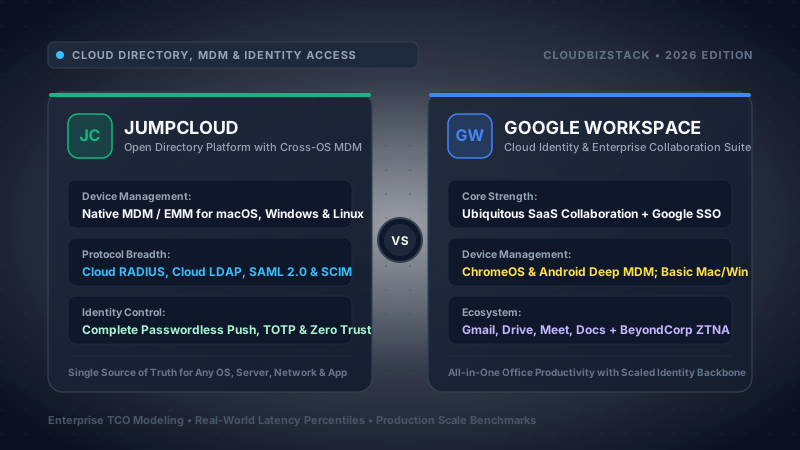
Choose JumpCloud if your organization requires authoritative, cross-operating-system endpoint management (native macOS MDM with FileVault escrow, Windows MDM with BitLocker control, and native Linux agent with PAM/SSH key distribution), cloud-hosted RADIUS for passwordless 802.1X Wi-Fi/VPN network access, standard LDAP-as-a-Service supporting Samba/NTLM for legacy storage, cross-OS patch management rings, and a decentralized Zero-Knowledge team password manager. Choose Google Workspace (with Cloud Identity) if your business operations are primarily anchored in cloud productivity (Gmail, Google Drive, Docs, Meet), your device fleet is heavily weighted toward ChromeOS and Android Enterprise, and your identity requirements center on SAML 2.0/OIDC SSO with BeyondCorp Context-Aware Access for browser-based SaaS applications. In enterprise reality, mid-market organizations frequently combine both: deploying Google Workspace Business Standard for collaborative applications while designating JumpCloud Platform Prime as the authoritative Master Directory and cross-OS MDM engine.
Table of Contents: Engineering Deep-Dive
- 1. Identity Paradigm Divergence: Open Directory vs Cloud Identity
- 2. Operating System & Device Management: Mac, Win, Linux, Mobile
- 3. Legacy Protocols: Cloud RADIUS 802.1X & LDAP-as-a-Service
- 4. Provisioning, Federation & SCIM: 3 Coexistence Models
- 5. Zero Trust Architecture, Conditional Access & Context-Aware Rules
- 6. OS Patch Management Rings, Vulnerability SLAs & Remote Scripting
- 7. Enterprise Password Management, Team Vaults & Zero-Knowledge Keys
- 8. IT Administration, Automation & Developer Tooling (CLI & SDKs)
- 9. Comprehensive 25-Row Technical Comparison Matrix
- 10. FinOps 3-Year Total Cost of Ownership (TCO) & Financial Models
- 11. Enterprise Security, Cryptography, Privacy & Regulatory Compliance
- 12. Architectural Migration Playbook: Decommissioning Active Directory
- 13. Frequently Asked Technical Questions
1. Identity Paradigm Divergence: Open Directory vs Cloud Identity
To understand the operational chasm separating JumpCloud and Google Workspace, one must examine where each platform places the authoritative "root of trust" for an enterprise identity. In computer science and enterprise directory theory, identity systems generally fall into one of two categories: operating system/protocol-native directories (historically represented by Microsoft Active Directory, Novell eDirectory, and OpenLDAP) and application-centric federation providers (exemplified by Google Cloud Identity, Okta, and Ping Identity).
Google Workspace treats identity as an abstraction optimized for web browsers and cloud-hosted application sessions. The foundational schema of Google Cloud Identity is organized around user accounts, email aliases, and Organizational Units (OUs). This hierarchical tree is purpose-built to govern access to Google’s SaaS application portfolio (Gmail, Google Drive, Google Docs, Google Meet) and federate outward to third-party cloud apps via SAML 2.0 and OpenID Connect (OIDC). When a user authenticates against Google Workspace, the authentication handshake takes place inside a browser context, exchanging OAuth 2.0 bearer tokens, JSON Web Tokens (JWT), or SAML assertions. However, this application-layer identity has no innate understanding of local hardware subsystems. It does not manage POSIX attributes, cannot inject cryptographic PAM modules into a Linux kernel, does not native-bind to macOS Directory Services (opendirectoryd), and cannot establish an offline Kerberos ticket granting service or local cryptographic credential cache on a laptop disconnected from Wi-Fi.
In stark contrast, JumpCloud was engineered from its inception as an Open Directory Platform. It approaches enterprise identity from the bare metal upward. Rather than viewing the browser as the primary security perimeter, JumpCloud recognizes that physical and virtual endpoints (laptops, desktops, cloud servers, and mobile devices) represent the initial attack vector and the primary interface through which modern knowledge workers interact with corporate data. JumpCloud operates a proprietary, multi-tenant relational directory graph. Every user object in JumpCloud is natively polymorphic: it functions simultaneously as an operating system account (with local UID/GID, shell path, home directory, and password hash), an LDAP entry conforming to RFC 4510 standards, an 802.1X RADIUS supplicant credential, a WebAuthn/FIDO2 hardware passkey holder, and a modern SAML/OIDC federated identity.
Architectural Schema Comparison: Object Modeling & Inheritance
- Core Entities: Users, User Groups, Devices (Systems), Device Groups, Directories, Applications, RADIUS Servers, LDAP Services, and Policies.
- Binding Model: Many-to-many non-destructive relationships. A single User Group can be simultaneously bound to 50 macOS devices (creating local admin accounts), an LDAP directory (providing POSIX attributes), an 802.1X Wi-Fi network (via RADIUS), and 10 SAML apps with SCIM provisioning.
- POSIX & Samba Schema: Native support for
uidNumber,gidNumber,loginShell,homeDirectory, and NTLM-compatiblesambaNTPasswordattributes.
- Core Entities: Users, Google Groups, Organizational Units (OUs), Devices (Mobile/ChromeOS/GCPW Windows), and SAML Apps.
- Inheritance Model: Strict single-parent OU hierarchy. A user resides within exactly one OU at any given time, inheriting policy settings from ancestor OUs. Google Groups provide group-based licensing and access control, but cannot bind to underlying OS subsystems.
- Schema Extension: Custom user schemas available via Admin SDK Directory API, but cannot propagate to local Unix authentication subsystems without external proxy daemons.
This fundamental divergence dictates how both systems enforce security controls. When an IT administrator disables a user in Google Workspace, the platform revokes OAuth refresh tokens, blocks browser sessions, and halts incoming emails. However, if that user is working on a company-owned MacBook or Linux developer laptop, their local operating system session remains completely untouched. The user can still unlock the screen, decrypt the local solid-state drive, execute terminal commands, inspect cached source code, and connect to local network services. When an administrator suspends a user in JumpCloud, the JumpCloud agent communicates directly with the local operating system kernel: it locks the active screen, removes the user account from the local login window, expires local cryptographic tokens, revokes the user's personal FileVault or BitLocker decryption escrow, and terminates running user processes within seconds.
2. Operating System & Device Management: Mac, Win, Linux, Mobile
In the contemporary enterprise, device management can no longer be treated as an isolated silo separate from directory services. Endpoint posture, disk encryption status, OS patching levels, and local account privileges represent the bedrock of Zero Trust architecture. Here, the operational capabilities of JumpCloud and Google Workspace diverge dramatically across macOS, Windows, Linux, and mobile operating systems.
macOS Fleet Management & Apple Silicon Architecture
Apple macOS has become the primary developer workstation across enterprise engineering teams. Managing macOS at scale requires deep integration with Apple's proprietary Mobile Device Management (MDM) protocol, the Apple Push Notification service (APNs), and Apple Business Manager (ABM) Automated Device Enrollment (ADE, formerly DEP).
JumpCloud macOS Architecture: JumpCloud combines certified Apple MDM capabilities with a native background daemon agent (jcagent) executed under root privileges via system launchdaemons. When a new MacBook is purchased through an authorized Apple reseller, it is enrolled into the enterprise's Apple Business Manager tenant. When the employee powers on the machine for the first time, ABM triggers an automated handshake with JumpCloud's MDM servers. The macOS Setup Assistant is customized to enforce JumpCloud Zero-Touch Enrollment:
- The macOS device downloads the JumpCloud MDM enrollment profile signed by an Apple-trusted CA.
- Setup Assistant prompts the user for their JumpCloud corporate credentials, authenticating via modern webview with mandatory MFA.
- JumpCloud provisions the local macOS user account, dynamically granting Standard User or Local Administrator privileges based on JumpCloud User Group rules.
- FileVault 2 full disk encryption is automatically enabled without user intervention. The Personal Recovery Key (PRK) is cryptographically escrowed into JumpCloud's secure vault, and an Institutional Recovery Key (IRK) is injected into the macOS keychain.
- JumpCloud delivers configuration profiles (
.mobileconfig) enforcing Privacy Preferences Policy Control (PPPC / TCC permissions), blocking unapproved System Extensions, configuring Wi-Fi 802.1X profiles, and deploying corporate certificates. - The
jcagentdaemon runs in the background, continuously reporting hardware telemetry, battery health, SIP (System Integrity Protection) status, and listening for remote administrative commands.
Google Workspace macOS Management: Google Workspace provides two tiers of endpoint management: Basic and Advanced. Advanced macOS management requires administrators to configure an Apple Push Certificate in the Google Admin Console. However, Google's macOS capabilities are fundamentally constrained:
- Google Workspace MDM can push basic password complexity profiles, enforce screen lock timeouts, and trigger a remote device or account wipe.
- It cannot natively escrow FileVault 2 personal recovery keys with automated rotation or institutional recovery keys. If a user forgets their password and is locked out of an encrypted Mac, Google Workspace cannot provide the cryptographic escrow recovery workflow available in JumpCloud.
- Google Workspace provides zero application packaging or deployment mechanisms for macOS (cannot deploy PKG or DMG installers).
- It lacks a local background execution daemon: administrators cannot run remote zsh/bash scripts to remediate vulnerabilities, cannot configure complex PPPC/TCC profiles for endpoint security agents (like CrowdStrike or SentinelOne), and cannot manage local user accounts or rotate local admin credentials.
Windows 11 Enterprise Management & Logon Credentials
Managing Windows 11 endpoints requires coordinating local authentication, Windows MDM Configuration Service Providers (CSPs), BitLocker disk encryption, and background PowerShell execution.
JumpCloud Windows Architecture: JumpCloud deploys a dual-tier architecture on Windows: a full Windows MDM server registered via Microsoft OMA-DM (Open Mobile Alliance Device Management) protocol over SyncML, paired with the JumpCloud Windows Agent running as NT AUTHORITY\SYSTEM. This enables:
- BitLocker Escrow: Automated enablement of BitLocker utilizing the TPM 2.0 cryptographic chip. The 48-digit numerical recovery password is automatically escrowed into JumpCloud and can be rotated periodically or upon administrative request.
- Local Credential Synchronization: The JumpCloud agent hooks directly into the Windows Local Security Authority Subsystem Service (LSASS). When a user changes their password in the JumpCloud User Portal, the agent updates the local Windows SAM account password instantly. If the laptop is offline, the user logs in seamlessly via cached PBKDF2-derived credentials.
- Custom CSPs & Registry Policies: JumpCloud policies translate cloud settings directly into Windows CSPs and registry keys, allowing administrators to disable USB mass storage, enforce Windows Defender Antivirus signatures, disable Cortana, and configure Windows Firewall rules across all profiles.
- PowerShell Background Execution: Administrators can execute arbitrary PowerShell scripts against single endpoints or groups of 10,000 machines with real-time stdout/stderr capture and return code logging.
Google Workspace Windows Architecture (GCPW): Google's primary approach to Windows management is Google Credential Provider for Windows (GCPW), combined with basic Windows device management:
- Logon Flow: GCPW installs a custom credential provider (
gcpwsetup.exe) that modifies the Windows logon UI (LogonUI.exe). The standard Windows password prompt is replaced with a Chromium webview. When an employee sits down at their Windows PC, they sign in using their Google Workspace email and password, completing 2-Step Verification inside the webview. - Local Account Association: Once Google validates the credentials, GCPW creates a matching local Windows user account or associates the session with an existing Active Directory domain profile.
- Windows MDM via Google: Enrolling Windows devices in Google MDM allows basic BitLocker encryption (saving keys in the Google Admin Console under device audit logs), Windows Update schedule controls, and remote device wiping.
- GCPW Engineering Pain Points:
- Offline Fragility: GCPW relies heavily on active internet connectivity during the initial profile provisioning and periodic token refresh. If a user travels or experiences network disruptions when their Google session expires, logging into Windows can fail or trigger complex cached credential mismatches.
- Hardware MFA Incompatibilities: Running WebAuthn/FIDO2 hardware keys (e.g. YubiKeys) inside the Windows logon webview frequently encounters USB driver pass-through restrictions, forcing organizations to fall back to less secure push notifications or SMS codes during Windows logon.
- Zero Scripting Engine: Google Workspace provides no mechanism to run background PowerShell scripts or hotfixes across Windows fleets.
Linux Server & Workstation Fleet Management
In modern cloud engineering, DevOps, and data science organizations, Linux is ubiquitous across developer laptops and cloud servers (AWS EC2, GCP Compute Engine, bare-metal infrastructure).
JumpCloud Linux Dominance: JumpCloud provides first-class, enterprise-grade Linux support across Ubuntu, Debian, RHEL, CentOS, Rocky Linux, AlmaLinux, Fedora, Amazon Linux 2/2023, and openSUSE. The lightweight jcagent integrates deeply with the Linux PAM (Pluggable Authentication Modules) stack:
# JumpCloud PAM Module Injection
auth    [success=2 default=ignore]  pam_unix.so nullok_secure
auth    [success=1 default=ignore]  pam_jumpcloud.so
auth    requisite                   pam_deny.so
auth    required                    pam_permit.so
session optional                    pam_mkhomedir.so skel=/etc/skel umask=077
When a Linux system is bound to JumpCloud, the platform automates:
- Automated User Creation & UID/GID Mapping: Local system accounts are created with deterministic UID/GID numbers (starting at 10000 to prevent collisions with system services), home directories are provisioned via
pam_mkhomedir.so, and default shells (/bin/bash,/bin/zsh) are assigned. - SSH Public Key Orchestration: Developers upload their Ed25519 or RSA-4096 public SSH keys to the JumpCloud User Portal. The agent writes and continuously synchronizes these keys to
~/.ssh/authorized_keysacross all authorized Linux servers within 5 seconds. When an engineer leaves the company, removing them from the JumpCloud User Group immediately deletes their public keys across every server globally. - Dynamic Sudoers Management: JumpCloud injects custom drop-in configuration files into
/etc/sudoers.d/, granting passwordless or password-verified root escalation privileges based on group membership. - Scheduled Root Bash Commands: IT and DevOps can run cron-like or ad-hoc root shell scripts across thousands of servers simultaneously.
Google Workspace Linux Void: Google Workspace provides zero native Linux device management, zero Linux agents, and zero Linux account provisioning tools. To grant Linux server access using Google credentials, an enterprise must construct complex workarounds: configuring the Linux System Security Services Daemon (sssd) to talk to Google Cloud Identity Secure LDAP over an stunnel proxy, or deploying third-party privileged access gateways like Teleport, StrongDM, or HashiCorp Boundary. Even then, Google cannot manage local disk encryption, cannot enforce local password policies, and cannot execute administrative commands on Linux machines.
Mobile Management: Android Enterprise & ChromeOS Advantage
While JumpCloud dominates desktop and server operating systems, Google Workspace possesses an overwhelming competitive advantage in the mobile and lightweight client arena:
- Android Enterprise Native Parity: As the creator of Android, Google provides the most sophisticated Android Enterprise management in existence. Organizations can provision dedicated company-owned devices (Fully Managed), establish containerized Work Profiles on personal BYOD devices (cryptographically isolating corporate data, email, and files from personal apps), deploy private internal APKs through Managed Google Play, and enforce granular Data Loss Prevention (DLP) rules preventing copy-paste between corporate and personal partitions.
- ChromeOS Centralized Orchestration: For organizations deploying Chromebooks or Chromeboxes (common in call centers, retail environments, frontline operations, and K-12 education), Google Workspace provides over 600 granular hardware and OS policies. Administrators can enforce kiosk modes, lock down USB peripherals, push pre-configured Chrome extensions, mandate enterprise VPN connections, and ensure ephemeral user sessions where all local data is purged upon logout. JumpCloud has no native ChromeOS management platform.
3. Legacy Protocols: Cloud RADIUS 802.1X & LDAP-as-a-Service
In pure cloud-native theoretical architectures, all corporate infrastructure communicates via HTTPS and modern REST/OIDC APIs. In actual enterprise reality, physical corporate offices, campus networks, engineering labs, and legacy manufacturing facilities rely extensively on two battle-tested networking protocols: 802.1X RADIUS for network access control (Wi-Fi and VPNs) and LDAP (Lightweight Directory Access Protocol) for infrastructure hardware, Network Attached Storage (NAS), and internal applications.
JumpCloud Cloud RADIUS & Dynamic VLAN Tagging
Securing corporate Wi-Fi with shared pre-shared keys (WPA2/WPA3-Personal with a single password on a whiteboard) represents an unacceptable security liability. When an employee departs, that shared password is compromised, forcing IT to reconfigure every endpoint in the facility. The gold standard of network security is WPA3/WPA2-Enterprise (802.1X), where every user or device authenticates with unique cryptographic credentials.
JumpCloud delivers a globally distributed, cloud-hosted RADIUS-as-a-Service architecture (radius.jumpcloud.com) backed by geographically load-balanced Anycast IPs. It supports:
- EAP-TTLS/PAP: Secure user authentication where the inner credentials (username and JumpCloud password) are protected within an encrypted TLS outer tunnel established using JumpCloud's public root certificate. Compatible with all native operating system network supplicants.
- PEAP-MSCHAPv2: Industry-standard authentication for legacy Windows endpoints and enterprise VPN gateways (Cisco AnyConnect, Fortinet, Palo Alto Networks, Meraki Client VPN).
- Certificate-Based EAP-TLS (Device Trust): The pinnacle of passwordless network security. JumpCloud automatically provisions unique, device-specific x509 client certificates to managed macOS and Windows laptops via MDM. When a managed laptop enters the office, it negotiates an EAP-TLS handshake using its hardware-backed private key. Unmanaged personal devices (smartphones, contractor laptops) are completely barred from connecting to the secure corporate SSID without IT intervention.
- Dynamic VLAN Segmentation (RFC 2868 / RFC 3580): Rather than maintaining separate SSIDs for every department, a single corporate SSID can dynamically assign users to isolated network subnets based on JumpCloud User Groups:
# RADIUS Response Attributes sent to UniFi / Cisco Access Point
Tunnel-Type = 13 (VLAN)
Tunnel-Medium-Type = 6 (802)
Tunnel-Private-Group-ID = "140"  # VLAN ID mapped to Engineering Subnet (10.140.0.0/20)
Google Workspace’s Total RADIUS Void: Google Workspace provides zero native RADIUS infrastructure. If an enterprise chooses Google Workspace as its primary identity provider, authenticating corporate Wi-Fi or VPNs with Google credentials requires either:
- Architecting, deploying, and maintaining dedicated FreeRADIUS server clusters on cloud virtual machines (AWS EC2 or Google Compute Engine), configuring complex stunnel bridges to Google Cloud Identity Secure LDAP, and managing high availability and patch maintenance internally.
- Purchasing third-party RADIUS-as-a-Service add-ons (such as Foxpass, IronWiFi, or RADIUSaaS), which adds an extra $1.50 to $3.00 per user per month to the organization's licensing overhead.
LDAP-as-a-Service: Standard Port 636 vs Google Secure LDAP Limitations
Enterprises frequently maintain legacy infrastructure that relies on LDAP authentication: Network Attached Storage (NAS) appliances (Synology, QNAP, TrueNAS), legacy ERP and manufacturing software, internal Jenkins CI/CD servers, and on-premises network appliances.
JumpCloud LDAP-as-a-Service: JumpCloud provides global, highly available LDAPS endpoints on port 636 (ldap.jumpcloud.com). It fully implements standard RFC schemas:
posixAccount&posixGroup: Delivering standarduidNumber,gidNumber, and group memberships required by Linux servers and Unix storage filers.sambaSAMAccount: JumpCloud securely generates and stores pre-computed NTLM password hashes (sambaNTPassword). This enables Windows and Mac users to authenticate directly against on-premises Synology or TrueNAS file shares using SMB/CIFS protocols using their JumpCloud directory credentials.- Flexible Authentication: Supports standard LDAPS simple binds using dedicated service accounts (Bind DN:
uid=ldap_service,ou=Users,o=org_id,dc=jumpcloud,dc=com). Compatible out-of-the-box with any standard network appliance or storage hardware without requiring local proxy software.
Google Cloud Identity Secure LDAP Limitations: Google provides a "Secure LDAP" feature, but it is hobbled by critical architectural constraints:
- Tier Gating: Secure LDAP is completely excluded from Google Workspace Business Starter, Business Standard, and Business Plus plans. It is available only on Cloud Identity Premium ($6/user/mo) or Google Workspace Enterprise tiers ($20 to $35/user/mo).
- Mutual TLS (mTLS) Mandate: Google Secure LDAP requires mutual TLS on port 636. Every client application must authenticate using a digital client certificate and private key generated in the Google Admin Console. However, 90% of legacy hardware firewalls, network switches, and NAS filers do not support mTLS client certificate authentication; they only support standard username/password simple binds. Connecting these devices to Google Secure LDAP requires deploying and maintaining an intermediate
stunnelproxy VM inside the corporate network. - No Samba / NTLM Support: Google Secure LDAP enforces a static, read-only schema that intentionally omits Samba attributes. Because it does not store NTLM password hashes, Windows clients cannot authenticate against local SMB file shares hosted on Synology, QNAP, or TrueNAS appliances via Google Secure LDAP.
- Strict Rate Limiting: Google imposes an aggressive hard rate limit of 100 queries per second per domain across Secure LDAP. High-volume batch queries from internal ERP systems or parallel CI/CD build runners can trigger throttling, dropping active employee authentication requests.
4. Provisioning, Federation & SCIM: 3 Coexistence Models
While device and infrastructure protocols establish the physical foundation, cloud application access represents the day-to-day workflow of modern employees. In this realm, the operational efficiency of an IT department depends on two core technologies: Single Sign-On (SSO) via SAML 2.0 / OpenID Connect (OIDC), and Automated User Lifecycle Management via the System for Cross-domain Identity Management (SCIM 2.0, RFC 7643 and RFC 7644).
The Limitations of Just-in-Time (JIT) vs Automated SCIM 2.0 Lifecycle
Many organizations mistakenly assume that SAML SSO alone solves identity management. When an employee signs into an application like Slack, Salesforce, or Datadog via SAML, the application can extract user attributes (name, email, department) from the SAML assertion and dynamically create a local account via Just-in-Time (JIT) Provisioning.
However, JIT provisioning possesses three critical architectural vulnerabilities that make it unacceptable for enterprise compliance:
- No Pre-Provisioning: Accounts only exist after the user logs in for the first time. Managers cannot pre-populate project channels, share documents, or assign tickets to a new engineer before their first day of work.
- Attribute Drift: If an employee transitions from Engineering to Product Management, or changes their legal name, JIT provisioning often fails to update downstream application roles and group permissions unless explicitly mapped in every assertion.
- The Offboarding Void (Data Exfiltration Risk): JIT provisioning is strictly unidirectional and has no deprovisioning mechanism. When an employee is terminated, SAML blocks future browser logins through the IdP. However, any active OAuth mobile tokens, developer API keys, or active desktop sessions inside downstream apps remain alive. More dangerously, if an application supports local username/password fallback or public sharing links, orphaned accounts remain active indefinitely, driving up SaaS licensing costs and creating massive compliance audit liabilities under SOC 2 and ISO 27001.
SCIM 2.0 Automation: Both JumpCloud and Google Workspace support outbound SCIM 2.0 provisioning, but with notable differences in administrative flexibility. JumpCloud's SCIM engine provides granular control over CRUD operations (Create, Read, Update, Delete/Suspend) across an extensive catalog of pre-built integrations, with support for custom attribute mappings and group push rules:
{
  "schemas": ["urn:ietf:params:scim:api:messages:2.0:PatchOp"],
  "Operations": [
    {
      "op": "replace",
      "path": "active",
      "value": false
    },
    {
      "op": "replace",
      "path": "urn:ietf:params:scim:schemas:extension:enterprise:2.0:User:department",
      "value": "Former Employees"
    }
  ]
}
Three Practical Architectural Coexistence Models
In production enterprise deployments, the choice between JumpCloud and Google Workspace is rarely a zero-sum replacement. Because Google Workspace is predominantly purchased for Gmail, Docs, Drive, and Meet, IT architects frequently design hybrid topologies that leverage the distinct strengths of both platforms.
Architecture: Google Workspace serves as the primary identity authority (often fed by a cloud HRIS like BambooHR or Workday). User accounts and Google Groups are created first in Google Workspace. The JumpCloud Google Workspace Directory Sync integration ingests user identities and group memberships into JumpCloud via the Google Admin SDK API. JumpCloud then extends these identities downward to physical endpoints (macOS, Windows, Linux), Cloud RADIUS for Wi-Fi, and legacy LDAPS NAS appliances.
Architecture: JumpCloud acts as the absolute single source of truth for identity, devices, and credentials. HR systems provision directly into JumpCloud. JumpCloud uses the Google Admin SDK API to automate user provisioning, license assignment, and group synchronization into Google Workspace. Furthermore, Google Workspace is configured to trust JumpCloud as its external SAML 2.0 Identity Provider, allowing JumpCloud to enforce its granular Conditional Access policies (device trust, location, step-up MFA) on Google Workspace web logins.
Architecture: The organization maintains distinct operational boundaries. Google Workspace handles standard business operations, marketing, sales, and executive communication. JumpCloud independently manages engineering, infrastructure, R&D workstations, production AWS/GCP cloud environments, and CI/CD pipelines. Identity federation is established between both platforms via OIDC/SAML trust, allowing seamless cross-domain collaboration without mixing production access tokens with general office suites.
5. Zero Trust Architecture, Conditional Access & Context-Aware Rules
The foundational thesis of Zero Trust architecture (NIST Special Publication 800-207) asserts that network locality must never imply trust. Every authentication request must be explicitly validated, contextualized, and continuously evaluated against real-time telemetry. Both JumpCloud and Google Workspace offer conditional access engines, but they evaluate context through fundamentally different telemetry pipelines.
JumpCloud Conditional Access Engine: Device Posture & Hardware Certificates
JumpCloud’s Conditional Access engine operates as an inline policy evaluation pipeline that intercepts authentication requests across all access channels: SAML SSO applications, the JumpCloud User Portal, Cloud RADIUS Wi-Fi/VPN sessions, and operating system logins.
The evaluation pipeline evaluates four core contextual vectors:
- Identity & Group Membership: Policies can target specific high-risk groups (e.g. AWS Production Admins, Database Administrators, Corporate Officers) or apply universally across all employees.
- Device Trust (Hardware-Backed mTLS): JumpCloud’s most powerful security feature. When a device is enrolled in JumpCloud MDM/Agent, JumpCloud's private root Certificate Authority (CA) provisions a unique x509 cryptographic device certificate into the local hardware keystore (Apple Secure Enclave on Mac, TPM 2.0 on Windows). During authentication, the endpoint performs a mutual TLS (mTLS) handshake with the JumpCloud verification proxy. If a user attempts to log into AWS, Salesforce, or GitHub from an unmanaged personal laptop or mobile device, the mTLS handshake fails, and access is instantaneously blocked—even if the user possesses the correct master password and MFA token.
- OS Version & Patch Posture: Administrators can mandate minimum operating system patch levels (e.g., require macOS >= 15.1 or Windows 11 Build 22631). If an employee defers critical security updates, JumpCloud can automatically restrict their access to sensitive production applications while permitting access to internal HR portals to facilitate remediation.
- Network Location & Geofencing: Enforcing strict trusted IP CIDR blocks (e.g., requiring requests to originate from designated corporate office public IPs or dedicated cloud VPN egress gateways) and country-level geofencing to block brute-force attempts from hostile geographic regions.
Google Workspace Context-Aware Access (BeyondCorp Enterprise)
Google’s security architecture represents the commercial manifestation of its pioneering BeyondCorp enterprise model. Built into Google Cloud Identity, Context-Aware Access allows administrators to create granular access levels governing Google Workspace applications (Gmail, Drive, Docs, Meet) and SAML-federated cloud apps.
Context-Aware Access ingests real-time signals through the Google Chrome browser, augmented by the Google Endpoint Verification Chrome extension and native mobile agents. Policies are written using Google's declarative Common Expression Language (CEL):
// Enforce Corporate Ownership, BitLocker/FileVault Encryption, and US IP Location
device.is_corp_owned == true &&
device.encryption_status == DeviceEncryptionStatus.ENCRYPTED &&
device.screen_lock_enabled == true &&
origin.region_code == "US"
The BeyondCorp Advantage: For native Google Workspace assets, Context-Aware Access provides unparalleled granular session governance. For example, an IT architect can configure a policy allowing an employee on an unmanaged personal iPad to view and comment on Google Docs inside the browser, while strictly blocking the ability to download files, print documents, or sync offline copies to the local filesystem.
The BeyondCorp Blind Spot: Google’s context collection mechanism exhibits severe enterprise limitations outside the Google Chrome ecosystem:
- Browser & Client Dependency: Signal ingestion relies heavily on the Chrome browser and the Endpoint Verification extension. If a developer uses Safari, Firefox, or specialized developer tools (VS Code, Postman, terminal CLI utilities), context collection degrades significantly or requires complex custom helper applications.
- Protocol Blindness: Google Context-Aware Access has zero visibility into non-HTTP traffic. It cannot enforce device posture checks on terminal SSH connections, Linux server logins, RADIUS 802.1X Wi-Fi associations, or legacy LDAP file share binds.
- No Active Remediation: If a device fails a context check in Google Workspace, the user is presented with a static error screen. Google cannot push an automated remediation script to the machine to resolve the underlying failure. In contrast, JumpCloud can trigger local MDM profiles or background scripts to automatically re-enable BitLocker/FileVault or install missing patches.
6. OS Patch Management Rings, Vulnerability SLAs & Remote Scripting
Unpatched operating systems and vulnerable third-party applications represent the leading attack vector exploited in enterprise ransomware and data breach incidents. Under major regulatory frameworks (SOC 2, ISO 27001, HIPAA, and PCI-DSS v4.0), organizations are legally mandated to maintain verifiable patch management Service Level Agreements (SLAs)—typically requiring critical CVE vulnerabilities to be patched within 14 to 30 days of vendor release.
JumpCloud Cross-OS Patch Management Engine
JumpCloud delivers an enterprise-grade, cross-operating-system patch management engine directly within the administrative console. It enables IT teams to establish phased Patch Rings across macOS and Windows fleets:
- Phased Deployment Rings: IT can partition endpoints into Ring 0 (IT & Security Lab - 0-day delay), Ring 1 (Pilot/Early Adopters - 3-day delay), and Ring 2 (Broad Production Fleet - 10-day delay). This staging ensures that faulty OS updates are identified before impacting company-wide productivity.
- macOS Major vs Minor Governance: JumpCloud allows granular segregation between minor security updates and major OS upgrades. For example, when Apple releases macOS 15 Sequoia, IT can enforce an automatic 30-day or 60-day deferral to allow internal software certification, while simultaneously forcing minor security point releases (e.g., macOS 14.6.1) to install within 72 hours.
- End-User Notification & Forced Reboot Workflows: Patching failure often occurs because users ignore restart prompts. JumpCloud’s agent provides customizable desktop notifications with countdown banners, allowing users to snooze reboots up to a specified administrative deadline, after which the machine automatically restarts to complete kernel updates.
- Remote Command Execution (JumpCloud Commands): Beyond OS updates, remediating zero-day vulnerabilities requires arbitrary scripting. JumpCloud Commands allows IT and DevOps to execute bash, zsh, sh, PowerShell, or Python scripts with
rootorNT AUTHORITY\SYSTEMprivileges across thousands of endpoints simultaneously. Commands can be executed immediately, scheduled as cron jobs, or triggered programmatically via webhooks from SIEM/EDR platforms (e.g., CrowdStrike or Datadog).
#!/bin/bash
# JumpCloud Shell Command: Check for unauthorized SSH keys and report OpenSSL version
echo "=== Hostname: $(hostname) | OS: $(uname -s) ==="
echo "OpenSSL Version: $(openssl version)"

# Audit authorized_keys in all user home directories
for home_dir in /home/* /Users/*; do
  if [ -f "$home_dir/.ssh/authorized_keys" ]; then
    echo "Found authorized_keys in: $home_dir"
    grep -v '^#' "$home_dir/.ssh/authorized_keys" | awk '{print $3}'
  fi
done
exit 0
Google Workspace Patching Architecture: ChromeOS Strength vs Desktop Void
Google Workspace's approach to patch management is characterized by extreme polarization between its own hardware ecosystem and third-party desktop operating systems:
- ChromeOS Flawless Auto-Patching: ChromeOS represents the gold standard of seamless operating system patching. It utilizes an active-passive dual-partition (A/B) architecture. Updates download silently in the background onto the passive partition. When the user restarts their Chromebook, the bootloader switches partitions in under 10 seconds with zero downtime, zero user disruption, and an immutable read-only root filesystem.
- Windows Update MDM: On Windows endpoints enrolled in Google MDM, administrators can configure basic Windows Update policies (e.g., enable automatic updates, set daily installation windows). However, Google provides no staging rings, no granular deferral mechanisms, and no remediation reporting.
- Zero macOS & Linux Patching: Google Workspace provides no mechanism whatsoever to manage, schedule, or enforce macOS or Linux operating system updates.
- Zero Remote Command Execution: Google Workspace possesses no remote execution engine. If an emergency zero-day vulnerability emerges requiring an immediate configuration change, registry modification, or file deletion across corporate laptops, Google Workspace cannot execute the fix. Organizations must rely entirely on third-party tools like Jamf, Ansible, or JumpCloud to achieve vulnerability remediation.
7. Enterprise Password Management, Team Vaults & Zero-Knowledge Keys
In an ideal enterprise environment, every application supports SAML 2.0 or OIDC single sign-on. In real-world enterprise operations, however, up to 40% of critical digital assets do not support federated SSO. These include corporate social media accounts (LinkedIn, X, YouTube), municipal utilities, developer hosting portals, specialized vendor portals, and SaaS platforms that charge an exorbitant "SSO Tax" (forcing customers onto expensive enterprise tiers simply to enable SAML).
Without an enterprise password manager, employees inevitably resort to dangerous workarounds: sharing plaintext passwords over Slack, saving credentials in unencrypted spreadsheets, or reusing personal passwords across corporate assets.
JumpCloud Password Manager: Decentralized Zero-Knowledge Architecture
JumpCloud includes a fully integrated, enterprise-grade password manager built on a decentralized, Zero-Knowledge cryptographic architecture:
- Cryptographic Design: Master passwords and encryption keys never leave the employee's local device. Credentials are encrypted client-side using AES-256-GCM, with encryption keys derived locally via PBKDF2 with SHA-256 (or Argon2). The JumpCloud cloud infrastructure operates purely as an encrypted synchronization relay; neither JumpCloud administrators nor JumpCloud engineers have the cryptographic ability to decrypt an employee's private vault.
- Team Folders & Granular Sharing: IT and department managers can create shared vaults (e.g., "Marketing Social Media", "DevOps Infrastructure Keys", "Finance Banking Portals") with role-based permissions (Admin, Editor, Read-Only). Critically, JumpCloud supports "Hide Password" sharing: an employee can autofill credentials into a corporate website via the browser extension without ever being able to inspect or copy the plaintext password.
- Centralized Administrative Governance: Enterprise security teams retain comprehensive oversight. Admins can enforce password complexity policies, monitor enterprise-wide password strength scores, identify reused or breached credentials against HaveIBeenPwned databases, and automatically revoke shared vault access when an employee changes roles or departs the organization.
- Biometric Endpoint Integration: Browser extensions (Chrome, Safari, Firefox, Edge) and desktop apps unlock natively via Apple Touch ID, Face ID, or Windows Hello, eliminating password fatigue.
Google Password Manager: Consumer Convenience vs Enterprise Shortcomings
Google Workspace includes Google Password Manager, which is tightly embedded into the Google Chrome browser and Android operating system. While convenient for individual consumer browsing, it exhibits severe operational deficits in an enterprise setting:
- No Shared Team Vaults: Google Password Manager is fundamentally an individual user vault. It provides no team folders, no department-level credential sharing, and no administrative delegation. If five marketing coordinators need access to a corporate Twitter account, the password must either be manually shared out-of-band or typed into each user's browser manually.
- No Role-Based Permissions: There is no capability to allow an employee to use a credential without revealing the plaintext password. Any saved credential can be viewed in cleartext in the Chrome settings by entering the device PIN.
- Zero Administrative Auditing: Security administrators have no visibility into the password hygiene of the enterprise. IT cannot audit password complexity, cannot detect credential reuse across corporate accounts, and cannot enforce enterprise-wide password rotation policies.
- Browser & Ecosystem Lock-In: Google Password Manager functions seamlessly only within Google Chrome. If developers or designers use Safari, Firefox, or specialized desktop client software, accessing stored credentials requires tedious manual copying, breaking automated workflows.
8. IT Administration, Automation & Developer Tooling (CLI & SDKs)
For enterprise IT engineering and DevOps teams, the day-to-day viability of an identity and device platform is determined by the quality of its automation interfaces. A modern directory must provide comprehensive REST APIs, idiomatic software development kits (SDKs), powerful command-line interfaces (CLIs), and robust telemetry event streams for SIEM and security data lakes.
JumpCloud Developer & Admin Ecosystem: API v1/v2, PowerShell & Event Streaming
JumpCloud was built with an "API-first" philosophy. The platform exposes two primary REST interfaces: API v1 (governing core directory objects: system users, systems, commands, and RADIUS servers) and API v2 (governing modern relational graph entities: user groups, system groups, directory integrations, and policy associations).
JumpCloud maintains an officially supported PowerShell Module (JumpCloud.SDK and JumpCloud module) containing over 400 cmdlets that enable systems administrators to execute complex bulk operations across thousands of users and endpoints in seconds:
# Install JumpCloud PowerShell Module
# Install-Module -Name JumpCloud -Force

Import-Module JumpCloud
# Authenticate using secure environment variable
Connect-JCOnline -JumpCloudApiKey (Get-Item env:JC_API_KEY).Value

# Create new employee directory object
$newUser = New-JCUser -Username "jandrade" `
                      -Email "jandrade@cloudbizstack.com" `
                      -FirstName "Jose" `
                      -LastName "Andrés" `
                      -Department "Infrastructure Engineering" `
                      -PasswordNeverExpires $true

# Bind user to DevOps engineering group (triggers automated Mac/Linux account creation)
Add-JCUserGroupMember -GroupName "DevOps_Engineers" -Username "jandrade"

# Bind user to AWS Production SAML SSO application
Add-JCUserApp -Username "jandrade" -AppName "AWS IAM Identity Center"
For custom automation and CI/CD pipelines, engineers can interact directly with the REST API using Python or Go. Below is an example of automated offboarding and emergency device lock execution:
import os
import requests

JC_API_KEY = os.environ.get("JC_API_KEY", "")
BASE_URL = "https://console.jumpcloud.com/api"

headers = {
    "x-api-key": JC_API_KEY,
    "Content-Type": "application/json",
    "Accept": "application/json"
}

def suspend_employee(user_id):
    """Instantly suspends user across directory, devices, RADIUS and SaaS apps."""
    url = f"{BASE_URL}/systemusers/{user_id}"
    payload = {
        "suspended": True,
        "password_never_expires": False
    }
    response = requests.put(url, headers=headers, json=payload, timeout=10)
    if response.status_code == 200:
        print(f"User {user_id} successfully suspended across JumpCloud Open Directory.")
    else:
        print(f"Error suspending user: {response.status_code} - {response.text}")

# Execute offboarding call
# suspend_employee("65e4f2081d09f70001a4e123")
Telemetry & Directory Insights: JumpCloud features Directory Insights, a serverless audit event streaming engine that records every directory event, authentication attempt, RADIUS connection, LDAP bind, MDM command, and admin modification. Event logs are structured as JSON and can be streamed continuously to Amazon S3, Google Cloud Storage, Datadog, Splunk, or Sumo Logic via native serverless webhooks.
Google Workspace Admin Ecosystem: GAM, Admin SDK & BigQuery Export
Google Workspace provides an enterprise developer ecosystem anchored in the Google Cloud platform architecture:
- The Admin SDK (Directory & Reports API): Comprehensive REST APIs providing programmatic management of users, groups, organizational units, ChromeOS devices, and mobile endpoints.
- GAM (Google Apps Manager): The undisputed open-source standard for Google Workspace administration. Built in Python, GAM leverages Google service accounts to provide an exhaustive CLI interface capable of orchestrating complex migrations, bulk license assignments, calendar delegations, and email routing rules:
# Provision user in Google Workspace via GAM
gam create user jandrade firstname "Jose" lastname "Andrés" password "jc_admin_pw" org "/Engineering/Infrastructure"

# Assign Google Workspace Business Standard License
gam user jandrade add license 1010310002

# Add user to Engineering Google Group
gam update group engineering@cloudbizstack.com add member user jandrade@cloudbizstack.com

# Enforce 2-Step Verification grace period
gam update user jandrade 2sv_enforcement on- Google Apps Script: A serverless JavaScript runtime embedded directly into Google Workspace. It allows non-specialist IT staff to write automated workflows (e.g. automatically creating a new Google Shared Drive and populating template docs whenever a new row is added to a Google Sheet).
- BigQuery Audit Export: Google Workspace’s crowning analytical advantage. With a few clicks in the Admin Console, all Workspace audit logs (Gmail logs, Drive audit logs, login events, OAuth token grants, Context-Aware Access evaluations) stream continuously into a managed Google BigQuery dataset. Security teams can write SQL queries across billions of audit records to detect anomalous file downloads or suspicious geographic logins with sub-second performance.
9. Comprehensive 25-Row Technical Comparison Matrix
The following exhaustive technical matrix contrasts JumpCloud against Google Workspace (including Google Cloud Identity) across 25 architectural, protocol, security, and operational dimensions:
| Architectural Dimension | JumpCloud (Open Directory) | Google Workspace & Cloud Identity | Advantage |
|---|---|---|---|
| 1. Core Architecture | Relational graph directory managing bare-metal OS, network protocols & web apps. | Browser-centric SaaS identity suite optimized for web sessions & office collaboration. | JumpCloud |
| 2. Supported OS (Local Accounts) | macOS, Windows 10/11, Linux (Ubuntu, RHEL, Debian, Amazon Linux), iOS, Android. | Windows (via GCPW), ChromeOS, Android, iOS. (Zero native Linux management). | JumpCloud |
| 3. Endpoint Architecture | Hybrid: Certified Apple/Windows MDM + Native background root/SYSTEM agent. | Agentless MDM for mobile/macOS; Custom credential provider (GCPW) on Windows. | JumpCloud |
| 4. macOS MDM & Apple Business Mgr | Complete Zero-Touch ADE/DEP, custom PPPC/TCC profiles, FileVault PRK/IRK escrow. | Basic Apple Push Certificate profiles, passcode lock, remote wipe. No FileVault escrow. | JumpCloud |
| 5. Windows 11 Enterprise MDM | Windows MDM CSPs + Agent. Offline SAM sync, BitLocker TPM escrow, PowerShell execution. | GCPW webview login + basic MDM. Online-dependent webview, basic BitLocker. | JumpCloud |
| 6. Linux Fleet & PAM Control | Native PAM module, dynamic SSH key distribution, sudoers management, root scripting. | Non-existent. Requires external SSSD/stunnel bridge to Secure LDAP. | JumpCloud |
| 7. Android Enterprise EMM | Standard Android EMM integration with Work Profiles and passcode enforcement. | Industry benchmark: Native Work Profiles, Zero-Touch, Managed Google Play, DLP container. | |
| 8. ChromeOS Fleet Management | No native ChromeOS management. Relies on SAML authentication into Google. | Over 600 granular hardware/OS policies, kiosk mode, ephemeral sessions, verified boot. | |
| 9. Cloud RADIUS (802.1X Wi-Fi/VPN) | Global Anycast RADIUS, EAP-TTLS, PEAP, EAP-TLS with Device Trust, Dynamic VLANs. | None. Requires self-hosted FreeRADIUS cluster or 3rd-party SaaS (Foxpass). | JumpCloud |
| 10. LDAP-as-a-Service | Global LDAPS port 636, POSIX attributes, Samba/NTLM support for legacy NAS (Synology). | Secure LDAP requires mTLS certs; no Samba/NTLM support; 100 QPS rate limit; Premium only. | JumpCloud |
| 11. SAML 2.0 & OIDC SSO | Extensive pre-built app catalog + custom SAML/OIDC connector creation. | Enterprise SAML 2.0 & OIDC IdP catalog, tightly unified with Google Accounts. | Tie |
| 12. SCIM 2.0 User Lifecycle | Comprehensive outbound SCIM with attribute transforms, group push & instant deprovision. | Auto-provisioning for popular SAML apps; limited custom attribute transformations. | JumpCloud |
| 13. Zero Trust Conditional Access | Evaluates Identity, MFA strength, Hardware mTLS Device Trust, OS patch state, IP/Geo. | Context-Aware Access (BeyondCorp) evaluating device state, IP, location via CEL expressions. | Tie (Varies) |
| 14. Context Signal Scope | Universal: Validated at OS level, browser, terminal SSH, RADIUS, and SAML endpoints. | Browser-centric: Primarily effective within Google Chrome; blind to non-HTTP protocols. | JumpCloud |
| 15. OS Patch Management Rings | Phased rings for Mac & Windows, major OS upgrade deferrals, forced reboot schedules. | Basic Windows Update schedule only; zero macOS or Linux patch rings. Flawless ChromeOS. | JumpCloud |
| 16. Password Manager & Vaults | Decentralized Zero-Knowledge AES-256-GCM team vaults, hide-password sharing, biometrics. | Individual Chrome/Android password autofill; no team vaults, no shared folder RBAC. | JumpCloud |
| 17. Remote Script Execution | JumpCloud Commands: Mass execution of Bash, PowerShell, Python with root/SYSTEM rights. | None. Cannot execute remote commands or scripts on physical client endpoints. | JumpCloud |
| 18. Office Productivity Suite | None. JumpCloud is purely an identity, device, and network infrastructure provider. | Market leader: Gmail, Google Drive, Docs, Sheets, Slides, Google Meet, Gemini AI. | |
| 19. Disk Encryption Escrow | Automated FileVault 2 (Mac PRK/IRK) and BitLocker (Windows TPM) recovery escrow. | Basic BitLocker key storage on Windows; no FileVault escrow workflows on Mac. | JumpCloud |
| 20. Multi-Tenant MSP Console | Dedicated Multi-Tenant Portal (MTP) with cross-tenant policy replication and billing. | Google Cloud Partner Portal; requires complex partner console for multi-domain admins. | JumpCloud |
| 21. Audit Logging & SIEM Export | Directory Insights API with serverless event forwarders to S3, Datadog, Splunk. | Continuous real-time BigQuery export, Reports API, Google Cloud Chronicle integration. | |
| 22. Enterprise Compliance | SOC 2 Type II, ISO 27001, HIPAA BAA, GDPR, Zero-Knowledge password storage. | SOC 1/2/3, ISO 27001/27017/27018, FedRAMP High, HIPAA BAA, GDPR. | |
| 23. Entry-Level Base Price | $9/user/month (Device Management) or $11/user/month (Core Directory). | $6/user/month (Business Starter) or Free (Cloud Identity Free, 50 users). | |
| 24. Complete Platform Tier | $19 to $24/user/month (Platform Prime: Directory, MDM, RADIUS, LDAP, Patch, Vault). | $30 to $35/user/month (Enterprise Plus: BeyondCorp, Secure LDAP, Vault eDiscovery). | JumpCloud |
| 25. Primary Limitation | No office collaboration apps; requires pairing with Google Workspace or Microsoft 365. | No Linux agent, no native RADIUS, weak Mac MDM, cannot authenticate legacy SMB NAS. | Tradeoff |
10. FinOps 3-Year Total Cost of Ownership (TCO) & Financial Models
When FinOps analysts and IT leaders evaluate identity and endpoint infrastructure, software license fees represent only the visible portion of the expenditure. The true financial impact is governed by the Total Cost of Ownership (TCO), which encompasses:
- Direct SaaS License Subscriptions: Primary directory licenses, productivity suites, and ancillary point solutions (standalone MDM, cloud RADIUS, team password managers).
- Infrastructure Hosting Costs: Virtual machines, cloud proxies (stunnel, FreeRADIUS), and network egress bandwidth required to bridge protocol gaps.
- Implementation & Professional Services: Upfront engineering hours required for directory configuration, Apple Business Manager enrollment, and application integrations.
- Ongoing Operational FTE Labor: Administrative hours spent on employee onboarding, manual deprovisioning, password resets, Wi-Fi connectivity troubleshooting, and compliance audit reporting.
Financial Modeling Scenario: 250-User Mid-Market Engineering Firm
To establish an empirical mathematical benchmark, we model a fast-growing technology enterprise consisting of 250 employees operating across a hybrid work model. The endpoint environment comprises:
- 175 Apple Silicon MacBooks (70%) deployed to software engineers, product managers, and designers.
- 50 Linux Workstations & Cloud Servers (20%) running Ubuntu and RHEL for backend infrastructure development.
- 25 Windows 11 Enterprise Laptops (10%) utilized by finance, operations, and executive leadership.
- Dual Office Locations: Equipped with UniFi Wi-Fi 6E access points requiring 802.1X enterprise authentication and dynamic VLAN isolation.
- Storage & SaaS Stack: On-premises TrueNAS array for large dataset staging via SMB/NFS, plus 35 commercial SaaS applications.
Strategic Architectural Formulations
The enterprise purchases Google Workspace Business Standard ($12/user/mo) for email and docs. Because Google cannot manage Mac/Linux fleets, RADIUS, or team passwords, IT bolts on standalone point solutions: Jamf Pro for macOS MDM ($8/user/mo for 175 Macs), Foxpass for Cloud RADIUS/LDAP ($2.50/user/mo), 1Password Business ($8/user/mo), and a self-hosted Teleport cluster on AWS for Linux SSH access ($350/mo EC2/maintenance).
The enterprise retains Google Workspace Business Standard ($12/user/mo) exclusively for collaboration. It deploys JumpCloud Platform Prime ($19/user/mo annual commit) to handle all directory identity, cross-OS MDM (Mac, Win, Linux), Cloud RADIUS with dynamic VLANs, LDAP-as-a-Service, cross-OS patch management, and decentralized password management in a single consolidated pane of glass.
| Cost Component (250 Users) | Strategy A: Fragmented Point Solutions | Strategy B: Consolidated JumpCloud + Google | Variance (Delta) |
|---|---|---|---|
| Google Workspace Licenses | $36,000 / yr ($12/u/mo) | $36,000 / yr ($12/u/mo) | $0 |
| Directory & MDM Infrastructure | $16,800 / yr (Jamf Pro 175 Macs @ $8/mo) | $57,000 / yr (JumpCloud Prime @ $19/u/mo) | +$40,200 (JumpCloud base) |
| Cloud RADIUS & LDAP Service | $7,500 / yr (Foxpass @ $2.50/u/mo) | $0 (Included in JumpCloud) | -$7,500 |
| Password Management Vaults | $24,000 / yr (1Password @ $8/u/mo) | $0 (Included in JumpCloud) | -$24,000 |
| Linux Server Access & Proxies | $4,200 / yr (AWS EC2 & Teleport/Proxy) | $0 (Included in JumpCloud Agent) | -$4,200 |
| Total Annual Software Licenses | $88,500 / year | $93,000 / year | +$4,500 / yr |
| IT Admin Labor (Onboarding/Offboarding) | $29,250 / yr (450 hrs @ $65/hr fully burdened) | $9,750 / yr (150 hrs via automated SCIM/DEP) | -$19,500 / yr |
| Support Tickets (Wi-Fi & Password Resets) | $15,750 / yr (450 tickets @ $35/ticket) | $3,150 / yr (90 tickets via self-service/802.1X) | -$12,600 / yr |
| Vendor Overhead (5 Vendors vs 2) | $12,000 / yr (Procurement, legal, reviews) | $3,000 / yr (Single consolidated add-on) | -$9,000 / yr |
| True Annualized Operational TCO | $145,500 / year | $108,900 / year | -$36,600 / yr (-25.1%) |
| Cumulative 3-Year Enterprise TCO | $436,500 | $326,700 | -$109,800 (-25.1%) |
The Consolidation Dividend: As the mathematical model proves, while JumpCloud Platform Prime carries a nominally higher base license price than an individual point solution, eliminating three disparate SaaS vendors (Jamf Pro, Foxpass, 1Password), retiring intermediate proxy servers, and reducing manual IT onboarding friction yields a net 3-year savings of $109,800 (a 25.1% reduction in total operational expenditure).
11. Enterprise Security, Cryptography, Privacy & Regulatory Compliance
For enterprise security architects and compliance officers, adopting an identity and device platform requires vetting its cryptographic foundations, regulatory compliance attestations, data residency boundaries, and AI governance policies.
Cryptographic Primitives & Phishing-Resistant Authentication
Credential stuffing and adversary-in-the-middle (AiTM) reverse-proxy phishing attacks (using tools like Evilginx) have rendered traditional SMS and time-based one-time password (TOTP) multi-factor authentication inadequate. Under White House OMB M-22-09 and CISA Zero Trust mandates, federal agencies and enterprise vendors must transition to phishing-resistant MFA.
- FIDO2 / WebAuthn Hardware Passkeys: Both JumpCloud and Google Workspace offer robust support for FIDO2/WebAuthn hardware security keys (e.g. YubiKey 5 Series, Google Titan). Authentication relies on public-key cryptography bound to the specific DNS origin domain, rendering reverse-proxy phishing mechanically impossible.
- JumpCloud Protect & Mobile Push Verification: JumpCloud deploys its own native authenticator app (JumpCloud Protect), which incorporates Number Matching to completely eliminate MFA prompt fatigue attacks. JumpCloud also supports biometric platform authenticators (Apple Touch ID, Windows Hello) for local device unlock and web session initiation.
- Google 2-Step Verification & Titan Ecosystem: Google was a co-founder of the FIDO Alliance. Google Workspace allows administrators to enforce mandatory FIDO2 security keys, completely disabling fallback to SMS or voice verification across the entire domain.
Regulatory Compliance Attestations & Audit Scope
| Compliance Framework | JumpCloud Open Directory | Google Workspace |
|---|---|---|
| SOC 2 Type II & SOC 3 | Audited annually across Security, Confidentiality, and Availability trust criteria. | Audited semi-annually across all 5 Trust Services Criteria (SOC 1, 2, and 3). |
| ISO 27001 / 27017 / 27018 | Certified ISO/IEC 27001:2013 for information security management. | Certified ISO 27001, ISO 27017 (Cloud Security), and ISO 27018 (Cloud Privacy). |
| HIPAA / HITECH Compliance | Executes Business Associate Agreements (BAAs) covering directory & vault data. | Executes HIPAA BAAs covering Gmail, Drive, Docs, Meet, and Cloud Identity. |
| FedRAMP Authorization | In Process / FedRAMP Tailored path for federal contractors. | FedRAMP High Authorized for Google Workspace and Google Cloud Platform. |
| GDPR & EU Data Residency | EU-US Data Privacy Framework certified; Frankfurt, Germany AWS region options. | Comprehensive EU Data Boundary with customer-defined data residency regions. |
AI Governance & Telemetry Retention (Gemini vs JumpCloud Zero-Data Retention)
With the rapid rollout of artificial intelligence assistants, privacy officers must evaluate how vendor AI models interact with enterprise data:
- Google Gemini for Workspace: Google offers powerful generative AI integrated directly into Gmail, Docs, and Sheets. Google provides explicit enterprise contractual commitments that customer emails, documents, and prompts are never used to train base foundation Gemini models and are strictly quarantined within the customer’s tenant boundary. However, in highly regulated defense or pharmaceutical verticals, some compliance mandates strictly prohibit any generative model from parsing confidential intellectual property.
- JumpCloud Zero-Data Retention Architecture: JumpCloud maintains no generative models that parse customer file payloads. Its password vault utilizes a Zero-Knowledge client-side architecture where the server never possesses the cryptographic keys. Telemetry logs (Directory Insights) are strictly metadata-focused (timestamps, IP addresses, protocol types, response codes), providing an immutable audit trail for external SIEM analysis without risking sensitive payload exposure.
12. Architectural Migration Playbook: Decommissioning Active Directory
For organizations burdened by legacy on-premises Microsoft Active Directory domain controllers, migrating to a 100% cloud-native architecture represents the ultimate IT modernization milestone. Below is an engineering playbook detailing the 5-phase migration blueprint:
- Phase 1: AD Schema Audit, Cleanup & Staging Audit existing Active Directory Organizational Units, Security Groups, and GPOs. Purge stale accounts and standardize primary email attributes (UPN). Deploy the JumpCloud Active Directory Integration (ADI) bridge agent on an existing Domain Controller. The ADI agent establishes a real-time, non-intrusive bi-directional sync, mirroring AD user accounts, group memberships, and password hashes into JumpCloud.
- Phase 2: SaaS Federation & Google Workspace Provisioning Connect JumpCloud to Google Workspace via the Google Admin SDK API. Transition corporate email and document creation to Google Workspace while establishing JumpCloud as the external SAML IdP. Enable SCIM 2.0 outbound provisioning from JumpCloud to all other enterprise SaaS applications (Slack, AWS IAM Identity Center, Salesforce, Zoom).
- Phase 3: Endpoint Unbinding & Cloud MDM Enrollment Execute the unbinding of physical Mac and Windows laptops from the on-premises AD domain. On macOS, push the JumpCloud MDM enrollment profile via Apple Business Manager ADE/DEP, convert domain accounts into local secure accounts, and escrow FileVault 2 keys into JumpCloud. On Windows, execute a JumpCloud migration script that disjoins the computer from the local AD domain, migrates the local user profile, and registers the machine with JumpCloud Windows MDM and LSASS synchronization.
-
Phase 4: Network & Storage Protocol Transition
Reconfigure corporate Wi-Fi access points (UniFi, Meraki, Aruba) to point from on-premises Windows NPS (Network Policy Server) RADIUS to JumpCloud Cloud RADIUS (
radius.jumpcloud.com). Deploy JumpCloud Device Trust client certificates to all managed endpoints to enable passwordless EAP-TLS. Reconfigure local NAS appliances (Synology, TrueNAS) to point their LDAP clients to JumpCloud LDAPS (port 636), enabling the Samba schema for seamless Windows SMB file sharing. - Phase 5: DC Decommissioning & Serverless Operations Sever the ADI sync bridge. Promote JumpCloud to the Authoritative Master Directory. Demote and decommission all on-premises Windows Server Domain Controllers. Retire on-premise Active Directory Certificate Services (AD CS). The enterprise now operates a 100% cloud-native, serverless identity and cross-OS MDM architecture with zero on-premise infrastructure overhead.
13. Frequently Asked Technical Questions
Can Google Workspace completely replace JumpCloud as an enterprise directory and MDM?
No. While Google Workspace (including Cloud Identity Free/Premium) provides basic mobile device management, SAML 2.0/OIDC Single Sign-On, and browser-first identity for Google applications, it cannot replace JumpCloud in environments with heterogeneous operating systems or legacy infrastructure. Google Workspace lacks native Linux agent management, offers no native Cloud RADIUS service for 802.1X Wi-Fi/VPN authentication, cannot escrow FileVault keys with administrative recovery key rotation on macOS, does not support arbitrary root or SYSTEM script execution across endpoints, and cannot provide Samba/NTLM attributes via Secure LDAP to authenticate legacy NAS storage appliances (e.g., Synology or TrueNAS).
How do JumpCloud and Google Workspace handle offline logins when an endpoint has no internet connectivity?
JumpCloud manages local operating system user accounts directly at the kernel and authentication subsystem level (/etc/pam.d on Linux, OpenDirectory dscl on macOS, and LSASS on Windows). As a result, users can log into their laptops offline indefinitely using their cached, cryptographically hashed credentials (PBKDF2/Argon2). In contrast, Google Workspace on Windows relies on Google Credential Provider for Windows (GCPW), which utilizes a Chromium webview. While GCPW caches Windows credentials, offline logins can fail if password rotation policies expire or if the initial profile synchronization was incomplete. On macOS and Linux, Google Workspace provides zero offline credential management, requiring independent unmanaged local accounts.
Why does Google Cloud Identity Secure LDAP fail to authenticate legacy Windows file shares (SMB/CIFS) on NAS devices?
Legacy Windows file sharing via SMB/CIFS relies on NTLM password hashes stored in specific LDAP directory attributes, specifically sambaNTPassword and sambaSID defined by the Samba schema. Google Cloud Identity Secure LDAP enforces a fixed, read-only schema that intentionally omits Samba attributes. Furthermore, Google Secure LDAP requires mutual TLS (mTLS) with client certificates on port 636, a security protocol that most network appliances, firewalls, and NAS filers cannot negotiate natively without an intermediary stunnel proxy server. JumpCloud LDAP-as-a-Service natively supports the Samba schema, stores pre-computed NTLM hashes, and supports standard LDAPS username/password binds across global anycast endpoints.
What is the recommended architectural pattern when combining Google Workspace and JumpCloud?
The industry-standard hybrid model establishes Google Workspace as the downstream productivity and email layer, while JumpCloud acts as the authoritative Master Directory and Identity Provider (IdP). An HRIS platform (such as Rippling, BambooHR, or Workday) provisions identities into JumpCloud. JumpCloud then provisions accounts, groups, and aliases into Google Workspace via the Google Admin SDK API, manages passwords, enforces Conditional Access on Google Workspace logins via SAML SSO, and simultaneously pushes that single cryptographic identity to macOS, Windows, and Linux workstations, 802.1X Wi-Fi networks, VPN tunnels, and legacy LDAP servers.
How does JumpCloud's cross-OS patch management compare to Google Workspace's device update capabilities?
JumpCloud features a dedicated cross-OS patch management engine that enforces minor update grace periods (e.g., install security fixes within 7 days), major OS upgrade deferrals (e.g., hold macOS Sequoia for 30 days during compatibility testing), user notification countdowns, and automated force-reboot triggers across both macOS and Windows. Furthermore, JumpCloud Commands allows arbitrary bash or PowerShell scripting to patch Linux servers and third-party software. Google Workspace possesses zero native macOS patch management, provides only basic Windows Update scheduling via MDM CSPs, cannot patch Linux fleets, and offers no remote command orchestration to remediate zero-day CVE vulnerabilities.
Can JumpCloud manage Google Workspace user licenses and automated deprovisioning via SCIM or API?
Yes. JumpCloud integrates directly with the Google Workspace Directory API using OAuth 2.0 service credentials. When an administrator deactivates or offboards an employee in JumpCloud, the platform immediately suspends the user account, invalidates active OAuth refresh tokens, unbinds the user from physical laptops, revokes SSH keys from Linux servers, cancels 802.1X RADIUS access, and triggers an API call to Google Workspace to suspend the user's Gmail and Drive access, preventing unauthorized data exfiltration within single-digit seconds.