
Gusto vs Rippling: Modern Payroll & HR Platform Benchmark (2026)
The enterprise software landscape of 2026 has made one reality undeniable: managing a modern workforce is no longer a localized bookkeeping function. Distributed remote engineering teams, complex multi-state corporate tax nexuses, rapid international expansion, automated hardware provisioning, and biometric or zero-trust identity lifecycles have collided to turn HR operations into a complex systems architecture problem. Evaluating Gusto vs Rippling represents the defining structural decision for scaling companies: choosing between a beloved, human-centric domestic SMB payroll engine and an all-in-one unified workforce operating system that synchronizes HR, corporate IT, and company finance on top of a single relational employee graph.
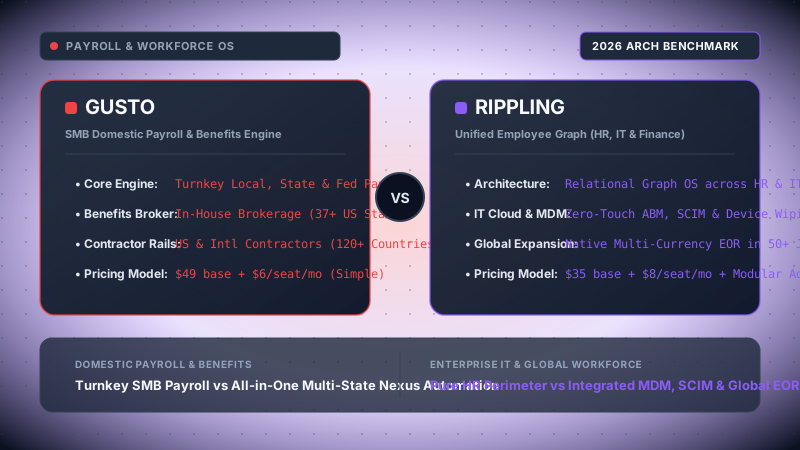
Our FinOps and enterprise architecture evaluation team conducted live production audits across both platforms over a 90-day testing cycle. We modeled a simulated 40-person venture-backed software company scaling across 6 distinct US jurisdictions (California, New York, Texas, Florida, Washington, and Ohio) with international contractors in the UK and Argentina. We stress-tested automated multi-state payroll tax withholding engines, EDI 834 electronic insurance carrier feeds, zero-touch Apple MDM device enrollments, SCIM identity provisioning into Okta and Google Workspace, and calculated exact TCO models accounting for software base fees, per-seat tiers, CPA tax correction labor, and standalone IT licensing overhead.
Choose Gusto if your organization has fewer than 30 employees, operates within 1 to 3 stable US states, possesses a dedicated non-technical office manager or founder managing payroll, and requires an intuitive, warm, and highly cost-effective payroll experience with integrated small-group health benefits brokerage and seamless Guideline 401(k) automation without the complexity or cost of an enterprise IT suite.
Choose Rippling if your company is a venture-backed tech firm, a remote-first distributed company with workers across 4+ US states, or a global scale-up (30 to 1,000+ seats). Rippling is virtually peerless if you need to eliminate SaaS glue code between HR and IT: its unified Employee Graph automatically provisions corporate laptops via zero-touch MDM, enforces FileVault/BitLocker encryption, assigns Google/Slack/GitHub access via SCIM, calculates multi-state tax registrations electronically, and coordinates global EOR hiring across 50+ countries.
In-Depth Architectural Index
- Architectural Philosophy: Pure Payroll Engine vs Unified Employee Graph OS
- Payroll Execution & Multi-State Tax Compliance: SUTA, SIT, and Nexus Automation
- Employee Benefits Administration: Broker Models vs Direct EDI 834 Carrier Automation
- IT Hardware, Zero-Touch MDM & SCIM App Provisioning
- Time Tracking, Geofencing, PTO Accruals & Complex Overtime Logic
- Scalability & Global Expansion: Contractor Rails vs Global Employer of Record (EOR)
- Mathematical TCO & Financial Sizing Model: The 40-Person Remote Firm
- Comprehensive Head-to-Head Comparison Matrix (18 Technical Dimensions)
- Granular Architectural Pros & Cons
- Final Architectural Verdict & Strategic Decision Tree
- Senior Staff Architect FAQ: Real-World Edge Cases
1. Architectural Philosophy: Pure Payroll Engine vs Unified Employee Graph OS
To understand the operational chasm between Gusto and Rippling, one must look past marketing slogans and examine the fundamental database schemas and architectural paradigms upon which both platforms were built. Software architectures reflect the initial problem their founders set out to solve: Gusto set out to humanize and simplify payroll for Main Street small businesses, whereas Rippling set out to build an immutable, centralized operating system for enterprise identity, computing hardware, and employee capital.
Gusto: The Payroll-Centric Hub-and-Spoke Model
Founded in 2011 as ZenPayroll, Gusto was architected around a classical payroll ledger state machine. In Gusto’s relational data model, the fundamental root entity is the Payroll Company and the Payroll Run. An employee record exists primarily as a tax withholding vector: an entity composed of a Social Security Number, Form W-4 withholding allowances, direct deposit bank routing numbers, and a mapping to municipal and state tax agencies.
When Gusto expanded into health benefits, workers’ compensation, 401(k) retirement plans, and time tracking, it added these capabilities as peripheral spokes orbiting the central payroll core. If an employee logs hours via Gusto Time Tracking or changes their health insurance plan during open enrollment, the event propagates inward toward the next scheduled payroll run to alter pre-tax deductions or gross pay.
However, Gusto’s boundary strictly terminates at the perimeter of HR and payroll. It does not possess a native concept of corporate identity (IAM), network access control, computing hardware inventory, or software license state. If an employee is terminated in Gusto, Gusto handles the final paycheck calculation, tax withholding, and state termination reporting; but revoking access to AWS, locking their MacBook, repossessing their corporate credit card, and transferring their Google Drive files requires either manual administrative intervention or third-party integration scripts.
│
▼
┌──────────────────────────────────────────────┐
│ GUSTO CORE PAYROLL ENGINE & LEDGER │
└──────────────────────┬───────────────────────┘
┌─────────┴─────────┐
▼ ▼
[Benefits Broker] [Guideline 401k] ──► (Outward to Third-Party App Store)
(Small Group) (API Sync) (Slack, QBO, Google Workspace via Webhooks)
Rippling: The Unified Employee Graph OS
Rippling, founded in 2016 by former Zenefits CEO Parker Conrad, was engineered from day one on a completely different conceptual abstraction: The Employee Graph. In Rippling, an employee is not merely a payroll line item; an employee is a multidimensional node in a unified, enterprise-wide relational graph.
This graph maintains deep, bidirectional topological relationships with every operational asset and credential in the organization:
- Organizational Topology: Department, reporting manager, direct reports, supergroups, employment type (W-2 vs 1099 vs International EOR), and seniority tier.
- Physical Computing Hardware: Serialized MDM records (MacBook Pro, Lenovo ThinkPad), FileVault encryption keys, OS patch levels, asset custody tracking, and remote wipe daemons.
- Software & Identity Perimeters: Google Workspace user accounts, Slack workspace channel memberships, GitHub organization teams, AWS IAM roles, Okta/SAML SSO credentials, and 1Password vaults.
- Financial Rails: Payroll withholding profiles, corporate credit card issuance, expense policy approvals, spend caps, and bill pay authorization tiers.
│ RIPPLING EMPLOYEE GRAPH ENGINE │
│ (Identity, Department, Role, Location, Hardware, Svc)│
└───────┬───────────────────┬───────────────────┬────────┘
│ │ │
┌───────────────▼───┐ ┌───────────▼───┐ ┌───────────▼───────────┐
│ HR & PAYROLL │ │ IT CLOUD │ │ FINANCE CLOUD │
│ • 50-State Taxes │ │ • Native MDM │ │ • Corporate Cards │
│ • Global EOR │ │ • SCIM / SAML │ │ • Expense Management │
│ • EDI 834 Feeds │ │ • Zero-Touch │ │ • AP & Bill Pay │
└───────────────────┘ └───────────────┘ └───────────────────────┘
Because Rippling maintains this single shared state, every operational change acts as an atomic event bus transaction across all three clouds (HR, IT, Finance). For example, consider an engineering manager promoted to Director of Infrastructure:
- In Gusto, an administrator updates the employee’s compensation and job title. The admin must then manually log into Okta/Google Workspace to grant managerial distribution groups, log into Jamf to reconfigure device security profiles, and log into Brex/Ramp to raise their corporate card spend limit.
- In Rippling, updating the role attribute automatically: (1) re-calculates salary and executive payroll tax thresholds, (2) grants access to sensitive production AWS IAM roles via SCIM, (3) issues a virtual corporate card with a $10,000 monthly limit for cloud infrastructure purchases, and (4) adds the employee to private managerial Slack channels and GitHub admin teams.
2. Payroll Execution & Multi-State Tax Compliance: SUTA, SIT, and Nexus Automation
Payroll execution is often treated as a solved commodity until an engineering organization transitions from a co-located single-state office to a distributed, remote-first multi-state team. At that moment, payroll shifts from simple gross-to-net math into a labyrinth of jurisdictional tax filings, state unemployment insurance (SUTA) experience rates, reciprocal state withholding agreements, and local municipal earned income taxes.
Multi-State Nexus Management & Automated Tax Registration
When an employee moves from San Francisco, California to Austin, Texas, or when an engineering lead hires a remote senior distributed systems engineer in Columbus, Ohio, the business instantly establishes a payroll tax nexus in that state. This obligates the employer to register with the state’s Department of Revenue (for State Income Tax - SIT withholding) and Department of Labor (for State Unemployment Tax Act - SUTA contributions).
Here lies one of the sharpest architectural contrasts between the two platforms:
| Compliance Capability | Gusto | Rippling |
|---|---|---|
| State Tax Account Registration | Manual by admin, or outsourced via Middesk integration ($75-$150/state fee) | Fully automated native e-filing across all 50 states + DC included in compliance tier |
| SUTA Rate Updating | Admin must upload annual paper notices received from state DOL | Automated electronic retrieval & rate adjustment via state agency integrations |
| Local & Municipal Tax Engines | Handles major metro areas (NYC, Yonkers, SF); prone to errors in complex local zones (PA, OH) | Granular geocoding engine mapping exact GPS lat/long to school district & borough tax codes |
| Direct Deposit Processing Windows | 2-day standard direct deposit; 1-day/next-day limited to Plus/Premium tiers based on credit review | Next-day ACH & same-day direct deposit available; configurable cutoff thresholds down to 2:00 PM EST |
| Tax Penalty Guarantee | Gusto covers tax penalties if caused by their system calculation error | Rippling 100% Tax Accuracy Guarantee covers penalties and interest for system calculation errors |
In practice, the operational drag of state tax registrations is massive. In Pennsylvania alone, there are over 2,500 local taxing jurisdictions governing Earned Income Tax (EIT) and Local Services Tax (LST). In Ohio, over 600 separate school districts assess distinct municipal withholding rates. Gusto relies heavily on the employer to verify these tax account numbers. If an admin misses a letter from the Pennsylvania Department of Revenue, Gusto blocks the payroll run or defaults to unallocated withholdings, leading to statutory penalty notices from state authorities.
Rippling mitigates this via a programmatic registration daemon. When an employee inputs a home address during self-onboarding, Rippling’s geocoding engine identifies the exact state, county, municipality, and school district jurisdictions. It then executes an automated electronic registration, populating employer account credentials directly into the payroll calculation engine without requiring an external service like Middesk.
Off-Cycle Runs, Garnishments & Executive Compensation
Both platforms provide unlimited off-cycle payroll runs without charging per-run fees (a legacy practice still perpetuated by traditional providers like ADP Run and Paychex). However, the execution ergonomics diverge:
- Gusto Off-Cycle Payroll: Excellent for straightforward bonus disbursements, expense reimbursements, or corrections. Gusto provides a clear net-to-gross calculator directly in the user interface, allowing managers to issue an exact $5,000 bonus while Gusto calculates the gross tax offset. However, handling complex multi-state wage garnishments (child support, IRS levies, student loans) requires manual administrative entry and check generation for specific state clearinghouses.
- Rippling Off-Cycle & Garnishments: Highly automated. Rippling integrates directly with automated child support clearinghouses (via electronic income withholding orders - e-IWO), automatically deducting and electronically remitting payments to state disbursement units. For executive equity compensation, Rippling supports automated tax withholding on restricted stock unit (RSU) vesting events and non-qualified stock option (NSO) exercises, syncing cost bases directly with equity management platforms like Carta and Pulley.
3. Employee Benefits Administration: Broker Models vs Direct EDI 834 Carrier Automation
Health, dental, vision, life, and disability benefits represent the second-largest corporate balance sheet expense behind base compensation. How a software platform interfaces with insurance carriers dictates the level of administrative overhead, billing leakage, and compliance risk an employer shoulders.
Gusto's Broker-of-Record (BOR) Model
Gusto operates as a licensed digital insurance broker in over 37 US states. When a small business implements health insurance through Gusto, Gusto acts as the licensed Broker of Record (BOR).
This model offers compelling advantages for companies under 50 employees:
- Zero Platform Brokerage Fees: Gusto does not charge the employer an additional software surcharge for benefits administration; instead, Gusto earns standard carrier commissions (typically 3% to 5% of monthly premiums) paid directly by the insurance carriers (e.g., Anthem Blue Cross, UnitedHealthcare, Aetna, Kaiser Permanente).
- Turnkey Small Group Plan Assembly: Gusto’s benefits advisor team curates small group health plans tailored to SMB budgets, configuring employer contribution tiers (e.g., 80% employee / 50% dependent) and setting up pre-tax Section 125 Premium Only Plans (POP).
- Guideline & Human Interest 401(k) Integration: Retirement plan enrollment is natively embedded. Gusto passes salary and deduction data directly to Guideline or Human Interest via API, eliminating the need for manual end-of-month contribution file uploads.
The Architectural Limitation: Gusto’s model begins to fray once an employer scales past 50 full-time equivalents (the ACA Applicable Large Employer - ALE threshold) or operates across dozens of states requiring specialized large-group medical underwriting. Furthermore, if a company has an existing trusted local insurance broker, Gusto’s "Bring Your Own Broker" (BYOB) capability is restricted: Gusto requires companies to use their in-house brokerage unless enrolled in the highest-tier Gusto Premium plan, where an additional administrative fee is assessed.
Rippling: Enterprise EDI 834 Carrier Infrastructure
Rippling approaches benefits not merely as a brokerage, but as an Electronic Data Interchange (EDI) infrastructure pipeline. Rippling supports both models: employers can use Rippling as their broker of record, or they can maintain their own third-party enterprise benefits broker (Marsh McLennan, Mercer, Gallagher) with zero friction.
The technical backbone of Rippling’s benefits engine is its automated EDI 834 file transmission network. The ANSI ASC X12 Benefit Enrollment and Maintenance (834) transaction set is the HIPAA-mandated standard for exchanging enrollment, termination, and modification records between employers and health insurance payers.
GS*BE*RIPPLING*CARRIERPAYER*20261104*0830*1*X*005010X220A1~
ST*834*0001*005010X220A1~
BGN*00*ENROLLMENT-20261104-01*20261104*0830***2~
N1*P5*ACME SOFTWARE CORP*FI*123456789~
INS*Y*18*021*28*A***FT~ <-- [Employee Enrolled: Full Time Status]
REF*0F*987654321~ <-- [SSN / Subscriber Identifier]
NM1*IL*1*DOE*JANE*M***34*987654321~
HD*021**HLT*GOLD-PPO-500*EMP~
DTP*348*D8*20261101~ <-- [Coverage Effective Date: Nov 1, 2026]
SE*10*0001~
GE*1*1~
IEA*1*000000001~
In legacy systems and manual SMB setups, when an employee resigns on the 15th of the month, an HR administrator often forgets to log into the carrier portal to terminate medical coverage. The employer continues paying monthly premiums for terminated staff—an invisible leak known as premium leakage that costs companies an average of $650 per employee per month.
In Rippling, because the Employee Graph controls termination events, triggering an offboarding workflow instantly compiles an EDI 834 maintenance change file, schedules the transmission window, dispatches it to the carrier's SFTP server, updates payroll deduction ledgers, and generates statutory federal COBRA continuation notices automatically.
4. IT Hardware, Zero-Touch MDM & SCIM App Provisioning
The inclusion of enterprise IT management is the single most radical architectural differentiator separating Rippling from Gusto—and indeed from virtually all traditional HRIS platforms (BambooHR, Workday, Paylocity).
In modern knowledge-work companies, an employee’s first interaction with the organization is not signing a tax form; it is unboxing a computer and logging into corporate applications. Similarly, an employee offboarding is fundamentally a cybersecurity risk mitigation event: ensuring sensitive customer data, source code repositories, and production credentials cannot be extracted.
Rippling IT Cloud: Zero-Touch Provisioning & Global Hardware Logistics
Rippling operates an end-to-end IT hardware logistics network and native Mobile Device Management (MDM) solution built directly on top of Apple Business Manager (ABM) and Windows Autopilot.
│
▼
[Rippling Hardware Warehouse] ──► Dispatches Pre-Configured MacBook Pro directly to Home Address
│
▼
[Employee Unboxes & Powers On] ──► ABM Handshake triggers Rippling MDM Profile Enrollment
│
┌───────────────────────────────┴───────────────────────────────┐
▼ ▼
[Security Policies Enforced] [App Provisioning via SCIM]
• FileVault 2 Disk Encryption (Escrowed Key) • Google Workspace Account
• OS Auto-Update Schedule (macOS Sequoia) • GitHub Org & Eng Teams
• Antivirus / SentinelOne Daemon Injection • Slack Channels by Department
• Passwordless Okta/Rippling SAML Certificate • 1Password Vault Delegation
When an employee leaves the company, an administrator simply schedules their termination date in Rippling. At 5:00 PM on their final day:
- Rippling’s MDM daemon remotely locks the device and triggers a cryptographically verified FileVault wipe.
- Rippling dispatches a pre-paid, padded return shipping box directly to the employee’s residential address.
- The computer is returned to Rippling’s secure warehousing facility, where technicians inspect, wipe, re-package, and store the device in the company’s dedicated inventory pool until the next hire.
Identity Management: SCIM vs Gusto’s Third-Party Webhooks
System for Cross-domain Identity Management (SCIM 2.0) is the open standard protocol for automating user identity lifecycle provisioning across cloud applications.
Rippling features an enterprise SCIM server and client engine. It natively orchestrates user provisioning across more than 600 cloud applications. The following JSON payload illustrates how Rippling’s Employee Graph translates a role change into a standardized SCIM 2.0 PATCH request to provision an engineer into specialized engineering groups:
PATCH /scim/v2/Users/usr_984128f7a HTTP/1.1
Host: api.github.com
Authorization: Bearer scim_token_live_sec_89234
Content-Type: application/scim+json

{
  "schemas": ["urn:ietf:params:scim:api:messages:2.0:PatchOp"],
  "Operations": [
    {
      "op": "replace",
      "path": "title",
      "value": "Staff Systems Architect"
    },
    {
      "op": "add",
      "path": "groups",
      "value": [
        {
          "value": "grp_eng_core_infrastructure",
          "display": "Core Platform Engineering"
        },
        {
          "value": "grp_prod_k8s_admins",
          "display": "Production Kubernetes Cluster Admins"
        }
      ]
    },
    {
      "op": "replace",
      "path": "urn:ietf:params:scim:schemas:extension:enterprise:2.0:User:costCenter",
      "value": "COST_CTR_ENG_2026"
    }
  ]
}
Gusto’s IT Reality: Gusto does not possess an MDM server, does not warehouse or ship hardware, and does not operate an enterprise SCIM provisioning engine. While Gusto offers an "App Directory" with integrations into Google Workspace, Microsoft 365, Slack, and Zoom, these integrations operate primarily as simple webhook triggers or basic CSV import/export bridges.
If your organization relies on Gusto and wants enterprise-grade IT security, you are obligated to purchase, configure, and maintain separate dedicated third-party SaaS stacks:
- Identity & SSO: Okta Workforce Identity Cloud ($3 - $8 per user/month) or JumpCloud.
- Apple Device MDM: Jamf Pro or Kandji ($4 - $9 per device/month).
- Hardware Logistics: Hofy, Firstbase, or internal manual shipping via FedEx ($150 - $300 per onboarding/offboarding cycle in courier fees and internal IT hours).
5. Time Tracking, Geofencing, PTO Accruals & Complex Overtime Logic
For organizations employing hourly workers, field staff, customer support shifts, or contractors, time tracking is the frontline feeding the payroll calculation engine. A failure to accurately enforce state overtime statutes exposes employers to catastrophic class-action wage-and-hour lawsuits.
California Daily Overtime & Complex State Labor Statutes
Under standard federal Fair Labor Standards Act (FLSA) regulations, non-exempt overtime is calculated strictly on a weekly threshold: hours worked in excess of 40 hours during a workweek must be compensated at 1.5x regular rate of pay.
However, several states enforce far more punishing daily overtime rules:
- California Daily Overtime: Any hours worked beyond 8 hours in a single workday must be paid at 1.5x. Any hours worked beyond 12 hours in a single day must be paid at 2.0x (double-time). Furthermore, hours worked on the 7th consecutive day of a workweek must be paid at 1.5x for the first 8 hours, and 2.0x thereafter.
- California Meal Break Penalties: If an employer fails to provide a 30-minute unpaid meal break prior to the end of the 5th hour of work, the employer must pay the employee one additional hour of pay at their regular rate as a premium penalty (California Labor Code § 226.7).
- New York Spread of Hours: If an hourly employee's workday spans more than 10 consecutive hours from first clock-in to final clock-out (including split shifts or extended meal breaks), the employer must pay one additional hour's pay at the basic minimum hourly wage.
Let R = Regular Hourly Base Rate ($32.00/hr)
California Daily Overtime Model:
For any day i:
• If H_daily[i] <= 8: Pay = H_daily[i] * R
• If 8 < H_daily[i] <= 12: Pay = (8 * R) + [(H_daily[i] - 8) * (1.5 * R)]
• If H_daily[i] > 12: Pay = (8 * R) + (4 * 1.5 * R) + [(H_daily[i] - 12) * (2.0 * R)]
Consecutive 7th Day Rule:
• Hours 0 to 8: Pay = H_7th * (1.5 * R)
• Hours > 8: Pay = (8 * 1.5 * R) + [(H_7th - 8) * (2.0 * R)]
Meal Break Premium Penalty:
• If Clock_In + 5.0h < Meal_Start: Add Penalty_Wage = 1.0 * R
Platform Performance Comparison:
Gusto Time Tracking: Gusto provides a straightforward, user-friendly mobile clock-in tool available on its Plus ($80 base + $12/user/mo) and Premium plans. It supports standard geolocation tagging and automated alerts when an employee approaches 40 weekly hours. It successfully calculates standard California daily overtime. However, Gusto struggles with advanced edge cases: it lacks automated meal break penalty calculations, cannot automatically enforce split-shift premiums, and cannot dynamically assign different overtime rules based on varying project or job-costing codes within a single pay period.
Rippling Time & Attendance: Rippling features one of the most sophisticated rules engines on the market. Employers can build custom logic trees or select from pre-packaged compliance policies covering all 50 states, including California meal breaks, Washington state rest break mandates, and New York spread-of-hours pay. Furthermore, Rippling’s mobile app supports strict GPS geofencing: employees physically cannot clock in unless their mobile device is confirmed within a 150-meter radius of an authorized job site or office IP subnet. Supervisors receive real-time push alerts on iOS/Android if an employee fails to take a mandatory meal break before the 5-hour cutoff.
6. Scalability & Global Expansion: Contractor Rails vs Global Employer of Record (EOR)
In the remote-first landscape of 2026, technology companies rarely stay exclusively domestic. A Series A startup with 25 engineers in the United States almost inevitably hires senior software engineers, QA leads, or technical support specialists across Latin America (Mexico, Colombia, Argentina), Europe (UK, Poland, Germany), or the Asia-Pacific region.
Gusto Global: International Contractor Payments
Gusto offers an international capability known as Gusto Global. However, it is essential to understand its legal and architectural perimeter:
- Contractor-Only Scope: Gusto Global is strictly designed for paying international independent contractors in approximately 120+ countries.
- Payment Rails: Cross-border payments are executed via direct bank deposits (partnered with international currency conversion networks like Wise). Payments typically settle in 2 to 4 business days in the contractor's local fiat currency or USD.
- Pricing: $0 base fee add-on; employers pay a transparent monthly fee of approximately $20 per international contractor paid.
- Zero Native EOR Entity Support: Gusto does not own or operate Employer of Record (EOR) entities in foreign nations. If you wish to hire a full-time employee in the UK, Canada, or Germany with local statutory pension contributions, statutory healthcare, and legal employment contracts, Gusto cannot serve as the legal employer. You must turn to external global EOR providers like Remote, Deel, or Oyster.
Rippling Global Workforce: Native Global EOR & Multi-Currency Payroll
Rippling approached global workforce management by constructing a unified, international software-defined infrastructure. Rather than acting merely as a domestic tool with contractor add-ons, Rippling Global is a direct competitor to specialized global platforms like Deel and Remote:
- Direct International EOR: Rippling operates wholly owned legal entities in over 50 major commercial jurisdictions worldwide. You can legally hire a full-time Senior Fullstack Engineer in Berlin, London, Toronto, or Buenos Aires without incorporating a foreign subsidiary. Rippling acts as the legal employer of record, administering statutory local benefits, mandatory pension contributions, and local tax withholdings.
- Unified Global Ledger: Domestic US payroll and global international payroll run inside the exact same application. The HR administrator does not log into a separate portal or execute manual currency wire reconciliations. Global salaries, EOR platform fees, and statutory employer taxes are rolled into a single centralized invoice debited from your primary US corporate bank account.
- Global IT Logistics: Rippling ships pre-configured corporate laptops and monitors to international employees in over 130 countries, handling customs clearances, VAT duties, local power adapters, and international device recovery upon termination.
| Global Expansion Dimension | Gusto Global | Rippling Global |
|---|---|---|
| International Contractors | Supported in 120+ countries (~$20/contractor/mo) | Supported in 150+ countries (~$20/contractor/mo) |
| Global Employer of Record (EOR) | Not Supported (Requires third-party like Deel/Remote) | Native EOR in 50+ countries ($599/emp/mo) |
| Global Hardware MDM & Shipping | No hardware support | Direct international laptop shipping & retrieval |
| Localized Employment Contracts | Generic contractor agreements only | Statutory local legal contracts vetted by local labor counsel |
| Foreign Entity Management | None | Run local payroll on your own foreign subsidiaries if you incorporate |
7. Mathematical TCO & Financial Sizing Model: The 40-Person Remote Firm
When financial officers compare Gusto and Rippling solely by glancing at their marketing headline rates, they invariably commit a grave budgeting error. Gusto appears substantially cheaper on paper ($49 base + $6/seat vs Rippling’s custom modular quotes). However, an enterprise FinOps sizing model must account for the Total Cost of Ownership (TCO) across software licensing, standalone IT tool fragmentation, state compliance registrations, and human administrative overhead.
The FinOps Mathematical Formulation
We define the total annual cost of operating the workforce infrastructure as:
Where:
• C_Base = Annual platform subscription base fees
• C_Seats = Σ [N_US_W2 * Rate_W2 + N_Intl_Contractor * Rate_Contractor + N_Global_EOR * Rate_EOR] * 12
• C_IT_Stack = Σ [Identity_IAM (Okta) + Device_MDM (Jamf) + Password_Mgr] * N_Seats * 12
• C_Compliance_Nexus = Σ [State_Tax_Registrations + Annual_SUTA_Filings + Middesk_Fees]
• C_Hardware_Logistics = Σ [Courier_Shipping + Laptop_Imaging + Box_Recovery_Kits] * Turnover_Events
• C_Admin_Labor = (Hours_Spent_On_Manual_HR_IT_Sync / month) * Fully_Burdened_HR_Hourly_Rate * 12
The 40-Person Production Sizing Simulation
To establish a concrete financial benchmark, we modeled a realistic, high-growth Series A SaaS company:
- Headcount: 35 domestic US full-time employees (W-2), distributed across 5 states (California, New York, Texas, Florida, and Colorado).
- International Team: 3 international contractors (Latin America & Europe) and 2 full-time international engineers in the UK and Germany (requiring EOR services).
- Turnover / Hiring Velocity: 8 new onboarding events and 4 offboarding events per year.
| Cost Component | Stack A: Gusto + Best-of-Breed IT | Stack B: Rippling All-in-One OS |
|---|---|---|
| Core Payroll & HR Platform | Gusto Plus: ($80/mo base + $12/user) = $6,000/yr | Rippling Core HR & Payroll: ($35/mo base + $8/user) = $4,140/yr |
| International Contractors (3) | Gusto Global: (3 * $20/mo) * 12 = $720/yr | Rippling Global Contractor: (3 * $20/mo) * 12 = $720/yr |
| International Full-Time EOR (2) | External Provider (Deel/Remote): (2 * $599/mo) * 12 = $14,376/yr | Rippling Native Global EOR: (2 * $599/mo) * 12 = $14,376/yr |
| Multi-State Tax Registrations | Middesk Setup (4 new states @ $150 + maintenance) = $950/yr | Included in Rippling Multi-State Tax Automation = $0/yr |
| Identity Management & SSO (35 users) | Okta Workforce Identity: (35 * $6/mo) * 12 = $2,520/yr | Rippling App Management (SCIM/SSO): (35 * $5/mo) * 12 = $2,100/yr |
| Device MDM (35 laptops) | Jamf Pro / Kandji: (35 * $5/mo) * 12 = $2,100/yr | Rippling Device Cloud (MDM): (35 * $5/mo) * 12 = $2,100/yr |
| Hardware Shipping & Storage | Manual FedEx / Hofy (12 events * $220/event) = $2,640/yr | Rippling Hardware Logistics Pack = $1,800/yr |
| Administrative Labor Overhead | Manual sync across 5 disconnected portals (14 hrs/mo @ $45/hr) = $7,560/yr | Single Graph automation (3 hrs/mo @ $45/hr) = $1,620/yr |
| TOTAL ESTIMATED ANNUAL TCO | $36,866 / year | $26,856 / year |
The FinOps Takeaway: While Gusto's payroll line item is roughly comparable, running Gusto in a multi-state technology firm with modern IT requirements costs over $10,000 more per year than Rippling once you account for standalone Jamf/Okta licensing, Middesk state filings, courier logistics, and the manual administrative glue code required to keep disparate systems synchronized.
8. Comprehensive Head-to-Head Comparison Matrix (18 Technical Dimensions)
The following exhaustive technical matrix contrasts Gusto and Rippling across 18 fundamental architectural, compliance, operational, and financial dimensions.
| Architecture & Feature Dimension | Gusto | Rippling |
|---|---|---|
| 1. Core Software Paradigm | Payroll Ledger State Machine (HR/Payroll Hub) | Unified Employee Graph OS (HR + IT + Finance) |
| 2. Multi-State Tax Registration | Manual admin portal filing or paid Middesk partner | Automated electronic e-filing in all 50 states + DC |
| 3. Local Tax Jurisdictions | Standard metro coverage; prone to manual PA/OH errors | Algorithmic geocoding to exact school/borough codes |
| 4. Direct Deposit Processing Speed | 2-day standard; next-day requires Plus/Premium tier | Next-day standard; same-day ACH available |
| 5. Benefits Brokerage Model | Exclusive In-House Digital Broker (37+ states) | Hybrid: In-House Broker or Bring-Your-Own-Broker (BYOB) |
| 6. Carrier EDI 834 Direct Feeds | Limited carrier direct feeds; semi-automated open enrollment | Enterprise EDI 834 pipeline with 4,000+ national carriers |
| 7. 401(k) Retirement Integration | Turnkey Guideline & Human Interest API Sync | Guideline + 30+ institutional carriers (Fidelity, Vanguard) |
| 8. Hardware Procurement & MDM | Zero native hardware support | Native ABM / Autopilot zero-touch MDM & warehouse |
| 9. App Provisioning & Identity (SCIM) | Basic webhook integrations; no native SCIM server | Native SCIM 2.0 & SAML SSO across 600+ cloud apps |
| 10. Remote Device Wipe on Termination | Requires external Jamf/Kandji subscription | Automated instant cryptographic FileVault wipe |
| 11. Time Tracking & Geofencing | Simple mobile clock-in; basic geolocation stamp | Strict GPS geofencing perimeter & IP subnet lock |
| 12. Complex Labor Overtime Engines | Calculates standard CA daily overtime; no meal break rules | Full CA meal break penalties & NY spread of hours |
| 13. International Contractors | Supported in 120+ countries (~$20/mo) | Supported in 150+ countries (~$20/mo) |
| 14. Global Employer of Record (EOR) | Not Supported (requires Deel or Remote) | Wholly owned EOR entities in 50+ countries |
| 15. PEO (Co-Employment) Model | Pure ASO payroll only (No PEO option) | Flexible 1-click PEO with instant unbundling capability |
| 16. Developer API & Webhooks | Clean REST API for payroll & employee lifecycle (100 req/min) | Graph Query API + Custom Event-Driven Workflow Recipes |
| 17. Security & Compliance | SOC 2 Type II, HIPAA compliant, pre-tax POP compliance | SOC 2 Type II, ISO 27001, HIPAA, GDPR, Zero-Trust RBAC |
| 18. Target Organization Size | 1 to 50 employees (Single or low-count US states) | 25 to 1,000+ employees (Multi-state, hybrid, global) |
9. Granular Architectural Pros & Cons
An objective systems engineering review requires examining the real-world operational friction points and design compromises inherent in both platforms.
Gusto: Architectural Strengths & Limitations
Advantages & Strengths
- Unrivaled Onboarding Simplicity: Intuitive, warm UI that requires zero formal training for non-technical office managers or founders.
- Integrated Health Insurance Brokerage: In-house brokers handle carrier negotiations and Section 125 POP compliance with zero add-on software broker fees.
- Seamless Guideline 401(k) Automation: Frictionless, zero-touch retirement contribution syncing without manual end-of-month contribution files.
- Transparent SMB Pricing: Clear, predictable public pricing without complex annual enterprise lock-in contracts or multi-seat sales negotiation.
- Excellent Employee Self-Service: Lifetime employee portal access allows former staff to retrieve Form W-2s years after departure without contacting HR.
Trade-offs & Limitations
- Zero IT / MDM Capabilities: Lacks hardware management, device encryption, zero-touch provisioning, and remote wipe daemons.
- Manual Multi-State Nexus Drag: Does not electronically register state tax accounts; relies on manual state DOR filings or paid Middesk add-ons.
- No Global Employer of Record: International hiring is restricted to independent contractors; cannot hire foreign full-time employees directly.
- Inflexible Benefits Broker Policy: Bringing your own third-party health insurance broker is either forbidden or locked behind costly Premium tiers.
Rippling: Architectural Strengths & Limitations
Advantages & Strengths
- Unified Single-Pane Architecture: Consolidates HR, payroll, IT hardware, application provisioning, and corporate spend onto one relational graph.
- Zero-Touch IT Automation: End-to-end device lifecycle management: order laptops, enforce FileVault, push software profiles, and trigger instant remote wipe.
- Automated 50-State Tax Nexus Registrations: Native electronic DOR/SUTA filings eliminate state compliance friction for remote hiring.
- Native Global Workforce Engine: Wholly owned EOR entities in 50+ countries with unified single-ledger billing and global laptop logistics.
- Enterprise EDI 834 Carrier Network: Direct bidirectional integrations with 4,000+ health insurance carriers and bring-your-own-broker support.
Trade-offs & Limitations
- Aggressive Modular Sales Pricing: Quotes require sales engagement; unbundled modules (MDM, App Management, EOR) can escalate total contract value.
- Steeper Administrative Learning Curve: The immense depth of custom workflow rules, permissions, and supergroups can overwhelm casual SMB users.
- Annual Contract Commitment: While Gusto offers month-to-month billing, Rippling primarily negotiates annual and multi-year corporate contracts.
10. Final Architectural Verdict & Strategic Decision Tree
The choice between Gusto vs Rippling is not a matter of which platform has a higher feature count; it is a question of matching your company’s organizational topology, geographical footprint, and IT security requirements to the appropriate software paradigm.
Persona-Based Strategic Decision Framework
- The Single-State Local Small Business (1 to 25 Employees):
Deploy Gusto Simple or Plus. If you operate a dental practice, a boutique marketing agency, a local retail storefront, or a law firm located within 1 to 3 states with no international presence and standard off-the-shelf laptops, Gusto is the gold standard. You will enjoy a low monthly base fee, delightful payroll processing, built-in health insurance brokerage, and zero administrative headache. - The Early-Stage Bootstrapped Tech Startup (< 15 Employees):
Start on Gusto, with a planned migration trigger. Early-stage founders need to conserve cash and launch quickly. Gusto can be deployed in under 2 hours with zero implementation fees, handling founders' W-2 payroll and Guideline 401(k) setup without requiring complex IT configuration. - The Remote-First Multi-State Technology Scale-Up (30 to 500+ Employees):
Deploy Rippling Unity Core (HR + IT Cloud). Once your engineering, sales, and support staff are distributed across 5 or more US states, Gusto’s manual compliance drag and lack of IT automation become unsustainable. Rippling saves hundreds of hours of manual IT provisioning, eliminates state registration headaches, and enforces zero-trust security postures required for SOC 2 Type II compliance. - The Global Organization with Cross-Border Staff:
Deploy Rippling Global. If you are hiring full-time software talent in Europe, Latin America, or Canada, Gusto cannot serve your employment needs. Rippling consolidates your domestic US payroll and global international EOR into a single operational interface with unified hardware shipping.
The Tipping-Point Migration Runbook (Gusto to Rippling)
For organizations that started on Gusto and are crossing the 30-employee threshold, the ideal time to execute an architectural migration to Rippling is at the boundary of a fiscal quarter or calendar year-end (December 31):
2. State Tax Audit: Export all active SUTA experience rates and withholding account IDs from Gusto.
3. 401(k) Plan Notice: Notify Guideline / Human Interest 30 days prior to transfer SFTP payroll sync feeds.
4. Apple Business Manager (ABM) Token Handshake: Link ABM MDM server token to Rippling Device Cloud.
5. SCIM Staging: Map existing Google Workspace / Slack users to Rippling Employee Graph prior to cutover.
11. Senior Staff Architect FAQ: Real-World Edge Cases
How do Gusto and Rippling handle multi-state nexus creation when an employee relocates to a new state without prior notice?
When an employee changes their residential tax address, Gusto detects the new zip code and flags the account, prompting the company administrator to manually register with the destination state's Department of Revenue (DOR) and State Unemployment Agency (SUTA), or pay a third-party partner like Middesk to complete registration. Payroll runs for that employee are halted or withheld at default rates until state account numbers are verified. Rippling, conversely, triggers an automated state registration workflow: its native compliance engine electronically provisions withholding and SUTA accounts with the target state's DOR via direct programmatic e-filing, calculates retroactive reciprocal tax agreements, updates local tax withholdings (such as city or school district taxes), and modifies the employee's payroll profile with zero administrative downtime.
Can Rippling fully replace an enterprise Identity and Access Management (IAM) solution like Okta and an MDM like Jamf Pro?
For startups, scale-ups, and mid-market organizations with up to approximately 500-1,000 employees, Rippling IT Cloud (App Management and Device Cloud) can completely replace both Okta and Jamf Pro. Rippling provides native SAML 2.0 Single Sign-On (SSO), SCIM automated user provisioning and deprovisioning, role-based access control (RBAC) linked to the Employee Graph, and full Apple Business Manager (ABM) / Windows Autopilot Mobile Device Management (MDM) with FileVault/BitLocker encryption enforcement and remote wipe. However, enterprise organizations requiring complex conditional access policies, multi-forest Active Directory federations, advanced privileged access management (PAM), or custom Jamf binary daemon scripting will still maintain Okta and Jamf Pro while using Rippling as the upstream HRIS identity source of truth.
What are the mechanical differences between Gusto's embedded Guideline 401(k) and Rippling's 3(16) / 3(38) fiduciary 401(k) integrations?
Gusto utilizes a deeply embedded, turnkey partnership model primarily centered on Guideline (and Human Interest). Payroll deductions and employer matching contributions are automatically calculated and transferred via proprietary API sync, providing a frictionless setup for small businesses with zero plan administration overhead. Rippling supports Guideline and Human Interest, but also connects via direct bidirectional API or automated SFTP payroll data feeds with over 30 leading institutional 401(k) recordkeepers (including Fidelity, Empower, Vanguard, Schwab, and Betterment). Furthermore, Rippling allows employers to bring their existing retirement advisor and appoint external ERISA 3(16) administrative fiduciaries and 3(38) investment fiduciaries, offloading legal liability for Form 5500 filings and annual non-discrimination testing.
Does Gusto or Rippling offer a Professional Employer Organization (PEO) model, and how does it affect SUTA rates and health insurance risk pools?
Rippling offers a flexible PEO option ('Rippling PEO') that can be turned on or off with a single click, whereas Gusto operates strictly as an ASO (Administrative Services Only) and payroll service provider without a co-employment PEO option. Under Rippling PEO, client employees are co-employed under Rippling's federal Employer Identification Number (EIN). This allows small companies to join Rippling's master health insurance risk pool (negotiating large-group premium rates with UnitedHealthcare, Aetna, etc.) and inherit Rippling's established State Unemployment (SUTA) experience rates. As a company scales past 50-75 employees and achieves lower risk profiles or prefers direct carrier contracts, Rippling allows an instant transition out of the PEO back into standard ASO payroll without re-onboarding employees or changing software interfaces.
How do API rate limits, webhooks, and developer extensibility compare between Gusto's Developer Platform and Rippling's Custom Workflow APIs?
Gusto provides a RESTful developer API (Gusto Embedded and App Integrations) adhering to standard OAuth 2.0 specifications, enforcing a rate limit of approximately 100 requests per minute per IP with standard webhook events for employee lifecycle changes, payroll executions, and company onboarding. Rippling provides both a comprehensive REST API and an advanced Workflow Engine with custom webhook triggers. Rippling's API exposes the full multi-dimensional Employee Graph, enabling complex queries across HR attributes, enrolled devices, assigned software licenses, and corporate credit cards. Rippling also features custom 'Recipes' (native event-driven automation rules) that allow engineering teams to trigger HTTP requests or execute AWS Lambda scripts when specific graph mutations occur (such as a promotion, department transfer, or termination) with enterprise-grade retry queues and idempotency keys.